i tore the ear pads on my airpods pro 2 now i cant remove it completely how do i remove it
i tore the ear pads on my airpods pro 2 now i cant remove it completely how do i remove it
i tore the ear pads on my airpods pro 2 now i cant remove it completely how do i remove it
Hi emirka,
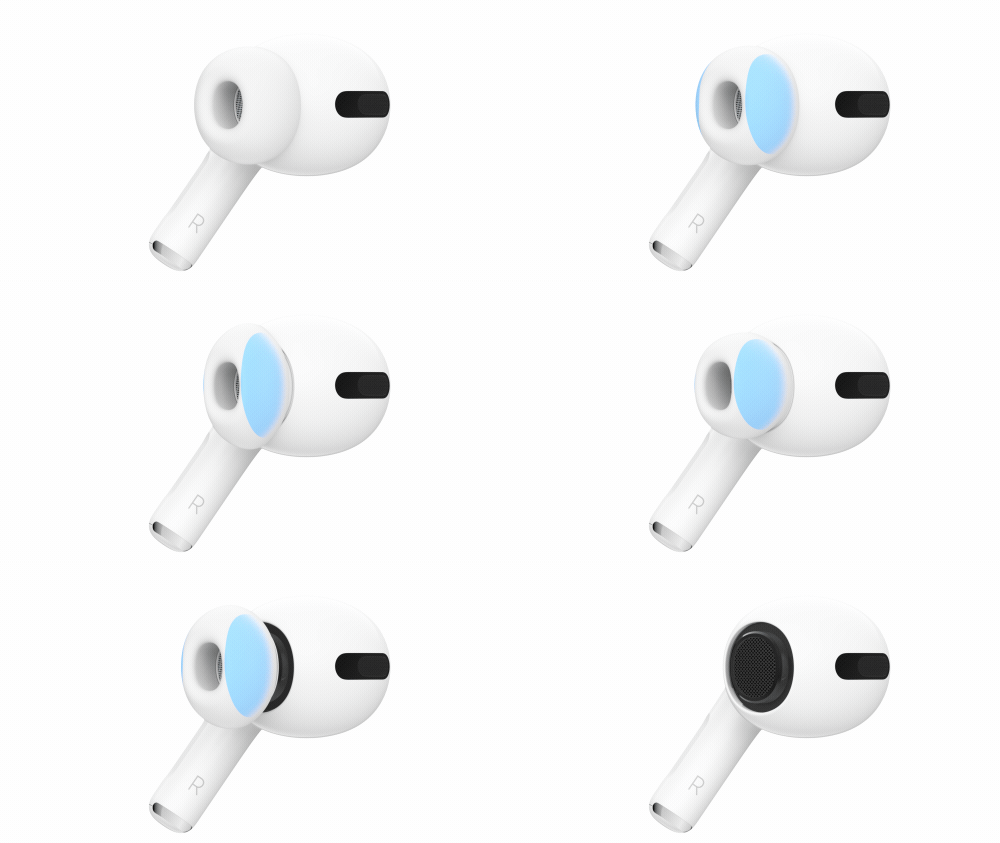
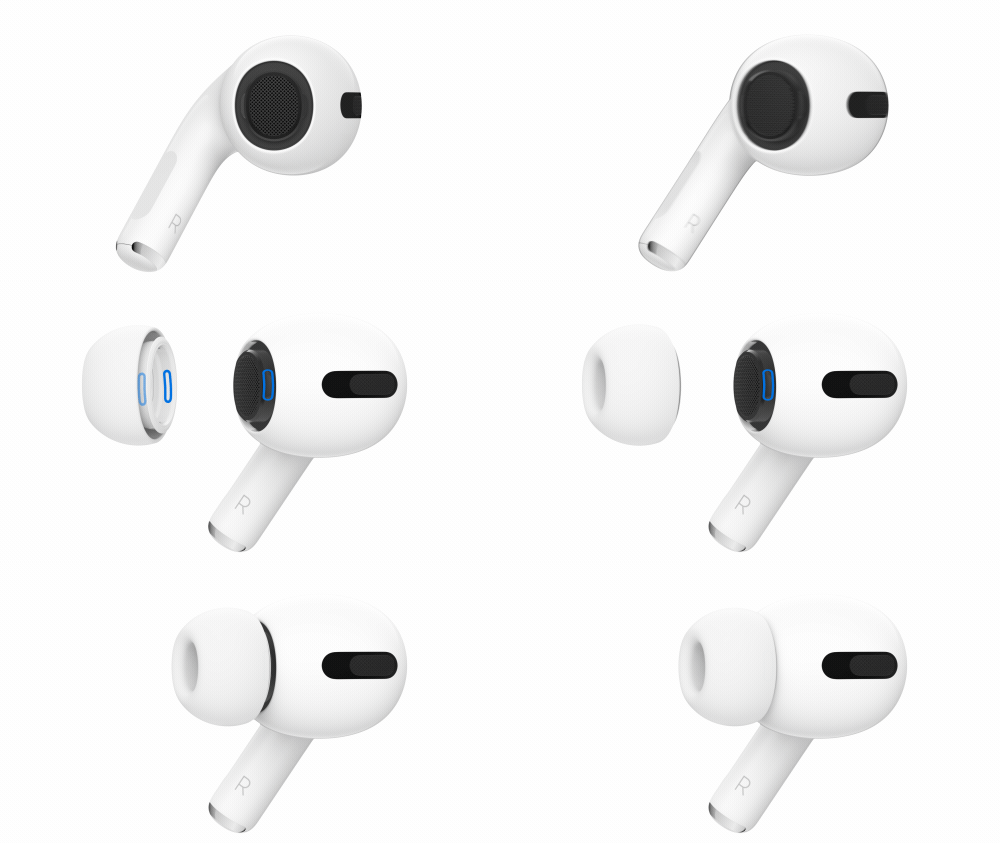
The article you came from has a diagram of your AirPods ear tips and how they attach. You'll want to squeeze where you're instructed, just in front of the attachment points shown in the second picture:
How to remove and attach ear tips
To remove an ear tip, pull firmly with your fingers at the base of the ear tip, where the ear tip is attached to the AirPod.
To attach an ear tip, align the ear tip with the oval-shaped connector on the AirPod. With your fingers at the base of the ear tip, push the ear tip onto the connector until you hear it click into place.
Choose your AirPods Pro ear tips and use the Ear Tip Fit Test
You can order more ear tips here:
AirPods Pro (2nd generation) Ear Tips - 2 sets (Medium)
Be sure to choose the correct size you need.
Thanks for using the Apple Support Communities.
i tore the ear pads on my airpods pro 2 now i cant remove it completely how do i remove it