
It’s won’t let me download notifications
It won’t let me download nothing
iPhone 11, iOS 13
It won’t let me download nothing
iPhone 11, iOS 13
Hey audrianna257,
It sounds like you may be having issues downloading apps from the App Store on your iPhone.
If that's the case, we'd recommend reviewing this article as it provides steps to take to help resolve app download issues: If you can’t download or update apps on your iPhone or iPad - Apple Support
" 1. Manually update the app
Learn how to manually update an app
2. Add a payment method
You might need to have a valid payment method on file, even if the app that you want to download is free.
3. Resolve a problem with your payment method
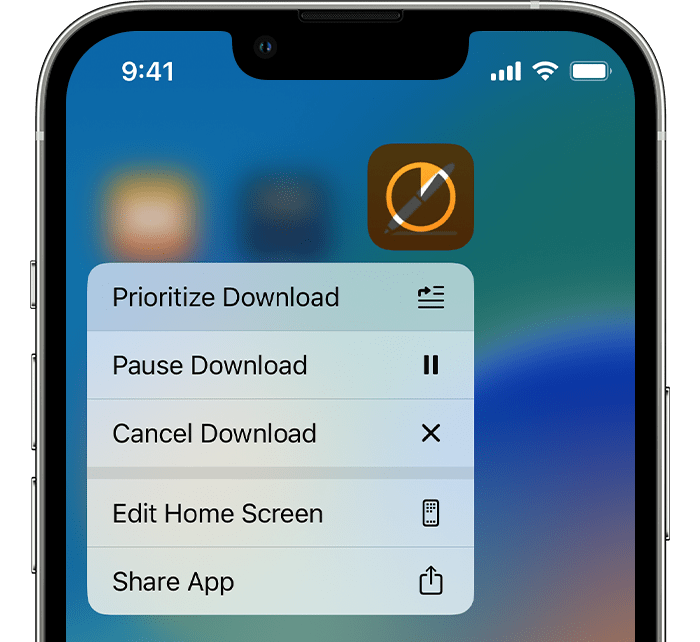
4. Prioritize the download
From the Home Screen, touch and hold the app. From the menu that appears, choose Prioritize Download.
5. Restart your device
Restart your iPhone or iPad, then check to see if you can download or update apps.
If that doesn't help, you may want to provide some additional details about the situation.
What are you attempting to download? What happens when you try? Are you getting any error messages?
Thanks!
Hey audrianna257,
It sounds like you may be having issues downloading apps from the App Store on your iPhone.
If that's the case, we'd recommend reviewing this article as it provides steps to take to help resolve app download issues: If you can’t download or update apps on your iPhone or iPad - Apple Support
" 1. Manually update the app
Learn how to manually update an app
2. Add a payment method
You might need to have a valid payment method on file, even if the app that you want to download is free.
3. Resolve a problem with your payment method
4. Prioritize the download
From the Home Screen, touch and hold the app. From the menu that appears, choose Prioritize Download.
5. Restart your device
Restart your iPhone or iPad, then check to see if you can download or update apps.
If that doesn't help, you may want to provide some additional details about the situation.
What are you attempting to download? What happens when you try? Are you getting any error messages?
Thanks!
It’s won’t let me download notifications

