Hello Kdhenn7,
Thank you for reaching out to Apple Support Communities, and we'll be happy to help in any way we can. We understand you're having issues with your iPhone being tied to your husband's Apple ID. He will need to sign out of it and you can sign in with yours as described here: Sign in with your Apple ID - Apple Support
"Sign in on your iPhone, iPad, or iPod touch
- Open the Settings app.
- Tap Sign in to your [device].
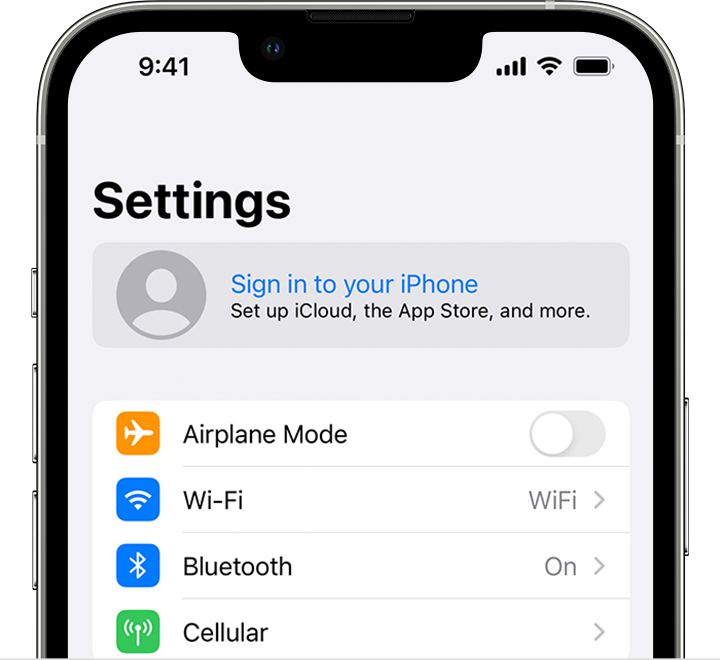
- Enter your Apple ID and password.
- If prompted, enter the six-digit verification code sent to your trusted device or phone number and complete sign in.
If you're already signed in to iCloud on the iPhone paired with your Apple Watch, you will automatically be signed in to that Apple ID. Learn more about how to set up and sign in to your Apple Watch. "
You can also sign into iMessage with your Apple ID as outlined here: Set up Messages on iPhone - Apple Support
To remove a legasy contact, follow the instructions in the related article above:
"Access a legacy contact Apple ID
After you create a password and set up two-factor authentication, you can use your legacy contact Apple ID to sign in to the account on the web at iCloud.com or download the account data at privacy.apple.com. Or you can use the legacy contact Apple ID to sign in on an Apple device, just like you would any Apple ID. You can also use the legacy contact Apple ID to restore an iCloud backup on an Apple device. You may be asked to enter your Legacy Contact access key for end-to-end encrypted data, like health data, voice memos, and more.
Make sure that you use the legacy contact Apple ID to sign in, and not the original account holder’s Apple ID or your personal Apple ID.
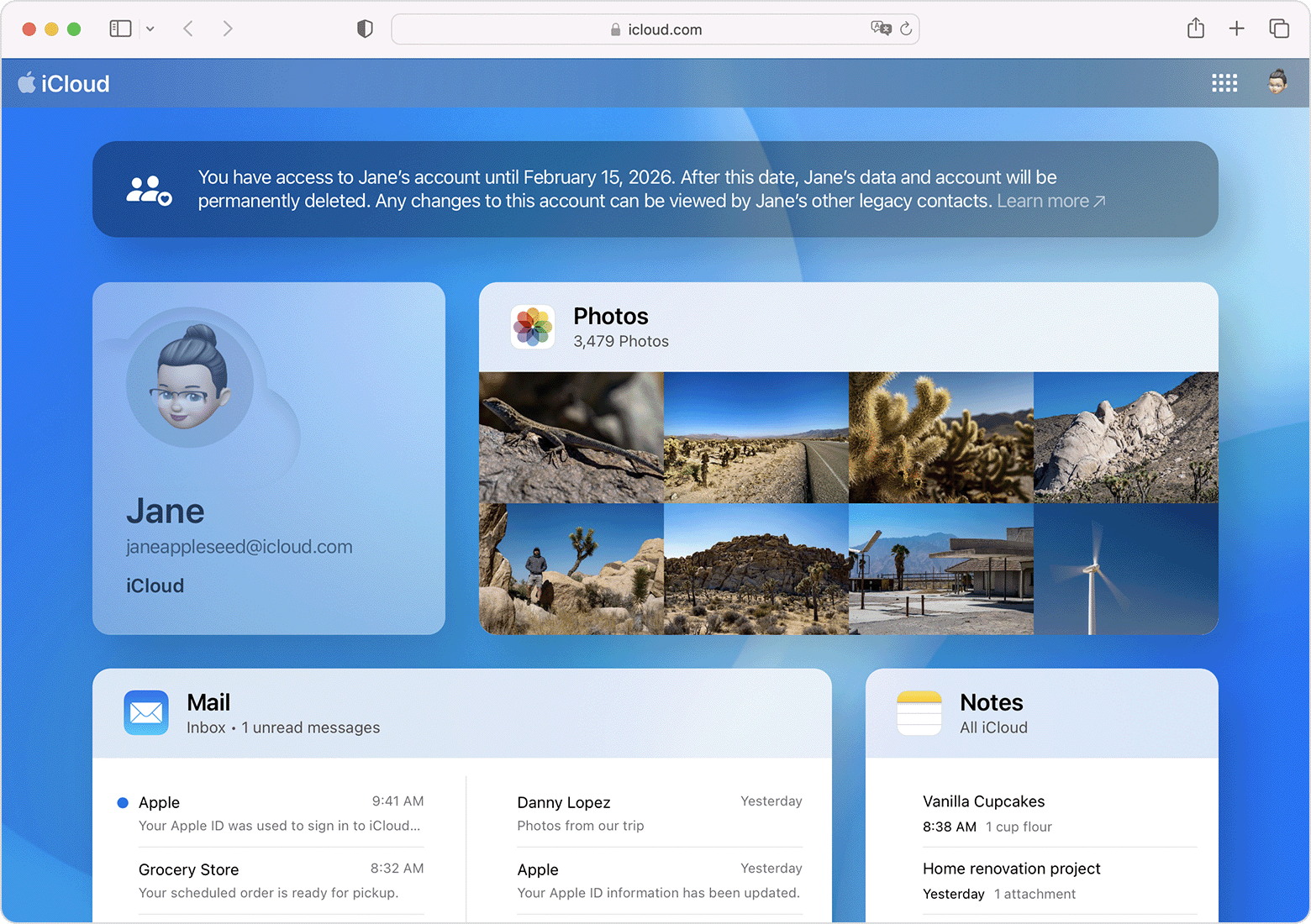
You can access the legacy account for a limited time—three years from when the first legacy account request is approved—which is noted in your confirmation email and in the account. After this time the legacy account is permanently deleted. You may want to download any content that you’d like to keep. Please note that if your loved one added more than one Legacy Contact for their account, the other contacts may also access the legacy account and make decisions about the account data, including deleting it permanently.
After your request is approved, Activation Lock is removed from devices that use your loved one’s original Apple ID. These devices will need to be restored to factory settings before they can be used with another Apple ID."
We hope this helps.
Cheers!


