
Unknown calls
Even after turning off silence unknown callers I still do not receive those calls and I want to. How do I make my phone ring for all calls?
thank you,
CC
iPhone 14 Pro Max, iOS 16
Even after turning off silence unknown callers I still do not receive those calls and I want to. How do I make my phone ring for all calls?
thank you,
CC
iPhone 14 Pro Max, iOS 16
Hello Cathleen130,
It appears that your phone n to ringing as expected. We'd like to provide you with a few steps to verify your settings:
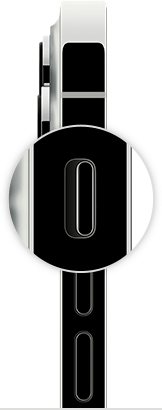
• Be sure Ring Mode is enabled. "To put your iPhone in Ring mode, move the switch so that orange isn't showing."
• Change ringtones, sounds, and vibrations
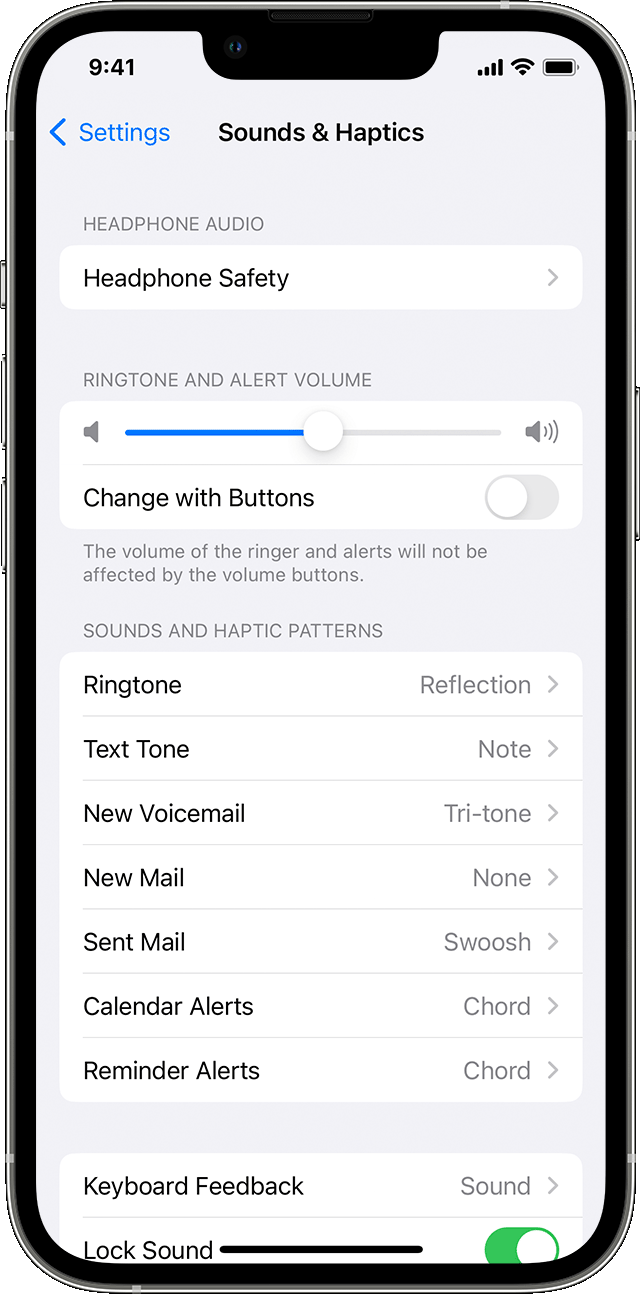
Change ringtone and alert volume with buttons
If you want to control your ringtone and alert volume separately from other apps, turn off Change with Buttons. Then you need to manually adjust your ringtone and alert volume in Settings > Sounds & Haptics or Settings > Sounds."
More details here: How to put your iPhone on vibrate, ring, or silent mode
• Verify if Do Not Disturb is enabled. "When you have Do Not Disturb turned on, a crescent moon icon  appears in the status bar and on your Lock Screen.
Turn off Do Not Disturb
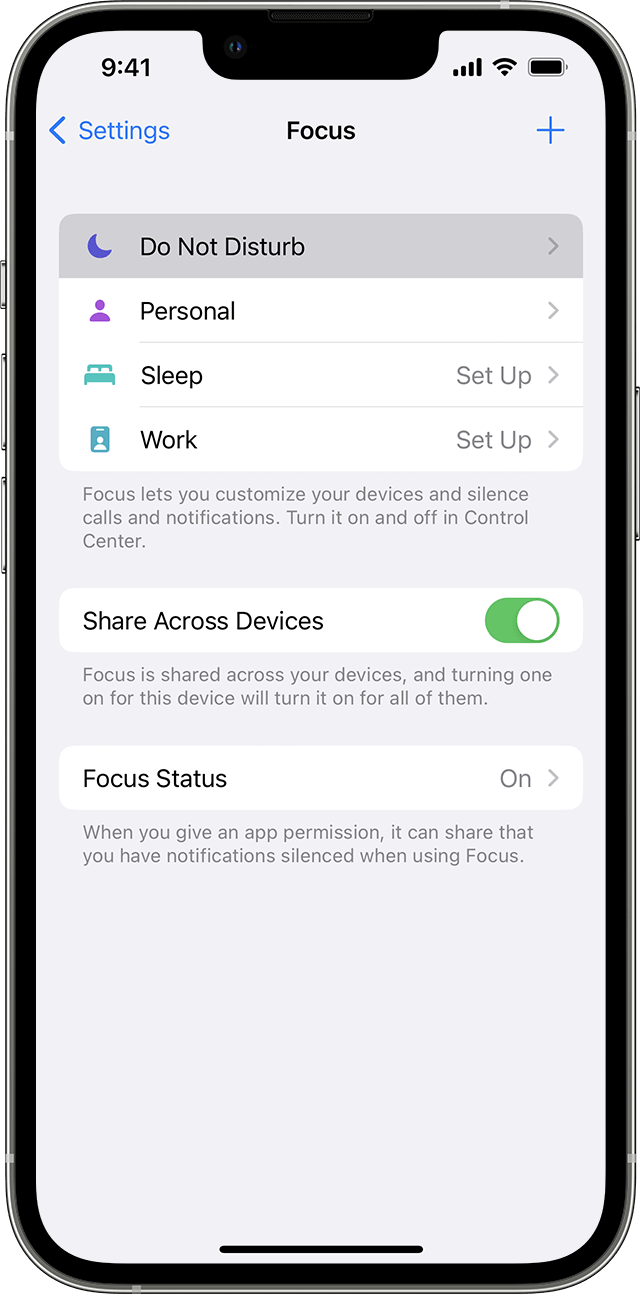
To turn on Do Not Disturb from Control Center:
Click here for more info: Use Do Not Disturb with Focus on your iPhone or iPad
Let us know if this helps.
Best wishes.
Hello Cathleen130,
It appears that your phone n to ringing as expected. We'd like to provide you with a few steps to verify your settings:
• Be sure Ring Mode is enabled. "To put your iPhone in Ring mode, move the switch so that orange isn't showing."
• Change ringtones, sounds, and vibrations
Change ringtone and alert volume with buttons
If you want to control your ringtone and alert volume separately from other apps, turn off Change with Buttons. Then you need to manually adjust your ringtone and alert volume in Settings > Sounds & Haptics or Settings > Sounds."
More details here: How to put your iPhone on vibrate, ring, or silent mode
• Verify if Do Not Disturb is enabled. "When you have Do Not Disturb turned on, a crescent moon icon appears in the status bar and on your Lock Screen.
Turn off Do Not Disturb
To turn on Do Not Disturb from Control Center:
Click here for more info: Use Do Not Disturb with Focus on your iPhone or iPad
Let us know if this helps.
Best wishes.
Unknown calls

