
Photo distortion
Photo distortionHow can I fix photos on my iPhone that are double exposed and the color is way off
iPhone SE, iOS 15
Photo distortionHow can I fix photos on my iPhone that are double exposed and the color is way off
iPhone SE, iOS 15
Greetings Cary6633,
To clarify, are you using an iPhone SE (3rd generation)? If so, the following steps may be able to assist you:
"Lock in your look with Photographic Styles
With Photographic Styles on iPhone 13, iPhone SE (3rd generation), and later, you can personalize the look of your images in the Camera app. Choose a preset — Rich Contrast, Vibrant, Warm, or Cool — and if you want, fine-tune it even further by adjusting the Tone and Warmth settings. Set your style once to use your preferred style setting every time you take a photo in Photo mode.
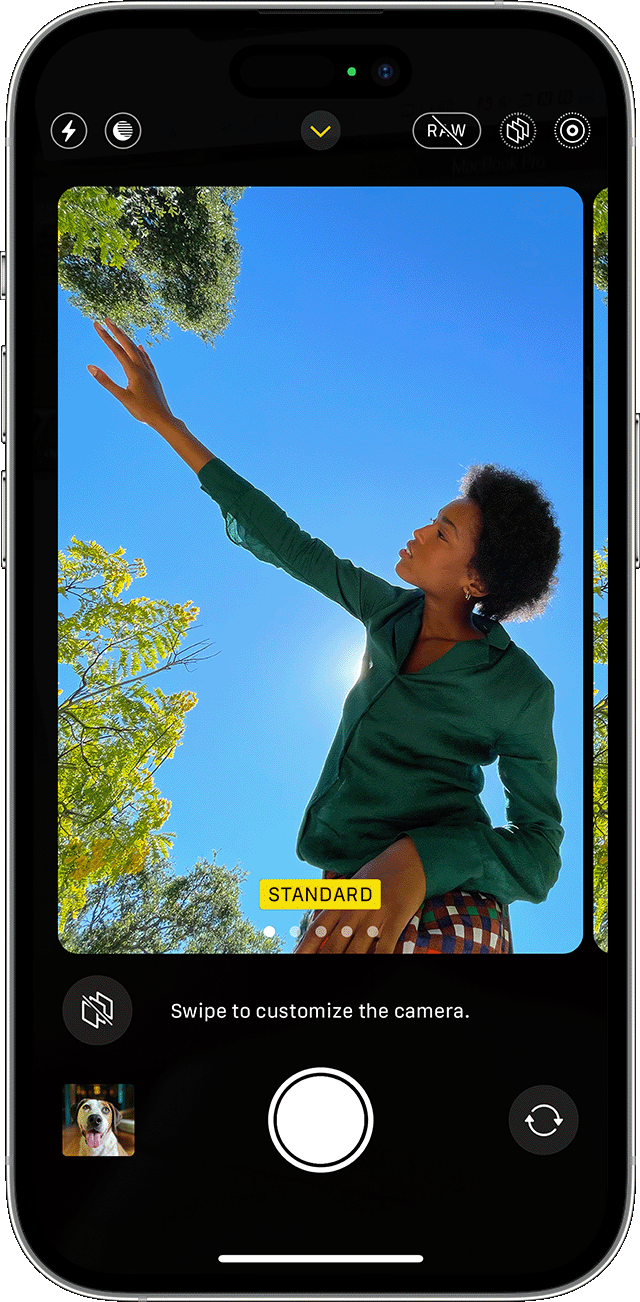
Set up a Photographic Style
When you open the Camera app for the first time, tap Set Up to choose your Photographic Style. Swipe through the different styles and tap Use [Style Name] on the preset that you like.
Make sure to set your style before you start taking photos — you can't add your Photographic Style to a photo after you've already taken it.
Change your Photographic Style
Want to change the Photographic Style that you set? Just open the Camera app, tap the arrow  , and tap Photographic Styles
  . Standard is the default, balanced style that's true to life and can't be customized, but you can swipe left to view other preset styles that are customizable. Tap Customize
  to adjust the Tone and Warmth of the style that you've chosen."
You can find some additional info here: About the Camera features on your iPhone
Take care.
Photo distortion

