Hi davetheshoeguy,
Thanks for posting in Apple Support Communities.
We understand you need help with tapping in one specific app. Are you referring to the Auto Tap Accessibility feature? If you are, you can set it up to tap an item like so.
"Choose an action after you select an item
After you select an item with your switch, the possible actions for that item appear in a new menu. Select the dots at the bottom of the menu to see more options.
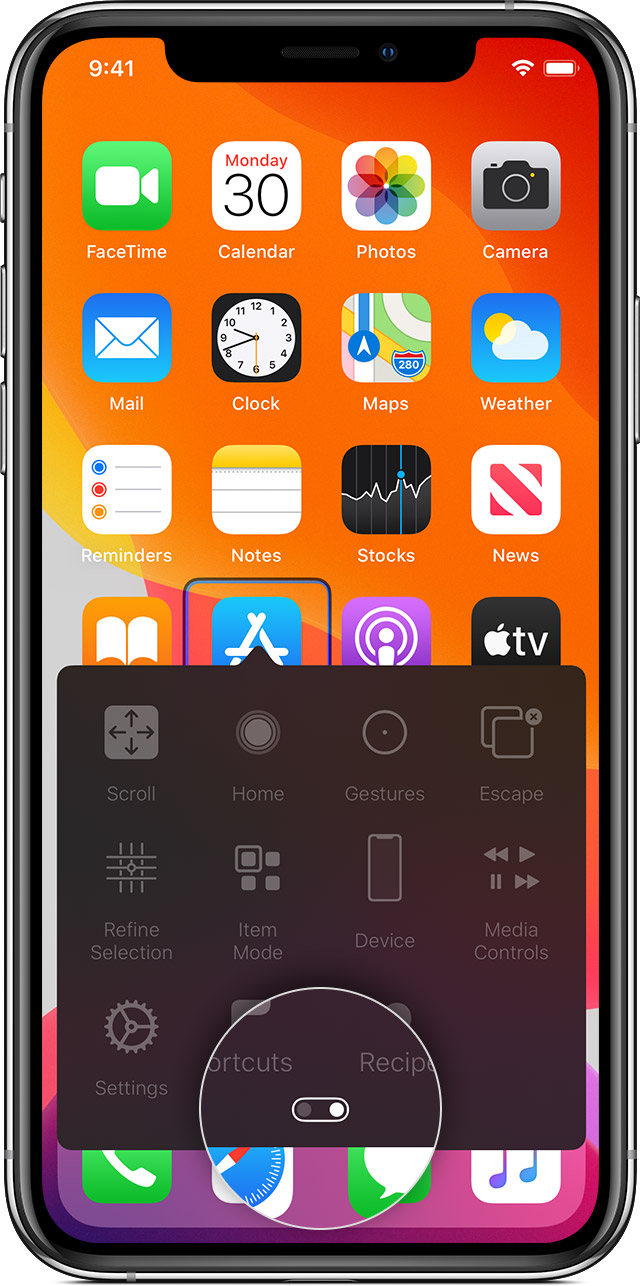
Tap an item
You can tap an item three different ways:
- Choose Tap from the menu that appears when you select the item.
- Turn on Auto Tap at Settings > Accessibility > Switch Control > Tap Behavior > Auto Tap. After you turn on Auto Tap, you can select an item and wait for the Auto Tap interval to finish.
- Set up a switch to perform the tap gesture at Settings > Accessibility > Switch Control > Switches."
You can find these steps from Use Switch Control to navigate your iPhone, iPad, or iPod touch - Apple Support.
Regards.


