
How to set up an account recovery contact And I forgot my password code
How to set up an account recovery contact and I don’t remember my phone password
How to set up an account recovery contact and I don’t remember my phone password
Hi good54,
We'll be glad to assist you. The article that brought you here explains how to set up a recovery contact: Set up an account recovery contact - Apple Support
"How to set up an account recovery contact
Learn how to set up an account recovery contact on your iPhone, iPad, or iPod touch with iOS 15 or iPadOS 15 or later, or on your Mac with macOS Monterey or later.
On your iPhone, iPad, or iPod touch with iOS 15 or iPadOS 15 or later
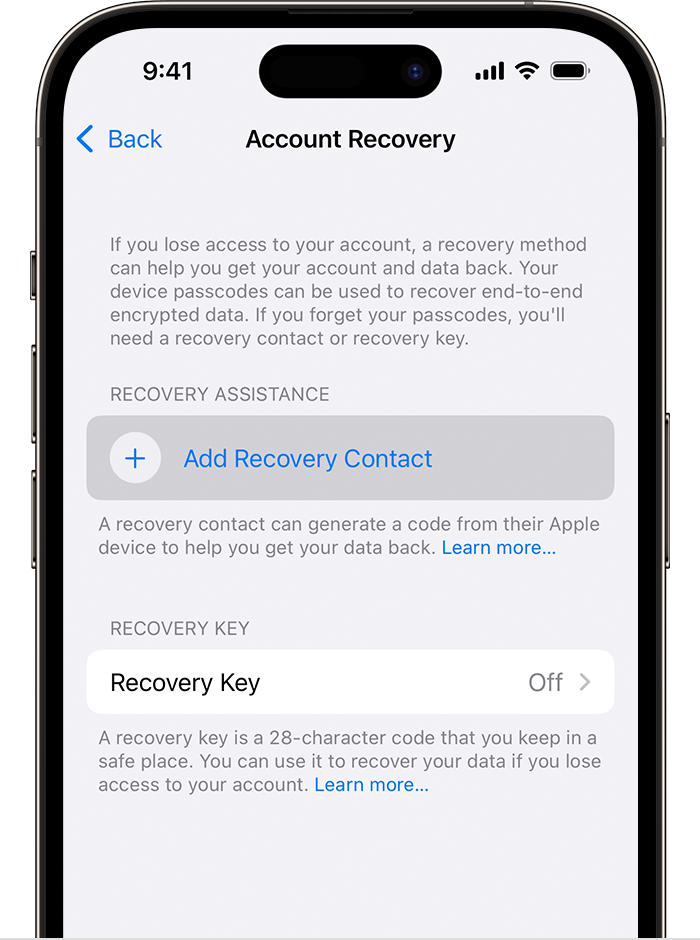
4. If you're in a Family Sharing group, the members of the group are recommended. Or you can choose one of your contacts.
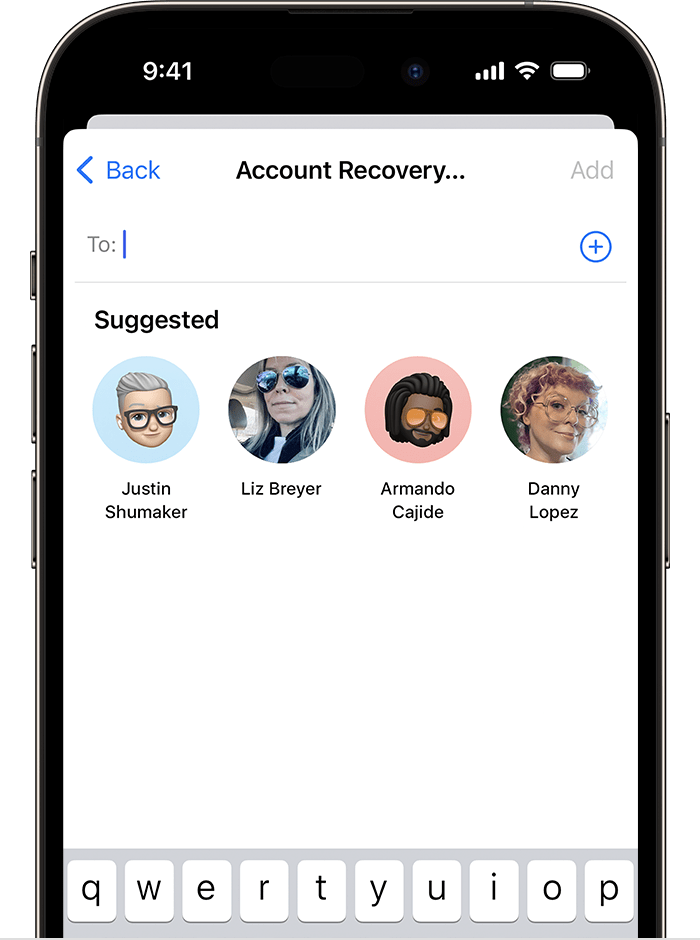
5. If you select a family member, they're added automatically. If you select a contact, they need to accept the request. You also send them a message to let them know that you'd like to add them as your recovery contact.
6. After they accept your request, you see a message that they have been added as your account recovery contact.
If your friend or family member declines or removes themself as your recovery contact, you see a notification and need to select a new account recovery contact. "
For a forgotten passcode, you'll need to reset your device as outlined in If you forgot your iPhone passcode - Apple Support
We hope this helps you.
Cheers.
Hi good54,
We'll be glad to assist you. The article that brought you here explains how to set up a recovery contact: Set up an account recovery contact - Apple Support
"How to set up an account recovery contact
Learn how to set up an account recovery contact on your iPhone, iPad, or iPod touch with iOS 15 or iPadOS 15 or later, or on your Mac with macOS Monterey or later.
On your iPhone, iPad, or iPod touch with iOS 15 or iPadOS 15 or later
4. If you're in a Family Sharing group, the members of the group are recommended. Or you can choose one of your contacts.
5. If you select a family member, they're added automatically. If you select a contact, they need to accept the request. You also send them a message to let them know that you'd like to add them as your recovery contact.
6. After they accept your request, you see a message that they have been added as your account recovery contact.
If your friend or family member declines or removes themself as your recovery contact, you see a notification and need to select a new account recovery contact. "
For a forgotten passcode, you'll need to reset your device as outlined in If you forgot your iPhone passcode - Apple Support
We hope this helps you.
Cheers.
How to set up an account recovery contact And I forgot my password code

