Disney Plus rewind no longer works.

I'm pretty sure I used to be able to but at some point it stoped letting me use the rewind button.


On the other apps that I use like YouTube or Hulu, it works like it should still. But on Disney Plus it recognizes the rewind selection but fast forwards instead. Just like the fast forward button.


I don't know if they ever did, but I'm guessing it's because newer remotes for Apple devices don't have a rewind button and they don't test this anymore?

Apple TV 4K, tvOS 16

Posted on Mar 4, 2023 7:48 AM

Reply
Question marked as Top-ranking reply

Posted on Mar 6, 2023 2:09 PM

Hello Tanquen2,


Please check out the information in the following link, to ensure the correct process is being used to control content and use the rewind and fast-forward features on Apple TV, which may help: Control what’s playing on Apple TV


You can move rapidly forward or backward through video in several ways. During playback, use the Siri Remote to do any of the following:

• Skip backward or forward 10 seconds: Press left or right on the clickpad ring (Siri Remote 2nd generation or later) or rest your finger on the touch surface, then press left or right (Siri Remote 1st generation). Press again to skip another 10 seconds.

• Continuously rewind or fast-forward: Press and hold left or right on the clickpad ring (Siri Remote 2nd generation or later) or touch surface (Siri Remote 1st generation). Press left or right repeatedly to cycle through rewind or fast-forward speed options (2x, 3x, 4x). Press the clickpad center or the Play/Pause button  to resume playback.


If the issue is only happening with a specific app, we would suggest reaching out to the app developer for assistance with their application. This link will guide you through how to contact the developer: How to contact an app developer


Contact the developer of a tvOS app

1. Open the App Store on your Apple TV.
2. Search for the app, then choose it.
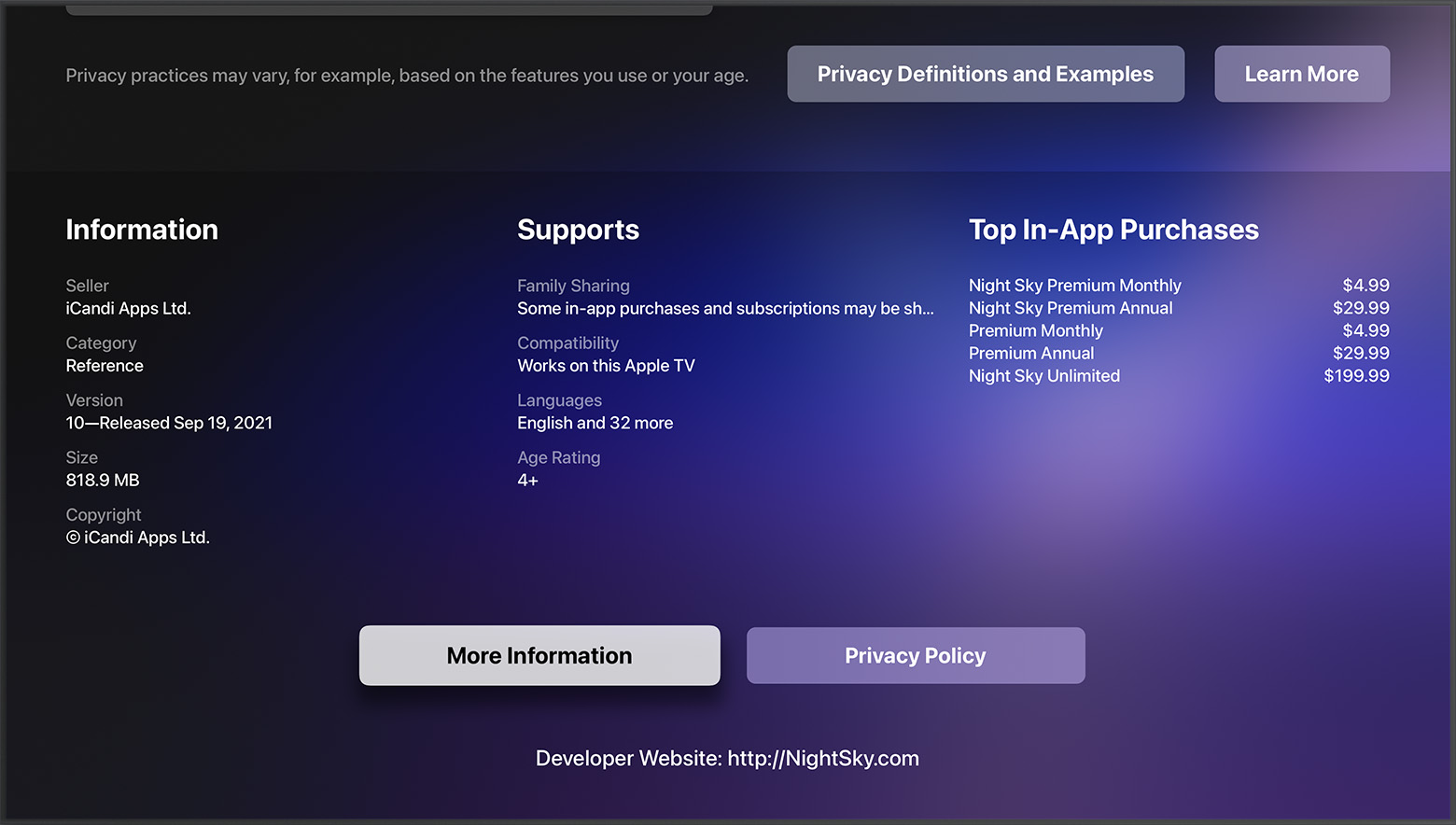
3. The app's product page appears. Scroll to the bottom of the page. Find the developer's website in the Information section.

In the App Store on Apple TV, the developer's website is at the bottom of the app's page.


Thanks!

Similar questions

1 reply
Question marked as Top-ranking reply

Mar 6, 2023 2:09 PM in response to Tanquen2

Hello Tanquen2,


Please check out the information in the following link, to ensure the correct process is being used to control content and use the rewind and fast-forward features on Apple TV, which may help: Control what’s playing on Apple TV


You can move rapidly forward or backward through video in several ways. During playback, use the Siri Remote to do any of the following:

• Skip backward or forward 10 seconds: Press left or right on the clickpad ring (Siri Remote 2nd generation or later) or rest your finger on the touch surface, then press left or right (Siri Remote 1st generation). Press again to skip another 10 seconds.

• Continuously rewind or fast-forward: Press and hold left or right on the clickpad ring (Siri Remote 2nd generation or later) or touch surface (Siri Remote 1st generation). Press left or right repeatedly to cycle through rewind or fast-forward speed options (2x, 3x, 4x). Press the clickpad center or the Play/Pause button  to resume playback.


If the issue is only happening with a specific app, we would suggest reaching out to the app developer for assistance with their application. This link will guide you through how to contact the developer: How to contact an app developer


Contact the developer of a tvOS app

1. Open the App Store on your Apple TV.
2. Search for the app, then choose it.
3. The app's product page appears. Scroll to the bottom of the page. Find the developer's website in the Information section.

In the App Store on Apple TV, the developer's website is at the bottom of the app's page.


Thanks!

This thread has been closed by the system or the community team. You may vote for any posts you find helpful, or search the Community for additional answers.

Disney Plus rewind no longer works.

Welcome to Apple Support Community
A forum where Apple customers help each other with their products. Get started with your Apple Account.