Hello itay17,
We'd like to help with these issues.
If your iPhone is charging slowly, you will want to make sure that you're using a power adapter that is 20 watt (W) or greater. You can read more about this here: How to use your MagSafe Charger with iPhone 14, iPhone 13, and iPhone 12 models
As for the issue with your iPhone being warm, does a temperature warning screen appear? If so, please check out the details in this link, which explains what to do in that situation: If your iPhone or iPad gets too hot or too cold
If a temperature warning screen appears
If your device exceeds a certain temperature threshold, it will present a temperature warning screen similar to this:
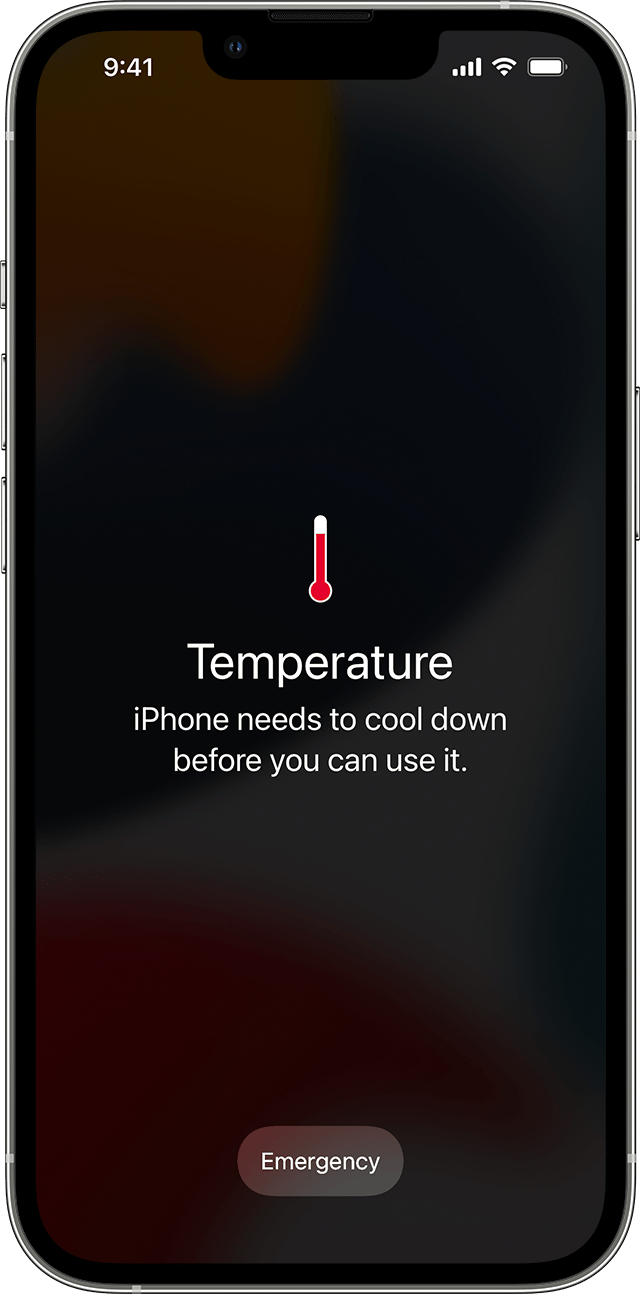
An iPhone showing this message might still be able to make emergency calls.
To resume use of your device as quickly as possible, turn it off, move it to a cooler environment (away from direct sunlight), and allow it to cool down.
If you need additional assistance, please contact Apple Support for help. You may be able to reach them here: Contact Apple Support
Thanks!


