
Theater mode
Iwatch stuck in theater mode. I’ve tried the force reset several times it’s not working
Iwatch stuck in theater mode. I’ve tried the force reset several times it’s not working
You may have to un-pair from the phone and pair it again.
Or even erase it manualy then pair it..
Unpair and erase your Apple Watch – Apple Support (UK)
Set up your Apple Watch – Apple Support (UK)
Erase Apple Watch – Apple Support (UK)
You may have to un-pair from the phone and pair it again.
Or even erase it manualy then pair it..
Unpair and erase your Apple Watch – Apple Support (UK)
Set up your Apple Watch – Apple Support (UK)
Erase Apple Watch – Apple Support (UK)
Theater mode prevents the Apple Watch display from turning on when you raise your wrist, so it stays dark.
It also turns on silent mode and makes your Walkie-Talkie status unavailable, but you still receive haptic notifications.
Touch and hold the bottom of the screen, swipe up to open Control Center, tap 🎭, then tap Theater Mode.
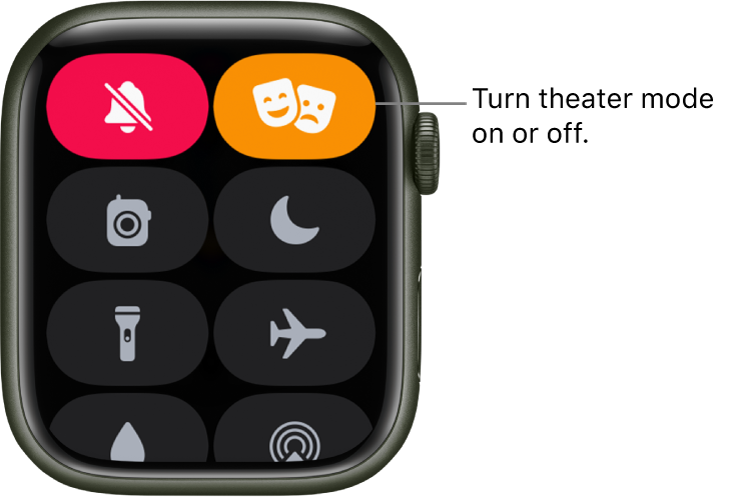
When theater mode is on, you see 🎭 at the top of the screen.
To wake Apple Watch when theater mode is on, tap the display, press the Digital Crown or side button or turn the Digital Crown.
Need more help?
Click ▶︎ Apple Watch User Guide. 📖
Theater mode

