Notes Scan adds Frame - Files app as alternative not efficient

Hi All,


There was a thread already open for this and the usage of Files app was the solution for OP, however what was not addressed there is that Notes vs Files has different file conversions.


Same scan done in Notes has a much smaller size than done in Files app, but due the fact that in Notes when you save the scan to files its adding a frame its problematic.


I saw many marked as “me too” in the other thread, did anyone found a solution to the boarded issue ?

iPhone 14, iOS 16

Posted on Mar 7, 2023 4:05 AM

Reply

Similar questions

3 replies

Mar 8, 2023 11:23 AM in response to Mike_P1

Hi Mike,


Sure, here is the link to that thread: Why scanner in notes adds white frame in … - Apple Community


all the data and photos there refer to the same issue, but to replicate it on your iphone or ipad just do the following:


1) Make a doku Scan in Notes and save it to files afterwards

2) Make a doku scan directly in Files app, preferably of the same docu.

3) If you compare both of those you will immediatley notice that the Notes file has the scanned docs in the middle and an added white frame to kind of „fill” the window where the files scan is only showing what it scanned and not ads any frame.


Mar 8, 2023 11:49 AM in response to Dante_Resoru

Hello Dante_Resoru,


To confirm the steps you're taking to scan the document, are you using these manual steps: How to scan documents on your iPhone or iPad - Apple Support


How to scan documents on your iPhone or iPad

You can use the Notes app to scan documents and add signatures on your iPhone or iPad.

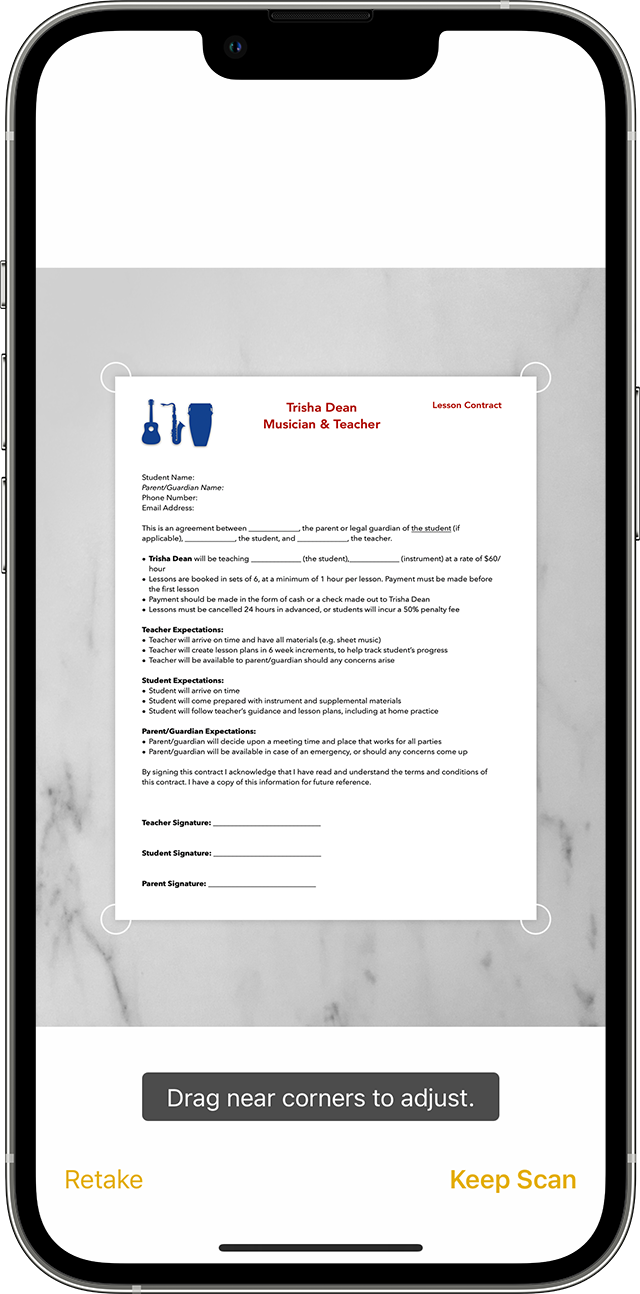
A user scans a music lessons contract in Notes on their iPhone. 

Scan a document

1. Open Notes and select a note or create a new one.

2. Tap the Camera button Tap Camera button to start scanning a document in Notes, then tap Scan Documents Scan document icon.

3. Place your document in view of the camera.

4. If your device is in Auto mode, your document will automatically scan. If you need to manually capture a scan, tap the Shutter button tap the Shutter button to scan or press one of the Volume buttons. Then drag the corners to adjust the scan to fit the page, then tap Keep Scan.

5. Tap Save or add additional scans to the document.

Learn how to use the Continuity Camera to scan notes from your iPhone or iPad to your Mac.


If so, are you tapping on the corners of the document when you manually scan? If not, you'll need to select where it should scan in order to avoid any missing/void areas in the scan.


To learn more, which iOS version are you using exactly? Does this persist on the latest iOS 16 version?


Hoping to hear back.


Take care.

This thread has been closed by the system or the community team. You may vote for any posts you find helpful, or search the Community for additional answers.

Notes Scan adds Frame - Files app as alternative not efficient

Welcome to Apple Support Community
A forum where Apple customers help each other with their products. Get started with your Apple Account.