I need to update my card and address
I need to update my discover card and change my address
I need to update my discover card and change my address
Hi Pnwtv0424,
You can take the steps for your relevant platform below to update your payment method in that article below:
If you need to change or update your Apple ID payment method
If you have an iPhone, these are the steps:
Update your payment method on your iPhone or iPad
1. Open the Settings app.
2. Tap your name.
3. Tap Payment & Shipping. You might be asked to sign in with your Apple ID.
4. Tap Add Payment Method, enter the new payment method, then tap Done.
5. Tap Edit.
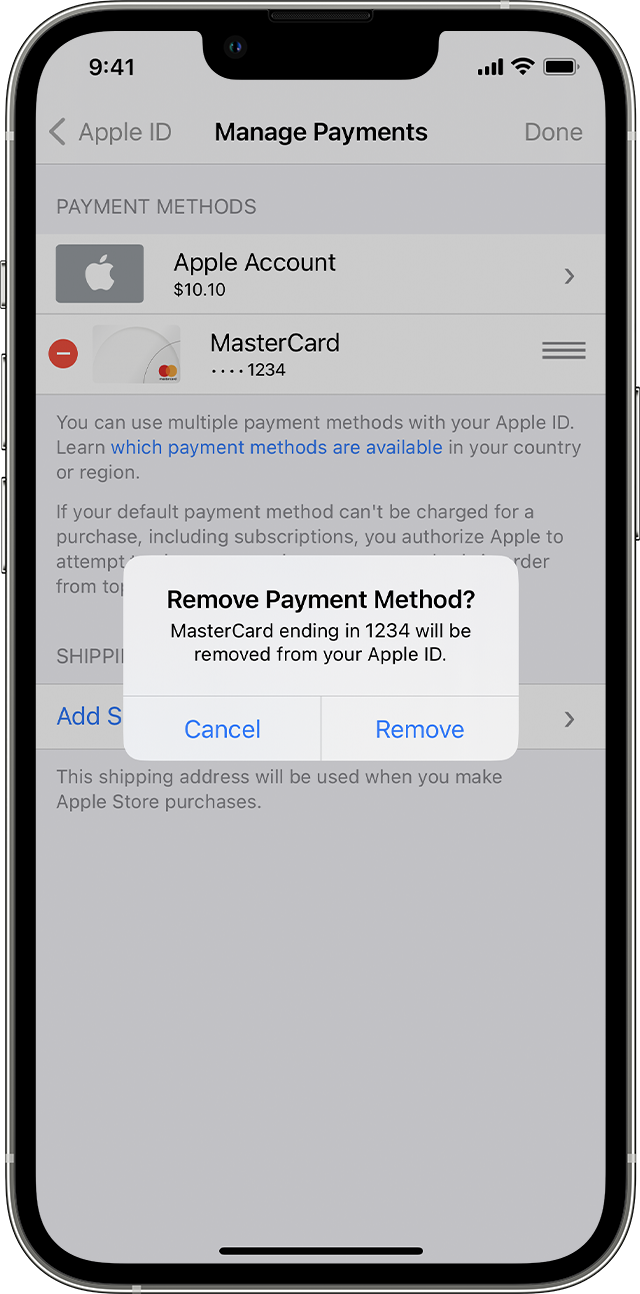
6. Tap the red delete button next to the old payment method, then tap Delete.
If you need further help with billing, contact Apple Support here:
Thanks for using the Apple Support Communities.
Hi Pnwtv0424,
You can take the steps for your relevant platform below to update your payment method in that article below:
If you need to change or update your Apple ID payment method
If you have an iPhone, these are the steps:
Update your payment method on your iPhone or iPad
1. Open the Settings app.
2. Tap your name.
3. Tap Payment & Shipping. You might be asked to sign in with your Apple ID.
4. Tap Add Payment Method, enter the new payment method, then tap Done.
5. Tap Edit.
6. Tap the red delete button next to the old payment method, then tap Delete.
If you need further help with billing, contact Apple Support here:
Thanks for using the Apple Support Communities.
I need to update my card and address