how to remove previous iphone backups
how to remove previous iphone backups
how to remove previous iphone backups
Hello GinoOlive,
Please check out this link, which will guide you through how to delete backups, and outlines that process: Locate backups of your iPhone, iPad, and iPod touch
Delete or copy backups on your Mac or PC
Don't edit, relocate, rename, or extract content from your backup files, because these actions might ruin the files. You can make copies of your backups or delete backups that you no longer need.
Copy backups to another location
If you need copies of your backups, you can find the Backup folder and copy the entire folder to another place, like an external drive or network-storage location.
Time Machine automatically copies your Backup folder when you back up the Home folder on your Mac.
Delete backups
On a Mac with macOS Catalina or later:
1. Open the Finder. Click your device.
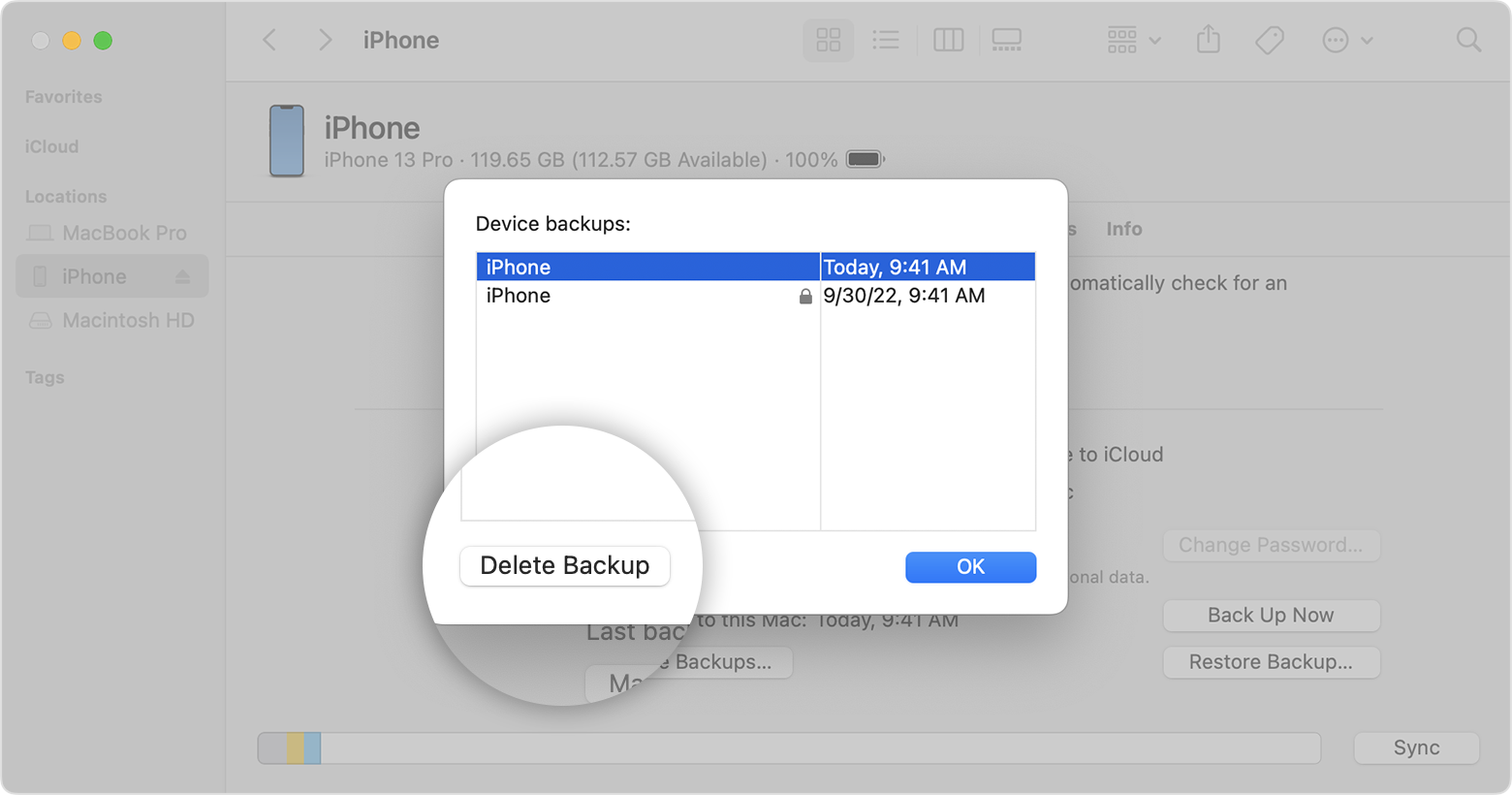
2. Under the General tab, click Manage Backups to see a list of your backups. From here, right-click on the backup that you want, then select Delete or Archive.
3. Click Delete Backup, then confirm.
Find and manage backups stored in iCloud
If you use iCloud Backup, you won't find a list of your backups on iCloud.com. Here's how to find your iCloud backups on your iOS or iPadOS device, Mac, or PC.
On your iPhone, iPad, or iPod touch:
1. Go to Settings > [your name] > iCloud.
2. Tap Manage Account Storage, then tap Backups.
3. Tap a backup to see more details about it, choose which information to back up, or delete the backup.
You can choose which content to back up only from the Settings menu of the device that stores that content. For example, while you can view your iPad backup from your iPhone, you can choose which iPad content to back up only from the Settings menu of your iPad.
On a Mac with macOS Catalina or later:
1. Choose Apple menu > System Preferences.
2. Click Apple ID.
3. Click iCloud.
4. Click Manage.
5. Select Backups.
On a Mac with macOS Mojave or earlier:
1. Choose Apple menu > System Preferences.
2. Click iCloud.
3. Click Manage.
4. Select Backups.
On your PC:
1. Open iCloud for Windows
2. Click Storage.
3. Select Backup.
Learn more about how to delete or manage iCloud backups from your Mac or PC.
Thanks!
Hello GinoOlive,
Please check out this link, which will guide you through how to delete backups, and outlines that process: Locate backups of your iPhone, iPad, and iPod touch
Delete or copy backups on your Mac or PC
Don't edit, relocate, rename, or extract content from your backup files, because these actions might ruin the files. You can make copies of your backups or delete backups that you no longer need.
Copy backups to another location
If you need copies of your backups, you can find the Backup folder and copy the entire folder to another place, like an external drive or network-storage location.
Time Machine automatically copies your Backup folder when you back up the Home folder on your Mac.
Delete backups
On a Mac with macOS Catalina or later:
1. Open the Finder. Click your device.
2. Under the General tab, click Manage Backups to see a list of your backups. From here, right-click on the backup that you want, then select Delete or Archive.
3. Click Delete Backup, then confirm.
Find and manage backups stored in iCloud
If you use iCloud Backup, you won't find a list of your backups on iCloud.com. Here's how to find your iCloud backups on your iOS or iPadOS device, Mac, or PC.
On your iPhone, iPad, or iPod touch:
1. Go to Settings > [your name] > iCloud.
2. Tap Manage Account Storage, then tap Backups.
3. Tap a backup to see more details about it, choose which information to back up, or delete the backup.
You can choose which content to back up only from the Settings menu of the device that stores that content. For example, while you can view your iPad backup from your iPhone, you can choose which iPad content to back up only from the Settings menu of your iPad.
On a Mac with macOS Catalina or later:
1. Choose Apple menu > System Preferences.
2. Click Apple ID.
3. Click iCloud.
4. Click Manage.
5. Select Backups.
On a Mac with macOS Mojave or earlier:
1. Choose Apple menu > System Preferences.
2. Click iCloud.
3. Click Manage.
4. Select Backups.
On your PC:
1. Open iCloud for Windows
2. Click Storage.
3. Select Backup.
Learn more about how to delete or manage iCloud backups from your Mac or PC.
Thanks!
how to remove previous iphone backups