Hello Applefan900,
For difficulties with turning on your iPod touch, you'll want to take the steps below:
1. Press and hold both the top button and the volume down button until you see the Apple logo.
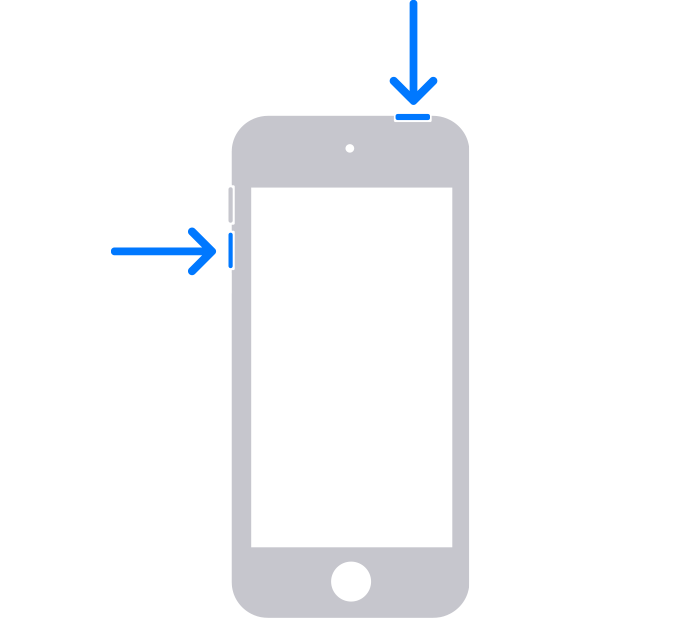
2. If your iPod touch doesn't turn on, follow these steps to check your hardware and charge your device. You might need to charge for up to an hour.
You can also find those steps in this resource: If your iPod touch won't turn on or is frozen - Apple Support
If your iPod touch responds to the force restart, but doesn't reach the Home Screen, the step from the second half of that article may help:
1. Connect your iPod touch to a computer. On a Mac with macOS Catalina, open the Finder. On a Mac with macOS Mojave or earlier, or on a PC, open iTunes. Find out which macOS your Mac is using.
2. Locate your device on your computer.
3. While your device is connected, follow these steps:
• On your iPod touch (7th generation): Press and hold both the top button and volume down button.
4. Keep holding the buttons until you see the recovery mode screen.
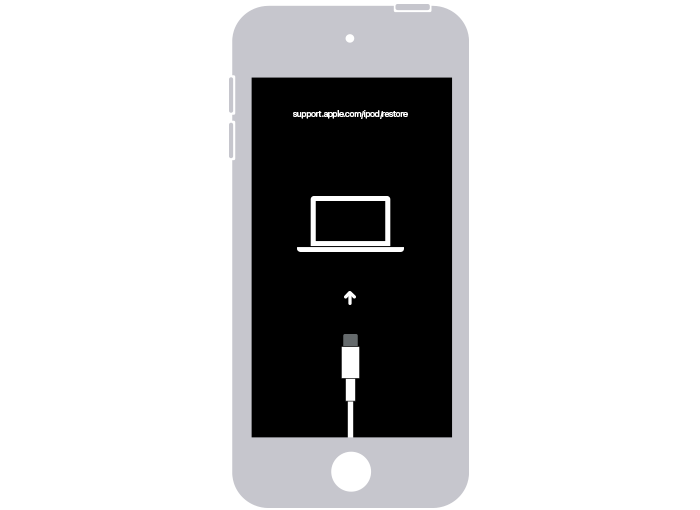
5. When you get the option to restore or update, choose Update.
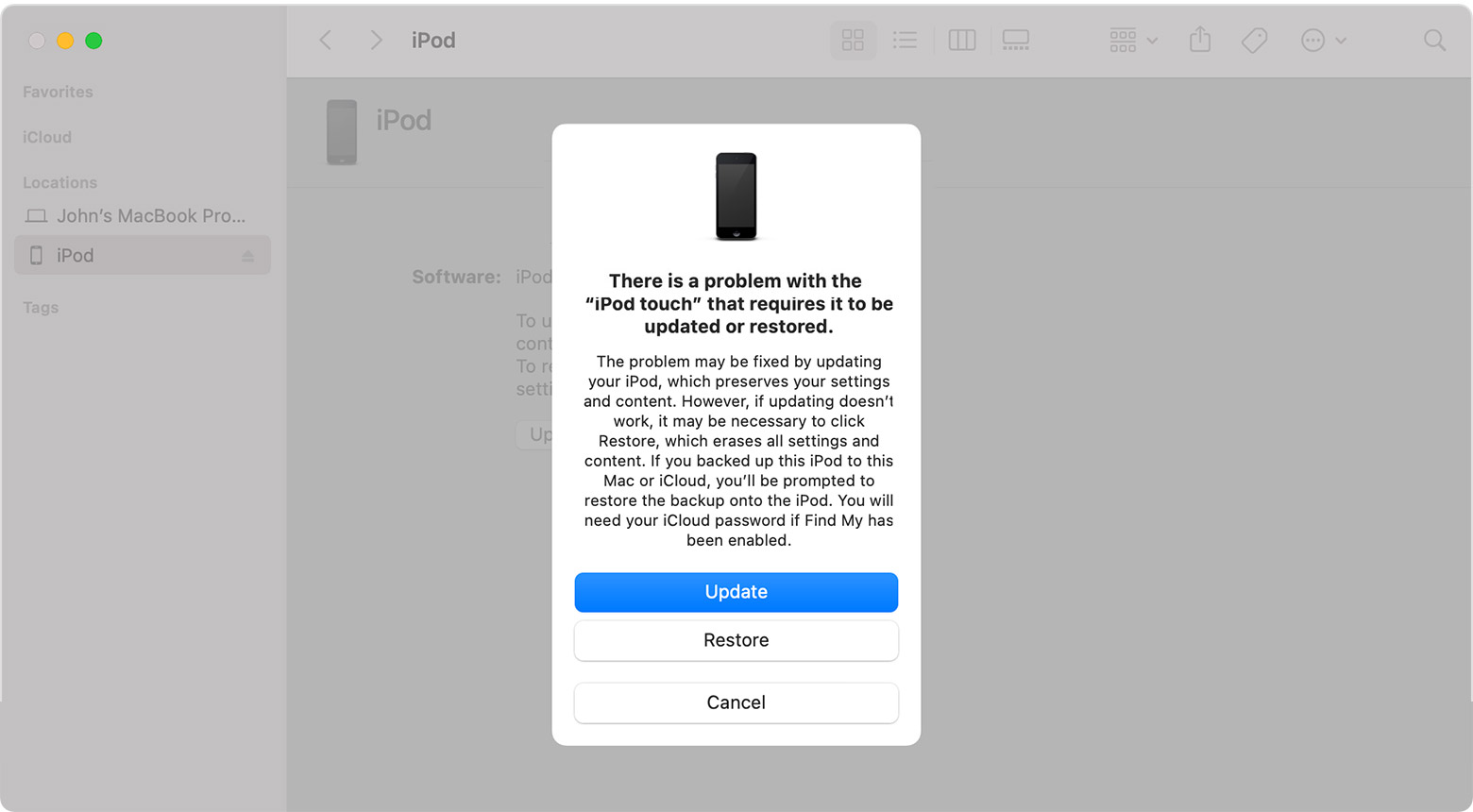
6. Your computer will download the software for your device. If it takes more than 15 minutes, your iPod touch will exit recovery mode. Repeat steps 2-4.
If you receive any errors or codes during that process, just let us know. We'll keep moving forward based on your results.


