Hello IJustWantMyQuestionAswered,
You started from a great resource: If an item or device is connected to another Apple ID
For help with associating the AirPods to one device and Apple ID, test the steps below found in the same article.
"How to remove AirPods, AirTag, or another Find My network item or device from an Apple ID on iPhone, iPad, or iPod touch
- Make sure that the device or item is connected via Bluetooth to your iPhone, iPad, or iPod touch, and is within Bluetooth range.
- Open the Find My app, then tap the Items tab or Devices tab.
- Tap the item or device you want to remove, then swipe up on the handle.
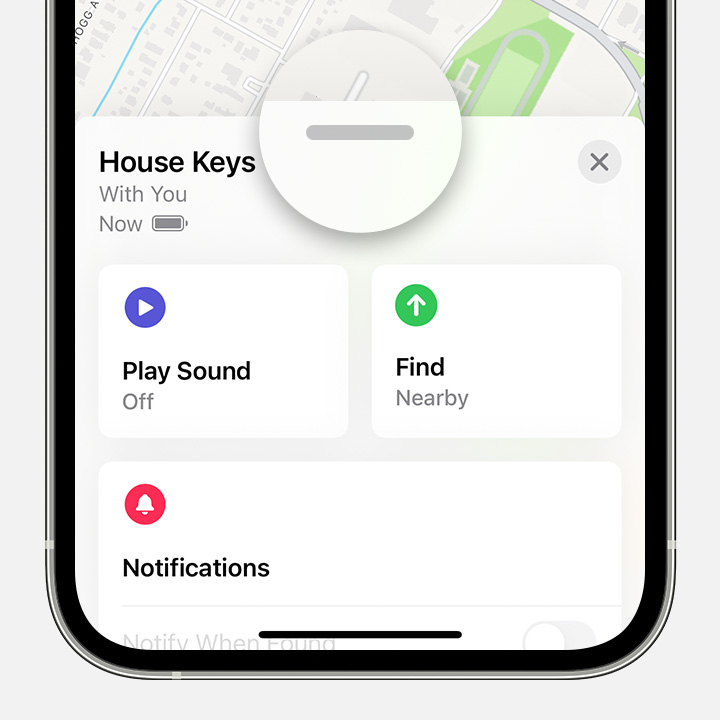
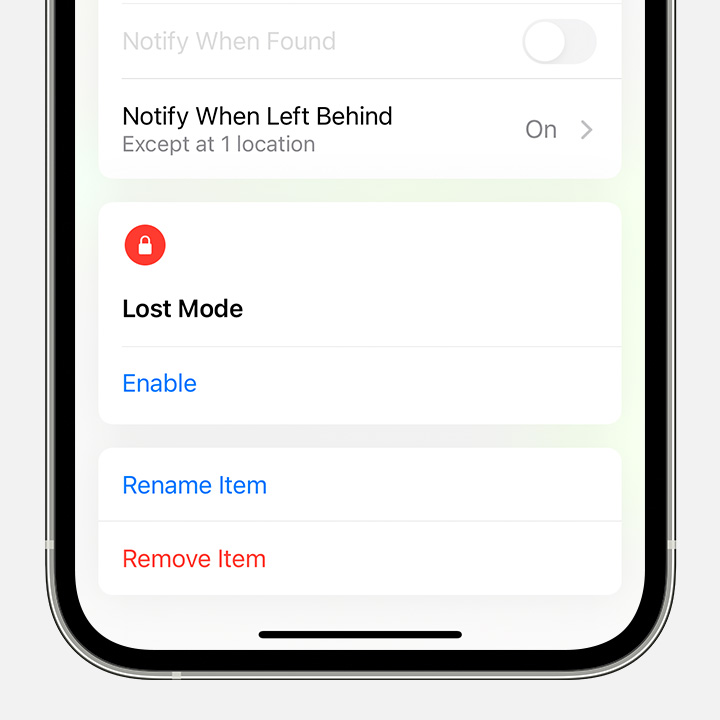
- Tap Remove Item or Remove This Device, then tap Remove to confirm.
 "
"
You can also find helpful information in the section "Remove a device from your Devices list" from the guide page here: Remove a device from Find My on iPhone
If you continue to have any issues, reach out to Apple Support directly to further assist.
Contact - Official Apple Support
Contact Apple for support and service - Apple Support
Cheers.


