Hello Think Strange,
Thank you for reaching out to Apple Support Communities, and we'll be happy to help in any way we can. We understand you're having issues with Dictation when using Microsoft Word. This article goes over how to use Dictation on your iPad: Use Dictation on your iPhone, iPad, or iPod touch - Apple Support
"You can use dictation instead of your keyboard to enter text with many apps and features that use the keyboard on your iPhone, iPad, or iPod touch.
On iPhone 6s or later, and iPad, you can use dictation without being connected to the Internet. Earlier models of iPhone and iPad require an Internet connection.1
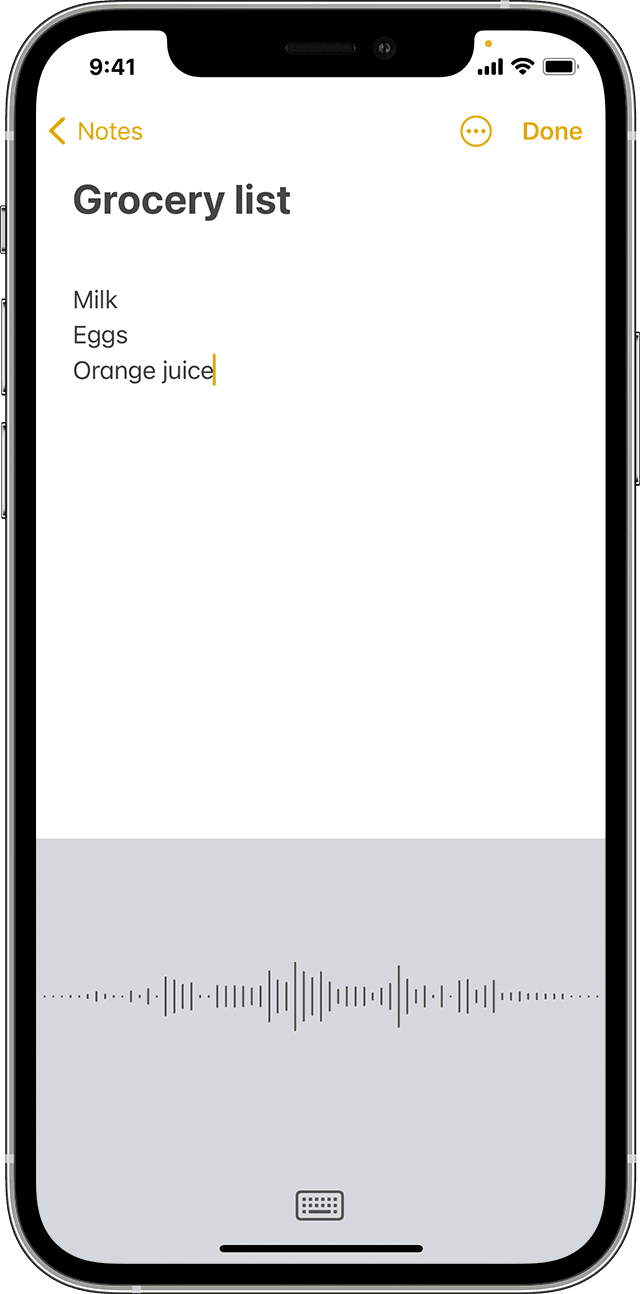
Dictate text
To enter text, tap the microphone button  on your keyboard, then start speaking. As you speak, the text appears on the screen. To finish, stop speaking, then tap the keyboard button
  .
.
If dictation isn’t sure what word it heard, you'll see a blue line under the transcribed word so you can check it for accuracy. To make corrections, tap the underlined word, then select the correct spelling. To replace a word, double-tap it, tap the microphone button , then say it again, and tap the keyboard button .
To replace a section, select what you want to replace, then tap the microphone button and speak again. To add more text, tap where you want to add new text, tap the microphone button , then speak again.
To change the language that dictation uses, long press the microphone button , then select the language you want to use.

Use punctuation and formatting
You can add punctuation by saying what you want. For example, "Hello John comma the check is in the mail exclamation mark" becomes "Hello John, the check is in the mail!"
Here are some common punctuation and formatting commands that you can use:
- Quote/end quote: begin and end a quote
- New paragraph: start a new paragraph
- New line: begin a new line
- Cap: capitalize the next word
- Caps on/caps off: capitalize the first character of each word
- Smiley: insert :-)
- Frowny: insert :-(
- Winky: insert ;-)"
For more help, please reach out to Microsoft for support in resolving the issue here: Microsoft Support
We hope this helps.
Cheers!



