I have tried all of these and my right AirPods is still not working. What do I do?
I have tried all of these and my right AirPods is still not working. What do I do?
I have tried all of these and my right AirPods is still not working. What do I do?
Hello lluvia80,
It appears you've already completed the steps from the related article above: If your left or right AirPod isn't working
You'll also want to make sure to reset your AirPods using the steps below: How to reset your AirPods and AirPods Pro
1. Put your AirPods in their charging case, and close the lid.
2. Wait 30 seconds.
3. Open the lid of your charging case, and put your AirPods in your ears.
4. Go to Settings > Bluetooth. Or go to Settings > [your AirPods].
• If your AirPods appear there as connected, tap the More Info buttonnext to your AirPods, tap Forget This Device, then tap again to confirm.
• If your AirPods don't appear there, continue to the next step.
5. Put your AirPods in their charging case, and keep the lid open.
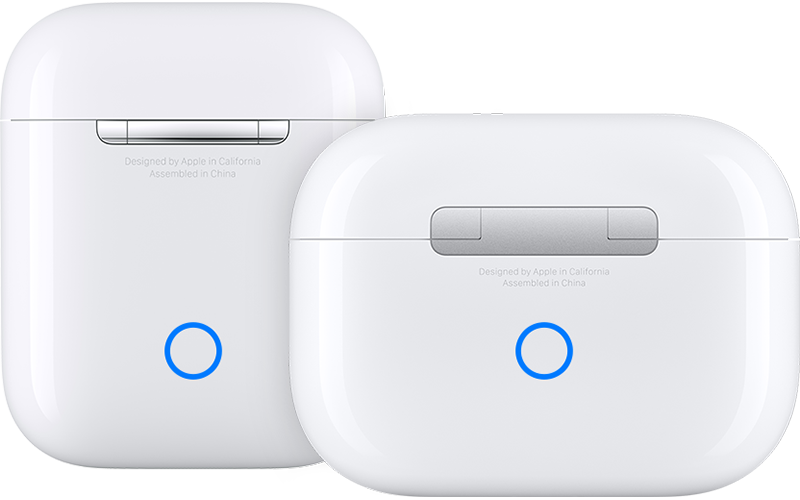
6. Press and hold the setup button on the back of the case for about 15 seconds, until the status light on the front of the case flashes amber, then white.*
7. Reconnect your AirPods: With your AirPods in their charging case and the lid open, place your AirPods close to your iPhone or iPad. Follow the steps on your device's screen.
Should that still persist, you'll want to reach out to Apple Support: Contact - Official Apple Support They'll be in the best position to look into this further.
Take care.
Hello lluvia80,
It appears you've already completed the steps from the related article above: If your left or right AirPod isn't working
You'll also want to make sure to reset your AirPods using the steps below: How to reset your AirPods and AirPods Pro
1. Put your AirPods in their charging case, and close the lid.
2. Wait 30 seconds.
3. Open the lid of your charging case, and put your AirPods in your ears.
4. Go to Settings > Bluetooth. Or go to Settings > [your AirPods].
• If your AirPods appear there as connected, tap the More Info button
• If your AirPods don't appear there, continue to the next step.
5. Put your AirPods in their charging case, and keep the lid open.
6. Press and hold the setup button on the back of the case for about 15 seconds, until the status light on the front of the case flashes amber, then white.*
7. Reconnect your AirPods: With your AirPods in their charging case and the lid open, place your AirPods close to your iPhone or iPad. Follow the steps on your device's screen.
Should that still persist, you'll want to reach out to Apple Support: Contact - Official Apple Support They'll be in the best position to look into this further.
Take care.
I have tried all of these and my right AirPods is still not working. What do I do?