iPad onscreen keyboard (bug) misalign and align back when set Key Flicker off in keyboard setting.

My iPad keyboard misaligned layout display bug seem to limit only when the Key Flicks keyboard setting is ON.

When the key flick is off, the keyboard layout is back to its normal.


What cause my misalignment not sure,

but I flick to get the numbers on the first row keys and change language or number to get the _ keys

then it stuck/misalign will test it out later.


iPad Pro (6th generation)

Posted on Mar 15, 2023 10:12 AM

Reply
7 replies

Mar 16, 2023 1:15 PM in response to Ja202E

Greetings Ja202E,


We'd like to provide you with a few steps that can assist you getting the keyboard on your iPad Pro working as expected:

Restart your iPad. This may seem like a simple step to take but can often resolve several issues.

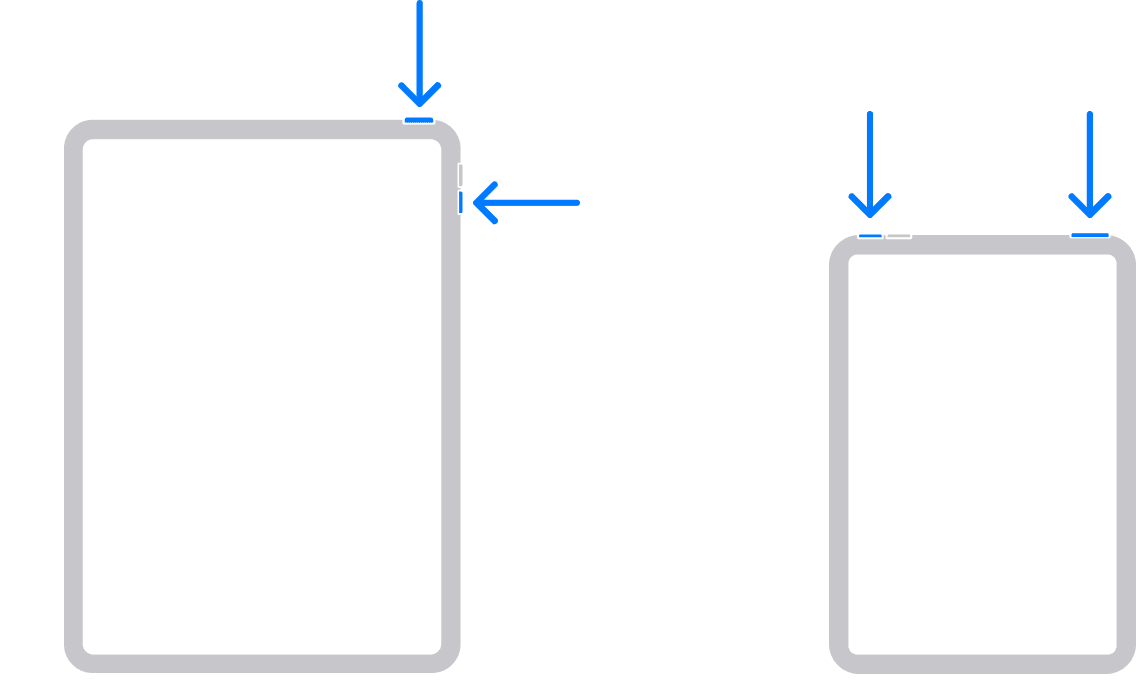
  1. "Press and hold either volume button and the top button until the power off slider appears.


2. Drag the slider, then wait 30 seconds for your device to turn off. If your device is frozen or unresponsive, force restart your device.

3. To turn your device back on, press and hold the top button until you see the Apple logo."


Update your iPhone. Completing this step ensures that your device has the latest fixes. (Secure your data with a backup)


Let us know if this helps.

Best wishes.

This thread has been closed by the system or the community team. You may vote for any posts you find helpful, or search the Community for additional answers.

iPad onscreen keyboard (bug) misalign and align back when set Key Flicker off in keyboard setting.

Welcome to Apple Support Community
A forum where Apple customers help each other with their products. Get started with your Apple Account.