Stuttering animations on iPhone 14

My phone freezes for a few seconds when I open control center and lock the phone while it's on. This happens when the Always-On Display feature is on. Actually it locks after half a second when i press the lock button also.


[Re-Titled by Moderator]


iPhone 14 Pro Max, iOS 16

Posted on Mar 15, 2023 4:22 PM

Reply
1 reply

Mar 18, 2023 1:45 PM in response to M4mba

Hello M4mba,


We have a great support article that might help with this. Please take a look at it here: If your iPhone won't turn on or is frozen - Apple Support. Follow this guidance:


"On your iPhone 8 or later, including iPhone SE (2nd and 3rd generation)

      1. Press and quickly release the volume up button.
      2. Press and quickly release the volume down button.
      3. Press and hold the side button until you see the Apple logo.
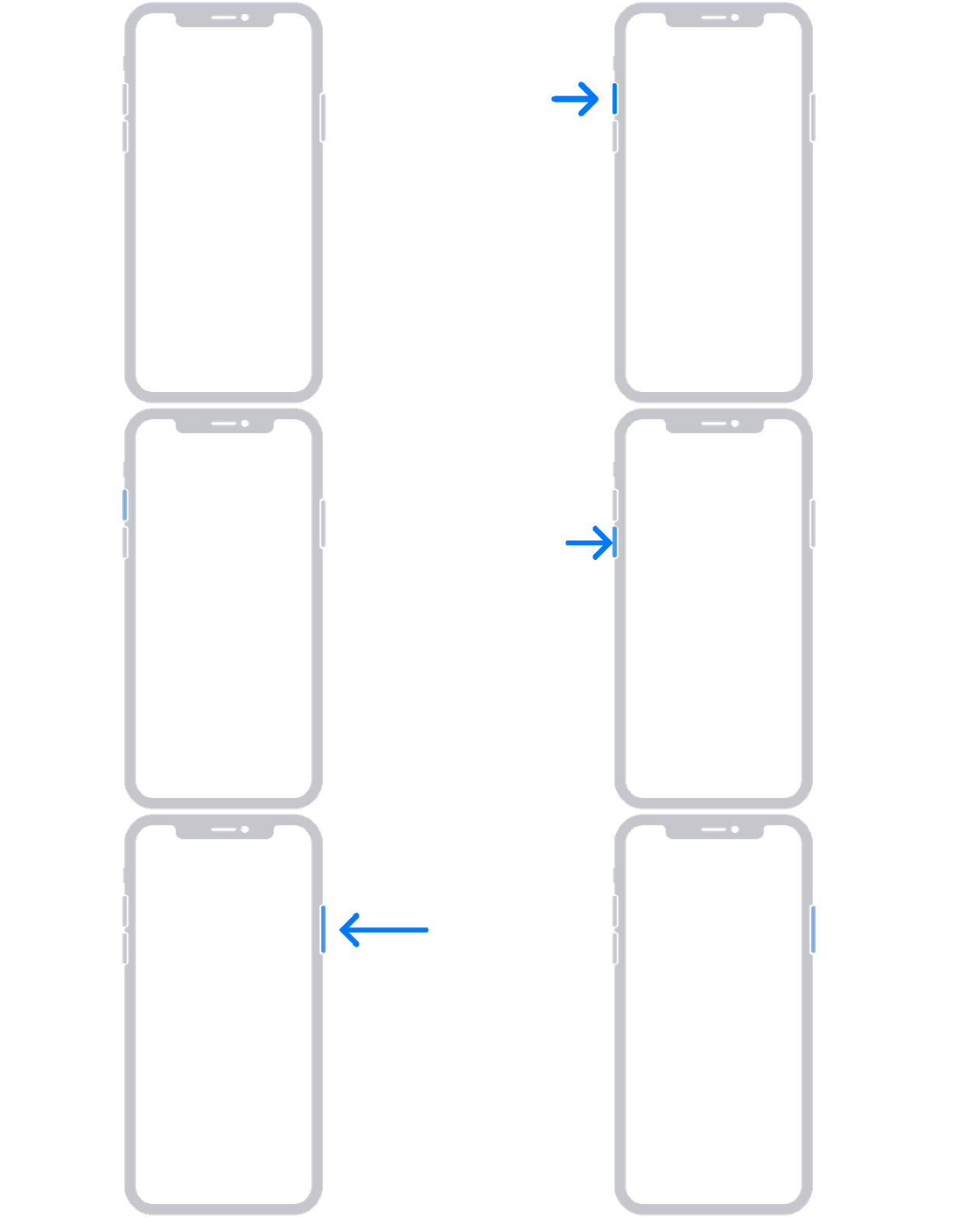
An animation of an iPhone with arrows pointing to the volume up button, then to the volume down button, and then to the side button.


4. If your phone doesn't turn on, follow these steps to check your hardware and charge your phone. You might need to charge for up to an hour.

5. If your phone still doesn't turn on, contact Apple Support."


We hope this helps. Let us know if we can assist with anything else at all. Take care.


This thread has been closed by the system or the community team. You may vote for any posts you find helpful, or search the Community for additional answers.

Stuttering animations on iPhone 14

Welcome to Apple Support Community
A forum where Apple customers help each other with their products. Get started with your Apple Account.