how to save my microsoft surface book information into my icloud?

how to save my microsoft surface book information into my icloud?


Posted on Mar 15, 2023 7:53 PM

Reply
Question marked as Top-ranking reply

Posted on Mar 17, 2023 2:18 PM

Hi Bionutri,


For help with iCloud for Windows, be sure your device meets the requirements outlined in the article here first: System requirements for iCloud


If met, check out the steps below found here to get started: Set up iCloud for Windows on your PC - Apple Support


"Set up iCloud for Windows on your PC

With iCloud for Windows, you can access information stored in iCloud on your PC.

Note: Before you can use iCloud for Windows, you must set up iCloud on an iPhone, iPad, iPod touch, or Mac. See Set up iCloud on all your devices in the iCloud User Guide.

  1. If you don’t already have it, download iCloud for Windows from the Microsoft Store. See the Apple Support article Download iCloud for Windows.
  2. On your Windows computer, open iCloud for Windows.
  3. Sign in with your Apple ID.
  4. Make sure to sign in with the same Apple ID that you use on your iPhone, iPad, iPod touch, or Mac.
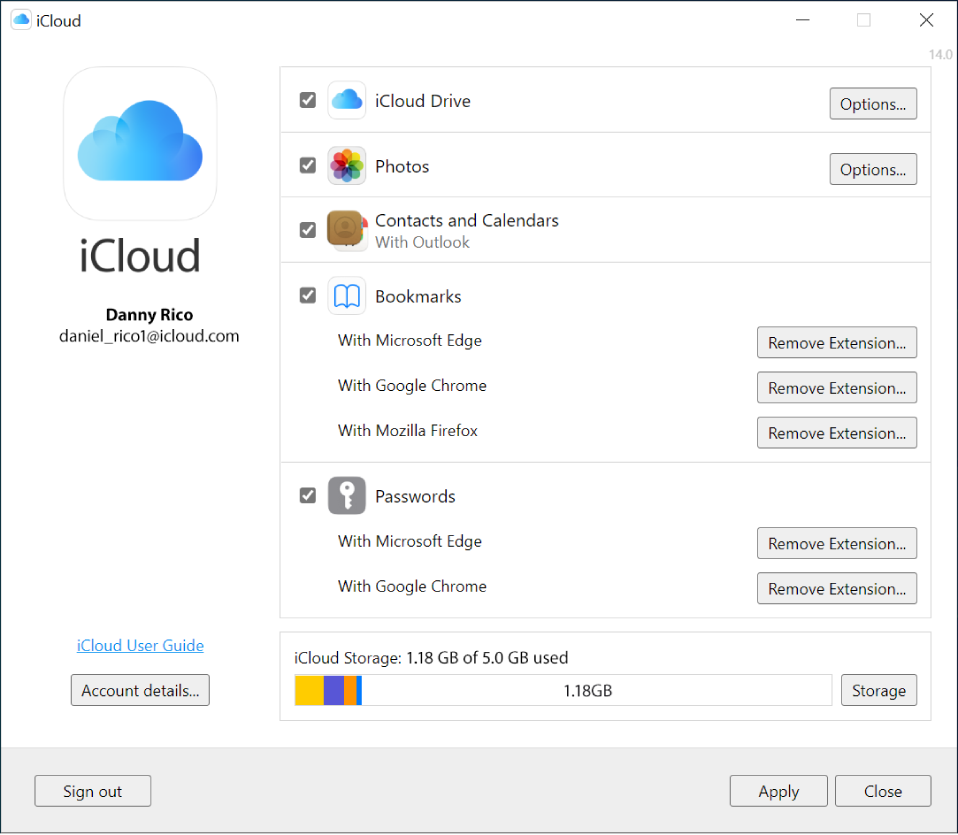
  5. Select or deselect each feature, then click Apply.

iCloud for Windows showing checkboxes next to iCloud features."


There's also helpful information in the guide here: What is iCloud for Windows? and here: View, add, or remove iCloud Drive files in iCloud for Windows


Cheers.


Similar questions

1 reply
Question marked as Top-ranking reply

Mar 17, 2023 2:18 PM in response to Bionutri

Hi Bionutri,


For help with iCloud for Windows, be sure your device meets the requirements outlined in the article here first: System requirements for iCloud


If met, check out the steps below found here to get started: Set up iCloud for Windows on your PC - Apple Support


"Set up iCloud for Windows on your PC

With iCloud for Windows, you can access information stored in iCloud on your PC.

Note: Before you can use iCloud for Windows, you must set up iCloud on an iPhone, iPad, iPod touch, or Mac. See Set up iCloud on all your devices in the iCloud User Guide.


  1. If you don’t already have it, download iCloud for Windows from the Microsoft Store. See the Apple Support article Download iCloud for Windows.
  2. On your Windows computer, open iCloud for Windows.
  3. Sign in with your Apple ID.
  4. Make sure to sign in with the same Apple ID that you use on your iPhone, iPad, iPod touch, or Mac.
  5. Select or deselect each feature, then click Apply.

iCloud for Windows showing checkboxes next to iCloud features."


There's also helpful information in the guide here: What is iCloud for Windows? and here: View, add, or remove iCloud Drive files in iCloud for Windows


Cheers.


This thread has been closed by the system or the community team. You may vote for any posts you find helpful, or search the Community for additional answers.

how to save my microsoft surface book information into my icloud?

Welcome to Apple Support Community
A forum where Apple customers help each other with their products. Get started with your Apple Account.