
Fitness app
My fitness app is not showing any of my friends activities even though they are active. I can only see me under sharing
iPhone 12 Pro, iOS 16
My fitness app is not showing any of my friends activities even though they are active. I can only see me under sharing
iPhone 12 Pro, iOS 16
Hi LilLit1962,
We'll be happy to help out with the issue you're having. If you've invited your friends, they must accept the invitation so you can follow each others activity. Let's double check the steps below, and you can double check with your friends to make sure they've accepted the invite.
"Start sharing
To share activity, you and your friends both need an Apple Watch. When your friends close their rings, finish workouts, or earn achievements, you get notifications about their progress.
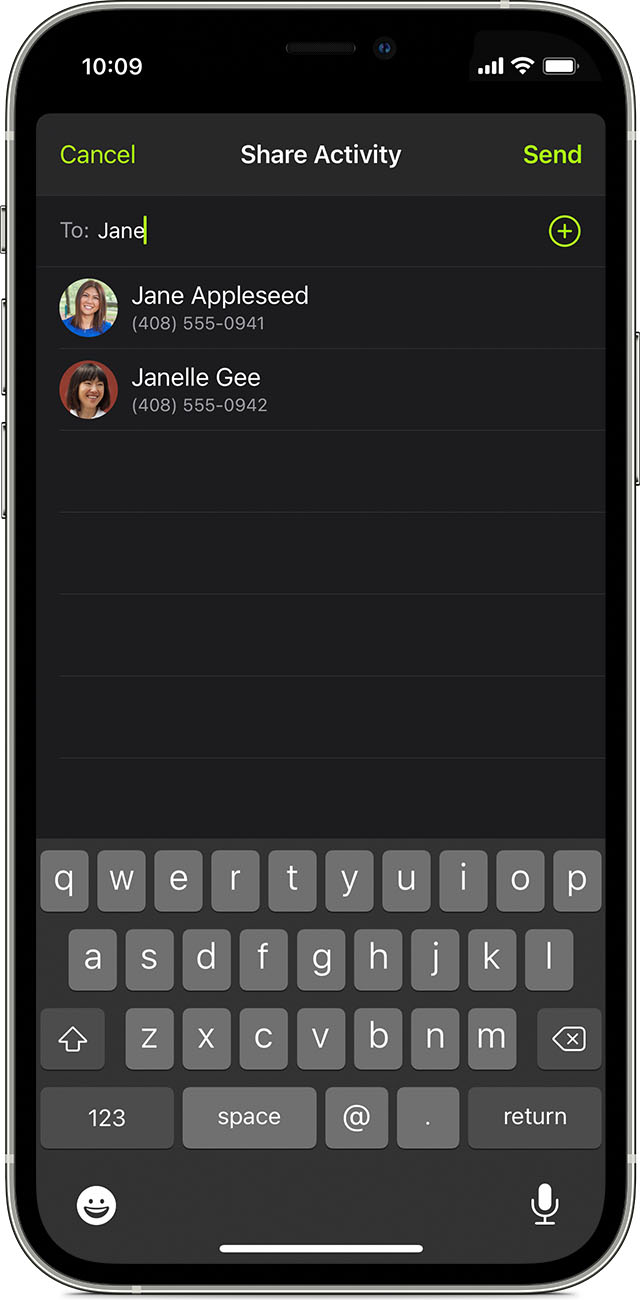
Add friends
 then the Add button
  and type your friend's contact information. Or choose friends from the list of suggested contacts. You can add up to 40 friends.
You can also invite a friend directly from your Apple Watch: Open the Activity app, swipe to the Sharing screen, scroll down, then tap Invite a Friend.
Accept an invite
When someone invites you to share Activity or compete, a notification appears on your Apple Watch. Tap Accept or Ignore. If you don't get a notification, you can accept from the Fitness app:
 at the top of the screen.
Check your friend's progress
If you don't get updates about your friend's activity
As long as your iPhone can connect to the Internet and you're signed in to iCloud, you can get updates about your friend's activity each day. If your iPhone can't connect for multiple days or you sign out of iCloud, you might see missing days."
For additional information, here is a direct link to the article referenced above: Share your Activity and compete with friends with your Apple Watch - Apple Support
Cheers!

Hi LilLit1962,
We'll be happy to help out with the issue you're having. If you've invited your friends, they must accept the invitation so you can follow each others activity. Let's double check the steps below, and you can double check with your friends to make sure they've accepted the invite.
"Start sharing
To share activity, you and your friends both need an Apple Watch. When your friends close their rings, finish workouts, or earn achievements, you get notifications about their progress.
Add friends
then the Add button and type your friend's contact information. Or choose friends from the list of suggested contacts. You can add up to 40 friends.You can also invite a friend directly from your Apple Watch: Open the Activity app, swipe to the Sharing screen, scroll down, then tap Invite a Friend.
Accept an invite
When someone invites you to share Activity or compete, a notification appears on your Apple Watch. Tap Accept or Ignore. If you don't get a notification, you can accept from the Fitness app:
at the top of the screen.Check your friend's progress
If you don't get updates about your friend's activity
As long as your iPhone can connect to the Internet and you're signed in to iCloud, you can get updates about your friend's activity each day. If your iPhone can't connect for multiple days or you sign out of iCloud, you might see missing days."
For additional information, here is a direct link to the article referenced above: Share your Activity and compete with friends with your Apple Watch - Apple Support
Cheers!
Fitness app

