
iphone 11 unresponsive during phone call
iPhone 11 unresponsive during phone call
iPhone 11 unresponsive during phone call
Hi Zonitahoe,
For help with your iPhone not responding, test a forced restart with the steps below found in the article here: If your iPhone won't turn on or is frozen - Apple Support
"On your iPhone 8 or later, including iPhone SE (2nd and 3rd generation)
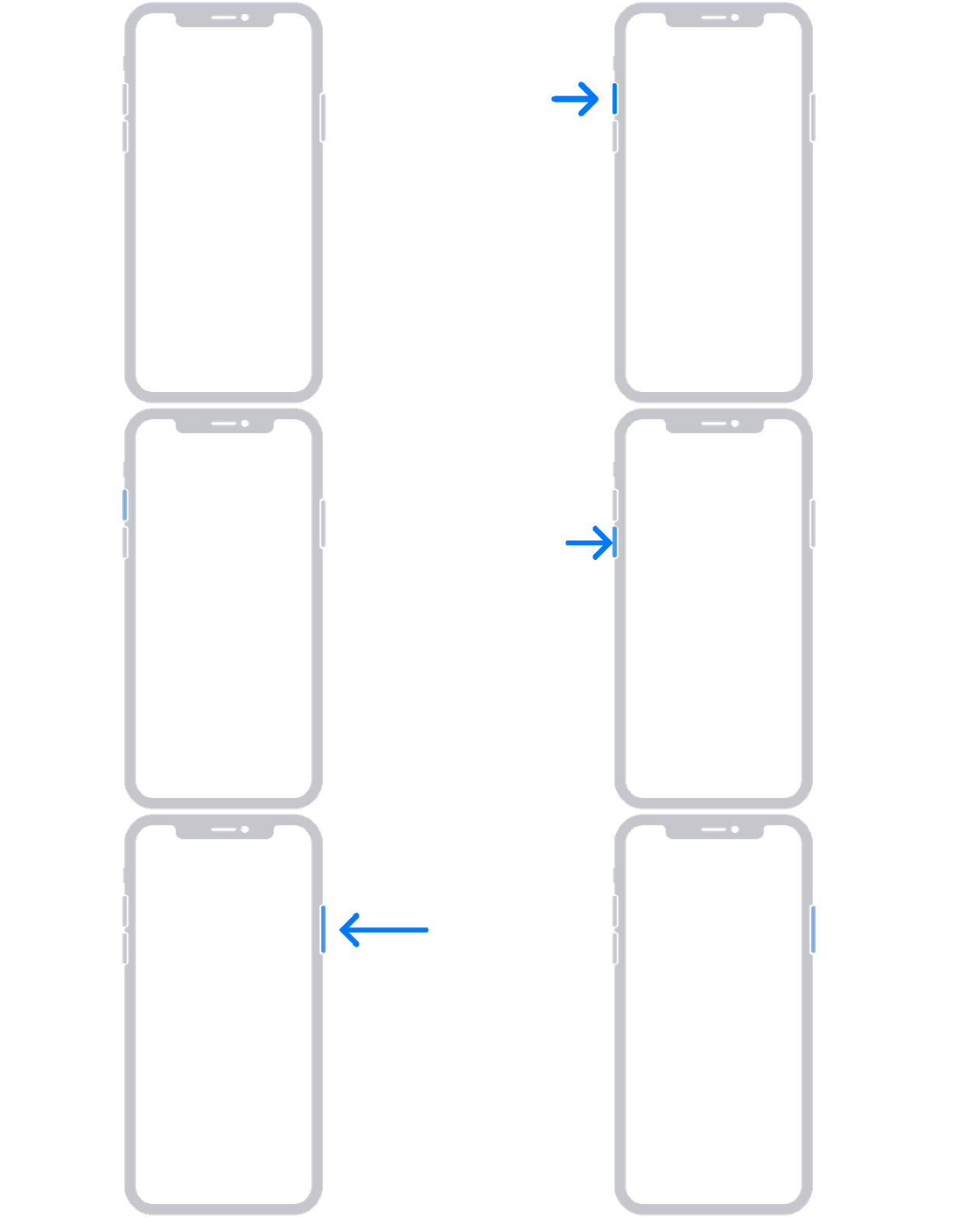
4. If your phone doesn't turn on, follow these steps to check your hardware and charge your phone. You might need to charge for up to an hour.
5. If your phone still doesn't turn on, contact Apple Support."
If the issue continues after the restart, be sure your iOS and carrier settings are fully updated. The articles below can assist if needed.
Update your iPhone or iPad - Apple Support
Manually update your carrier settings on your iPhone or iPad - Apple Support
If the issue continues, reach out to Apple Support directly to further assist.
Contact - Official Apple Support
Contact Apple for support and service - Apple Support
Best.
Hi Zonitahoe,
For help with your iPhone not responding, test a forced restart with the steps below found in the article here: If your iPhone won't turn on or is frozen - Apple Support
"On your iPhone 8 or later, including iPhone SE (2nd and 3rd generation)
4. If your phone doesn't turn on, follow these steps to check your hardware and charge your phone. You might need to charge for up to an hour.
5. If your phone still doesn't turn on, contact Apple Support."
If the issue continues after the restart, be sure your iOS and carrier settings are fully updated. The articles below can assist if needed.
Update your iPhone or iPad - Apple Support
Manually update your carrier settings on your iPhone or iPad - Apple Support
If the issue continues, reach out to Apple Support directly to further assist.
Contact - Official Apple Support
Contact Apple for support and service - Apple Support
Best.
iphone 11 unresponsive during phone call

