Apple Music Issues

Why is it that when I click on a song in my Apple Music library, I get a dialog that says the song can't be found. When I hit cancel, the song plays. If I hit locate, it cannot find the music. What can I do to fix this?

MacBook Pro (M2 Max, 2023)

Posted on Mar 18, 2023 1:34 PM

Reply

Similar questions

1 reply

Mar 21, 2023 7:52 AM in response to Omatic

Hi Omatic,


Thank you for using the Apple Support Communities! We would recommend the steps from the article below that may help if the songs appear to be missing:


If songs are missing from your music library after you turn on Sync Library


Check the cloud status of songs on your Mac or PC
1. On your Mac, open the Apple Music app. On your PC, open iTunes, choose Music from the pop-up menu, then click Library.
2. In the sidebar, select Songs.
3. In the menu bar, choose View > Show View Options.
4. Select Cloud Status and Cloud Download.
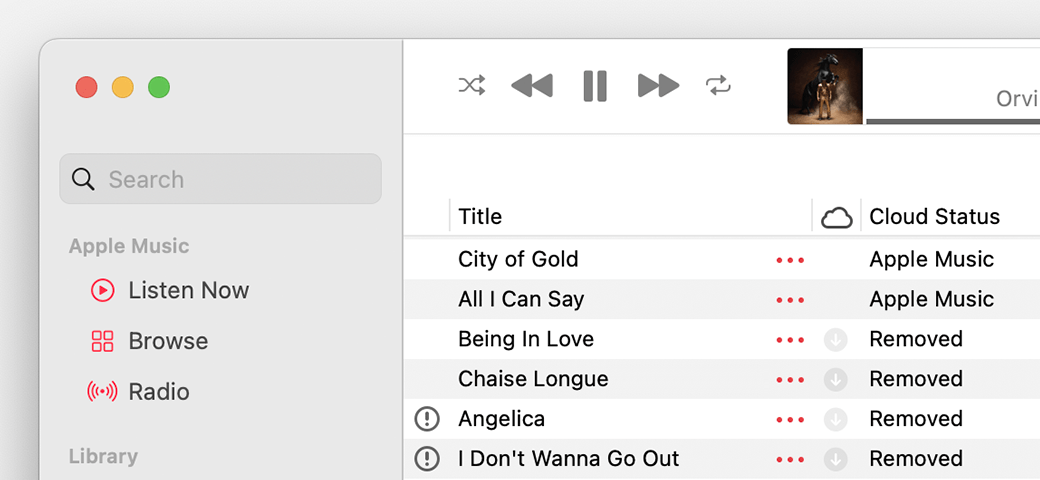
Look for the following statuses next to your songs to learn what to do.
Apple Music app showing Cloud statuses next to songs

Waiting
The song won’t appear on your other devices because it’s waiting to upload. Choose File > Library > Update Cloud Library. Then check if the song appears on your other devices.
Removed
The song was deleted from another device that has Sync Library turned on. If you want the song to appear on your other devices, click the arrow Removed button next to the song, then click Add to Cloud Music Library.
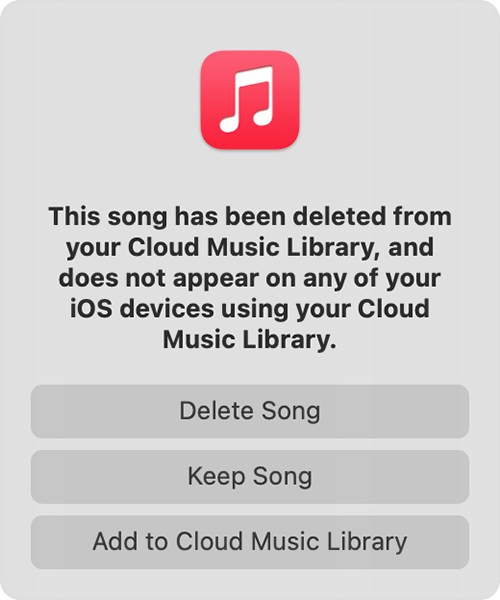
Message that says this song was deleted on another device and options to delete, keep, or add the song to Cloud Music library.

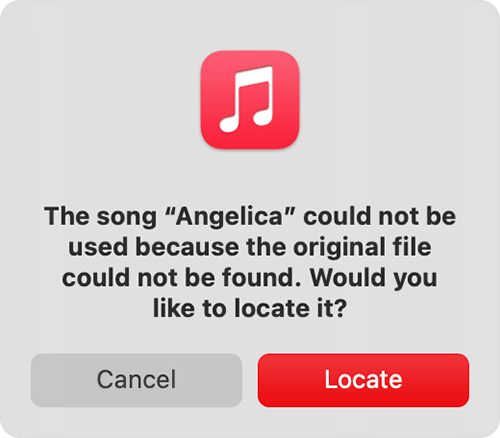
An exclamation point
The song can't be played or synced across your devices until the original file is located. Click the exclamation point Invalid location icon, then click Locate. 
Message asking to locate a missing song.

If the song is located, you'll be asked to use the location to find other missing songs in your library. If you see this message, click Find Files.
If a song is grayed out
If you see No Longer Available next to a song that's grayed out, the song was added from Apple Music and was removed from the Apple Music catalog.
Learn what the different cloud icons and symbols next to your songs mean in the Apple Music app

Learn what the different cloud icons and symbols next to your songs mean in iTunes


Search for the missing song on your computer
1. Search your Mac or PC for the missing song.
2. If you find the missing song, drag the song to the Apple Music app or iTunes.
3. In the Apple Music app or iTunes, choose File > Library > Update Cloud Library.


Hope this helps!

Have a great day.


This thread has been closed by the system or the community team. You may vote for any posts you find helpful, or search the Community for additional answers.

Apple Music Issues

Welcome to Apple Support Community
A forum where Apple customers help each other with their products. Get started with your Apple Account.