Messages
how did all my messages just disappear when I didn’t delete them?
how did all my messages just disappear when I didn’t delete them?
Thanks for posting in the Apple Support Communities Froze19,
The following page offers guidance that may help you recover messages on your iPhone: Recover deleted text messages on your iPhone or iPad
How to retrieve a deleted message or conversation
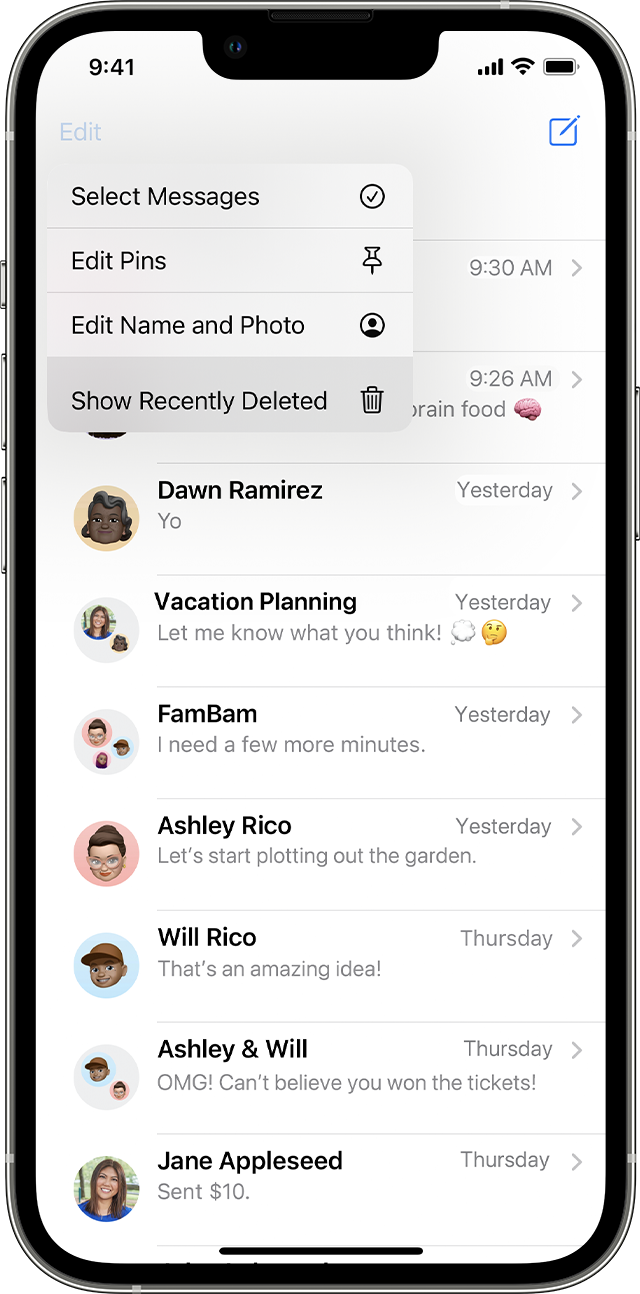
1. In Messages, tap Edit on the conversations page. If you previously turned Message Filtering on, the Edit button doesn't appear. Instead, tap Filters on the conversations page.
2. Tap Show Recently Deleted.
3. Choose the conversations with the messages you want to restore, then tap Recover.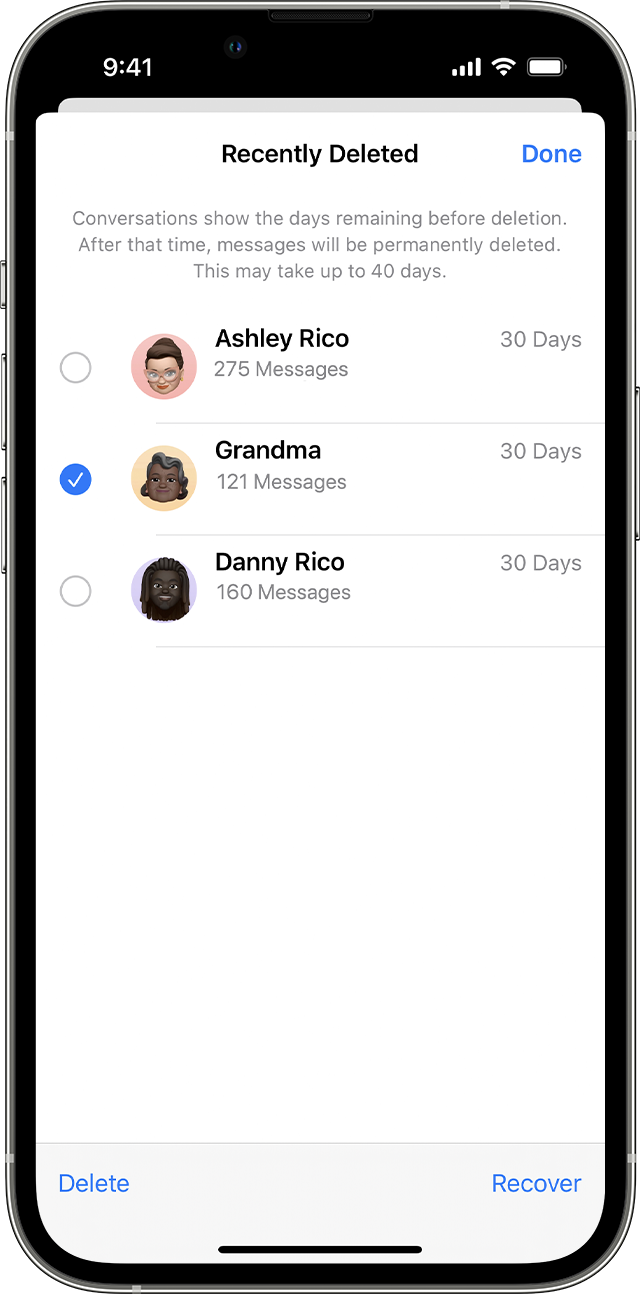
4. Tap Recover Message or Recover [Number] Messages.
You need iOS 16, iPadOS 16.1, or later to recover deleted messages and conversations. You can only recover messages and conversations that you deleted within the last 30 to 40 days. If you delete a message before you update to iOS 16, iPadOS 16, or later, you can't recover that message.
Learn how to delete a message or a Messages conversation on your iPhone
We hope this helps!
Messages