Why are my apps moving around?

I woke up and all the sudden my apps where all moved around. Why did all my apps move? And how do I fix it?

iPhone 13

Posted on Mar 21, 2023 9:01 AM

Reply
Question marked as Top-ranking reply

Posted on Mar 22, 2023 11:48 AM

Hello HelloLove_13,


While we can't say with certainty why all your apps were rearranged since we don't know what happened beforehand, it's easy enough to put things back as you want them. Please take a look at the following support article that offers steps to move app icons: Move apps and widgets on the Home Screen on iPhone - Apple Support. Follow this guidance to learn how to move apps or reset everything back to the default layout:


"Move apps and widgets around on your iPhone
      1. Touch and hold any app or widget on the Home Screen, then tap Edit Home Screen.
      2. The apps begin to jiggle.
      3. Drag an app to one of the following locations:
      • Another location on the same page
      • Another Home Screen page
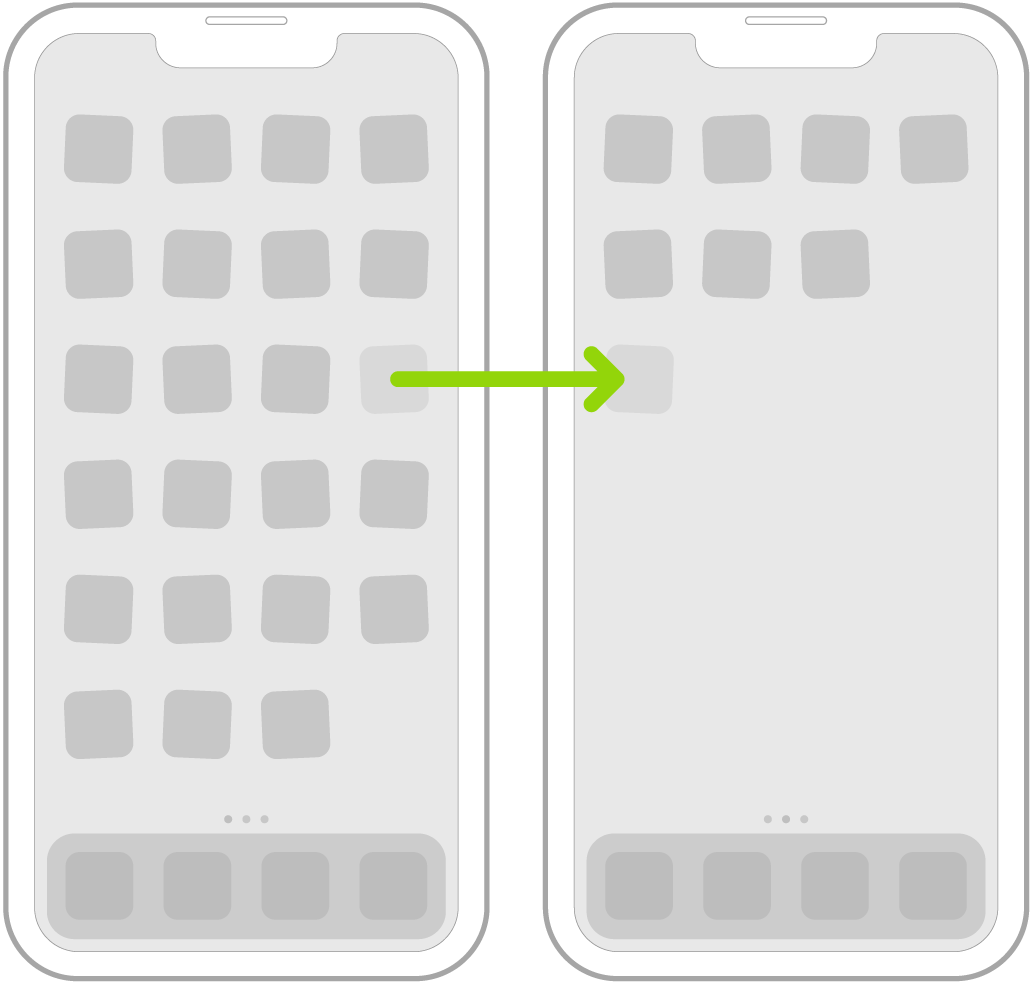
      • Drag the app or widget to the right edge of the screen. You might need to wait a second for the new page to appear. The dots above the Dock show how many pages you have and which one you’re viewing.

Jiggling apps on the Home Screen with an arrow showing one app being dragged to the next page.

4. When you’re finished, press the Home button (on an iPhone with a Home button) or tap Done (on other iPhone models).


Reset the Home Screen and apps to their original layout

      1. Go to Settings  > General > Transfer or Reset iPhone.
      2. Tap Reset, tap Reset Home Screen Layout, then tap Reset Home Screen.
      3. Any folders you’ve created are removed, and apps you’ve downloaded are arranged alphabetically after apps that came with your iPhone."


We hope this helps. Let us know if we can assist with anything else at all. Take care.

1 reply
Question marked as Top-ranking reply

Mar 22, 2023 11:48 AM in response to HelloLove_13

Hello HelloLove_13,


While we can't say with certainty why all your apps were rearranged since we don't know what happened beforehand, it's easy enough to put things back as you want them. Please take a look at the following support article that offers steps to move app icons: Move apps and widgets on the Home Screen on iPhone - Apple Support. Follow this guidance to learn how to move apps or reset everything back to the default layout:


"Move apps and widgets around on your iPhone

      1. Touch and hold any app or widget on the Home Screen, then tap Edit Home Screen.
      2. The apps begin to jiggle.
      3. Drag an app to one of the following locations:
      • Another location on the same page
      • Another Home Screen page
      • Drag the app or widget to the right edge of the screen. You might need to wait a second for the new page to appear. The dots above the Dock show how many pages you have and which one you’re viewing.

Jiggling apps on the Home Screen with an arrow showing one app being dragged to the next page.

4. When you’re finished, press the Home button (on an iPhone with a Home button) or tap Done (on other iPhone models).


Reset the Home Screen and apps to their original layout

      1. Go to Settings  > General > Transfer or Reset iPhone.
      2. Tap Reset, tap Reset Home Screen Layout, then tap Reset Home Screen.
      3. Any folders you’ve created are removed, and apps you’ve downloaded are arranged alphabetically after apps that came with your iPhone."


We hope this helps. Let us know if we can assist with anything else at all. Take care.

This thread has been closed by the system or the community team. You may vote for any posts you find helpful, or search the Community for additional answers.

Why are my apps moving around?

Welcome to Apple Support Community
A forum where Apple customers help each other with their products. Get started with your Apple Account.