Yeah, I wasn't planning on fooling around with filetypes such as the softlinks in the Terminal or something; I only wanted to check that, if I do a drag-and-drop from my TM disk to a separate disk to back these redundant backups, this will happen:
1) As I'm dragging from my TM disk to drop into a separate volume (disk), the Finder will copy as it always does from volume to volume, and
2) The Finder will account for any softlinks in those redundant volume backups that I'm copying, copying the latest iteration of all files to the destination drive.
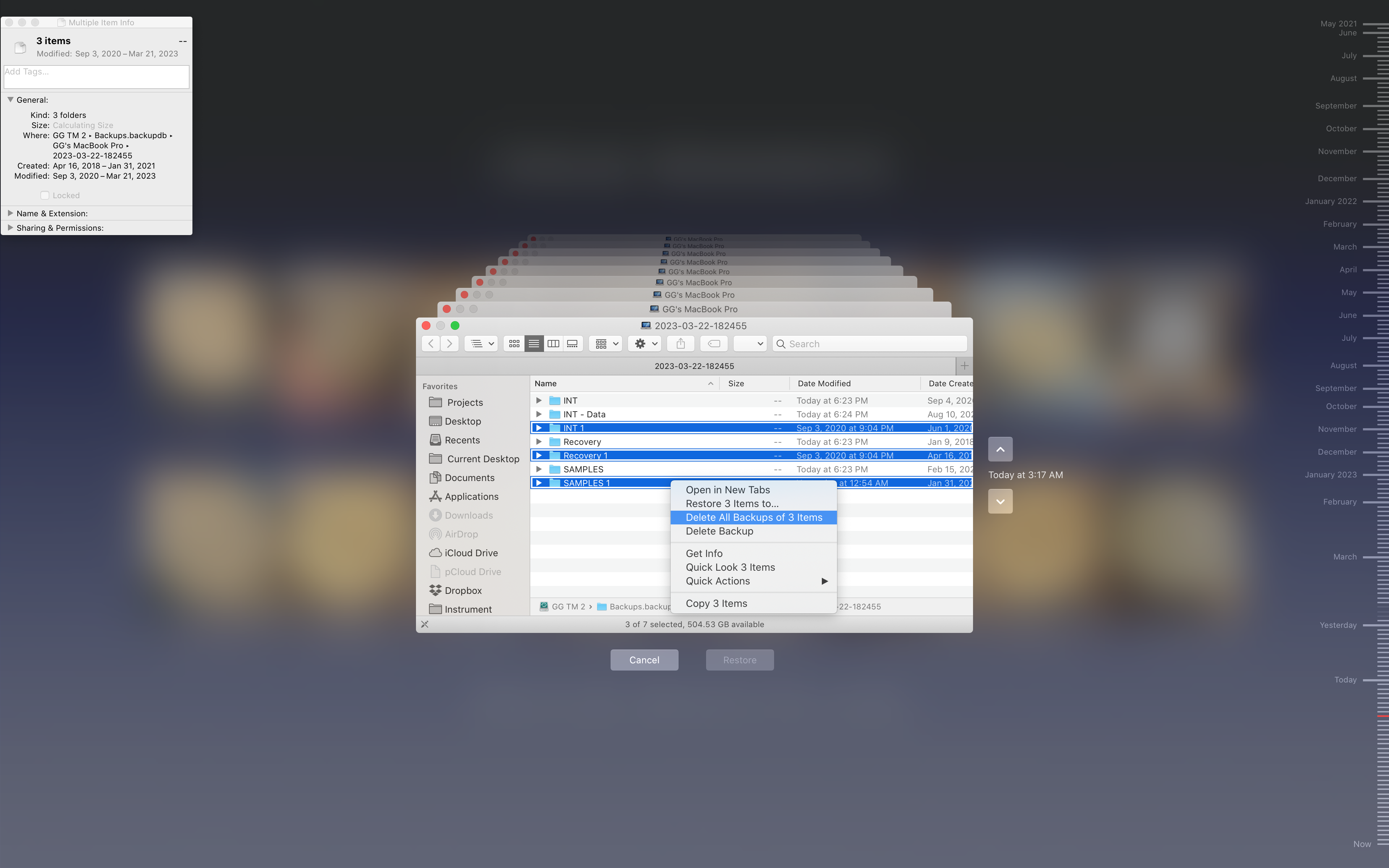
3) Then, when the redundant TM BUs have been copied, enter Time machine from the root of my connected drives (Shift-Command-C), select the redundant backups and pop up the contextual menu to delete all backups (see screenshot) -- although I might leave that redundant Recovery partition backup, juuuuust in case.
Right?? :D

