back space (delete key) problem
I got the mac book air 2 years back sometimes it's hard to press the backspace key. I don't know why it's happening
MacBook Air 13″, macOS 13.2
I got the mac book air 2 years back sometimes it's hard to press the backspace key. I don't know why it's happening
MacBook Air 13″, macOS 13.2
Hello prudhvi9100,
This page can assist with providing steps for cleaning the keyboard, which can help when there's a key that feels different to press than the others: How to clean the keyboard of your MacBook or MacBook Pro - Apple Support
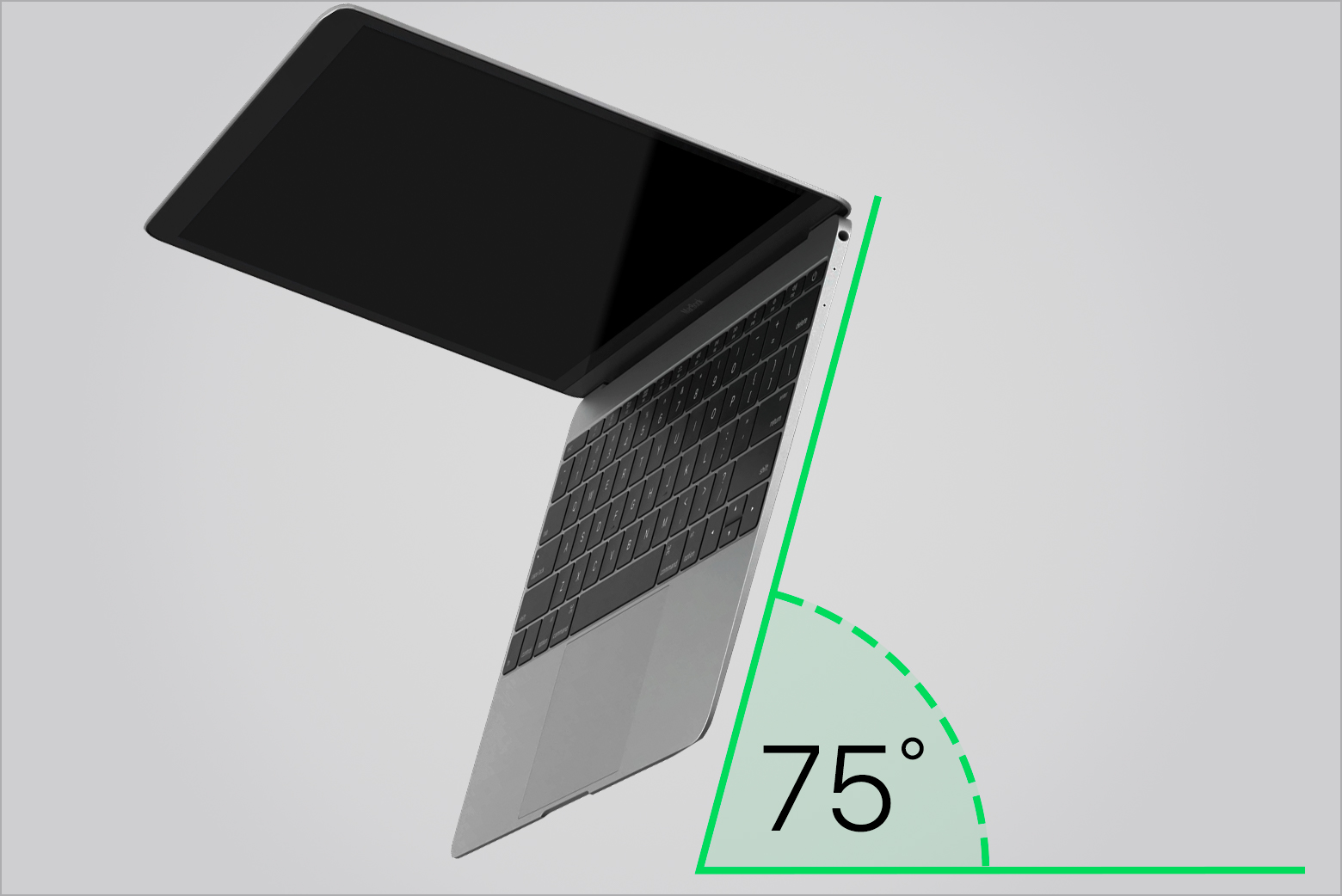
1. Hold your Mac notebook at a 75-degree angle, so it's not quite vertical.
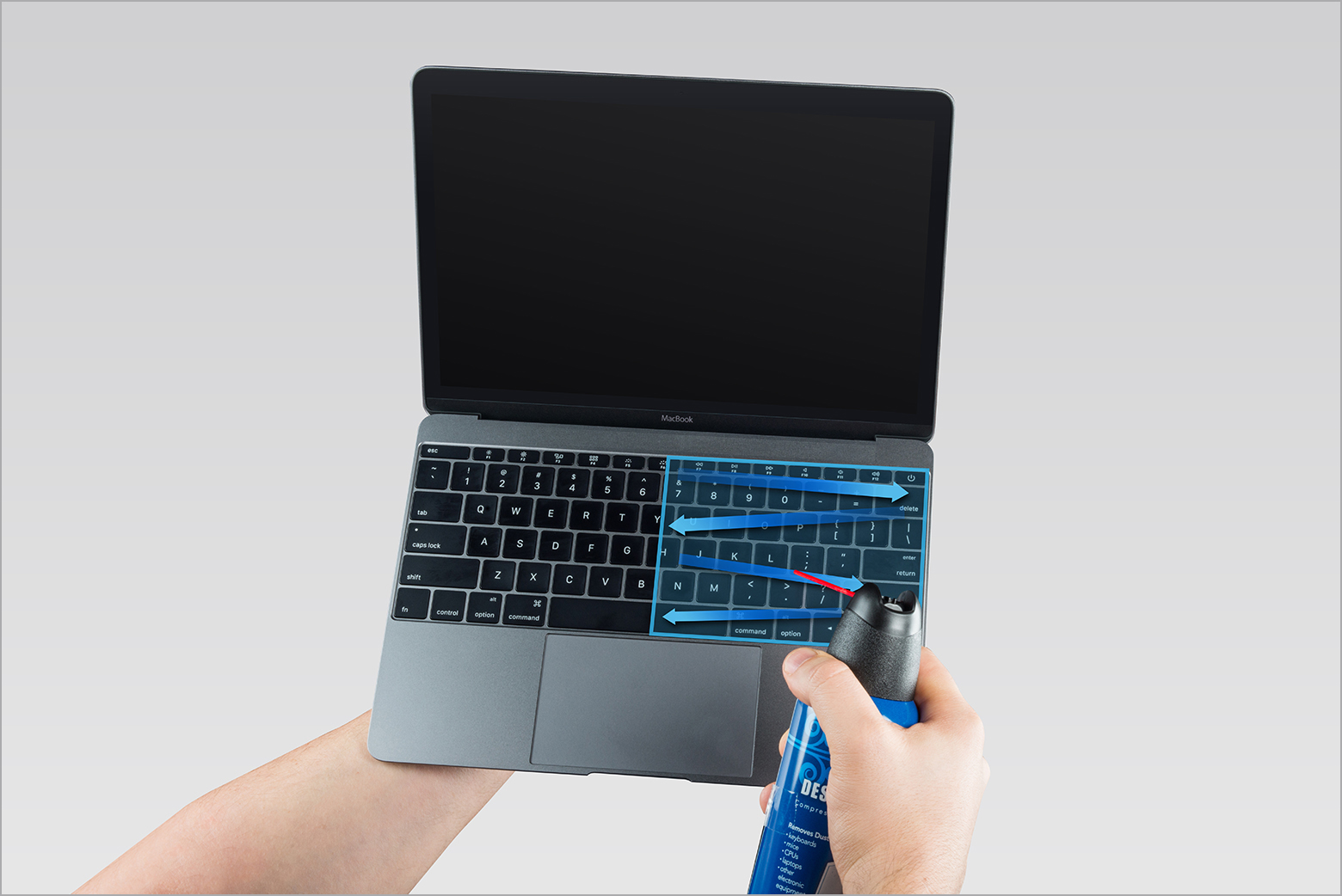
2. Use compressed air to spray the keyboard, or just the affected keys, in a left-to-right motion.
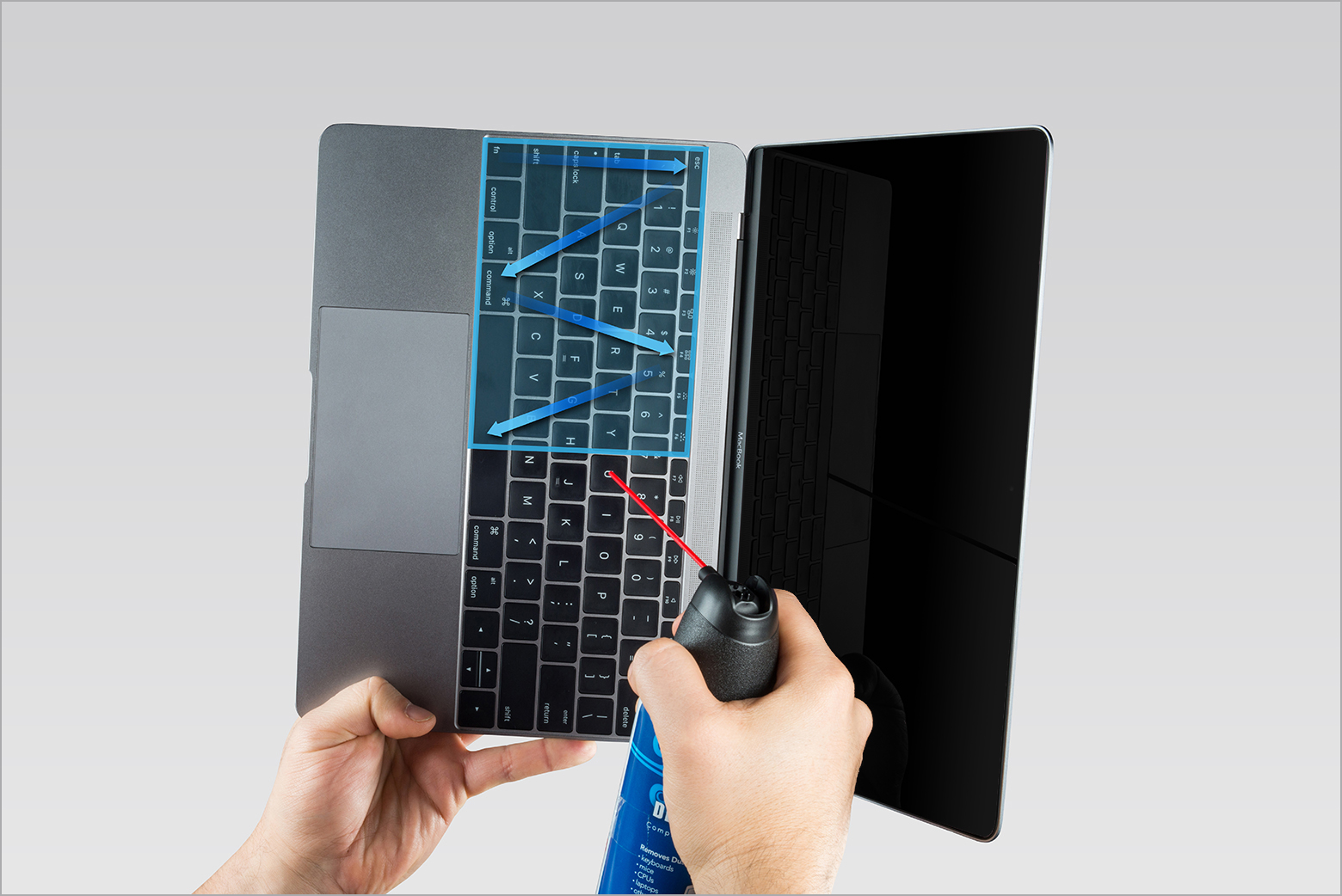
3. Rotate your Mac notebook to its right side and spray the keyboard again, from left to right.
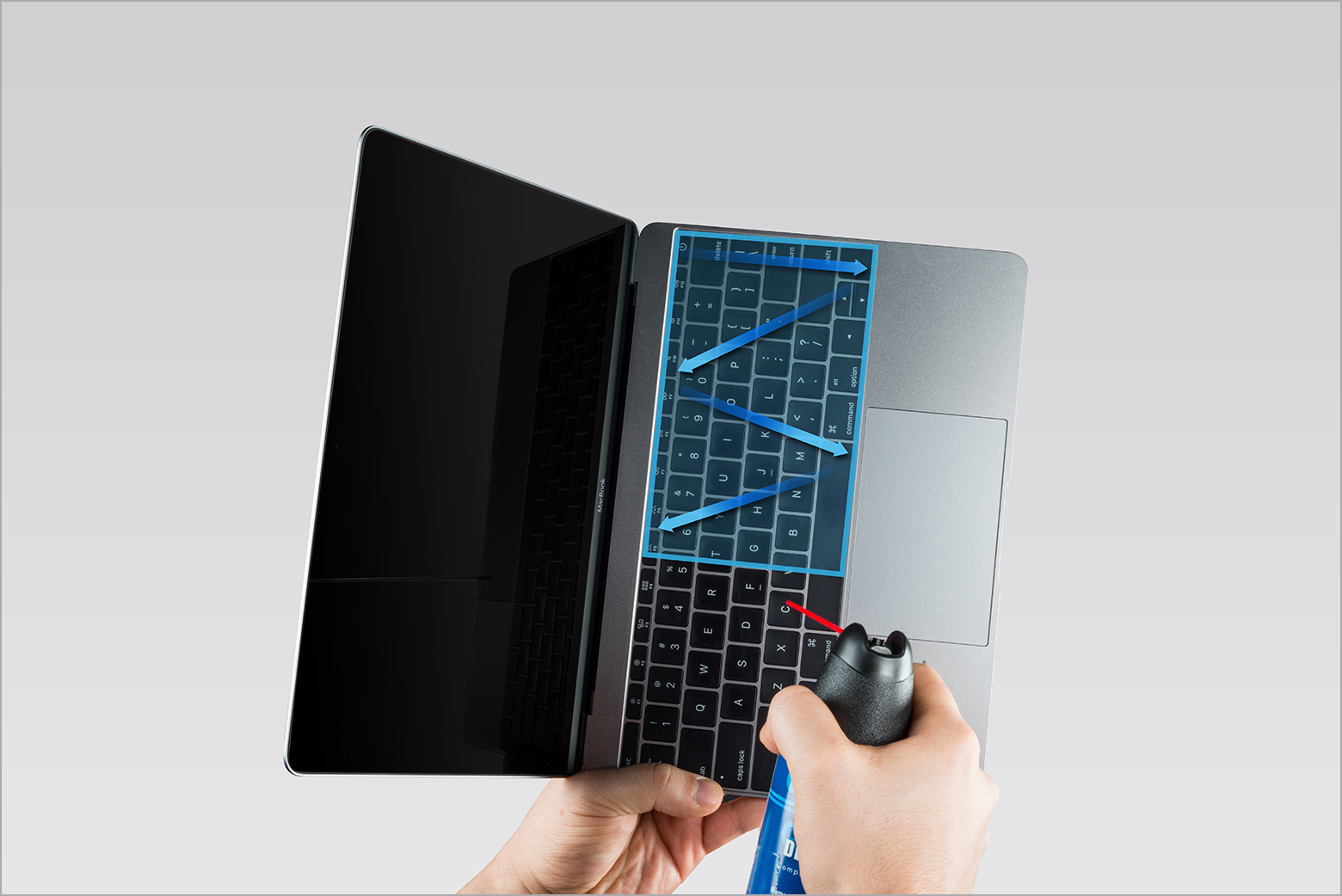
4.Repeat the action, this time with your Mac notebook rotated to its left side.
Learn more
* If any keys are still unresponsive after you've followed these steps, visit an Apple Retail Store or Apple Authorized Service Provider for service.
* Learn more about cleaning your other Apple products.
Cheers.
Hello prudhvi9100,
This page can assist with providing steps for cleaning the keyboard, which can help when there's a key that feels different to press than the others: How to clean the keyboard of your MacBook or MacBook Pro - Apple Support
1. Hold your Mac notebook at a 75-degree angle, so it's not quite vertical.
2. Use compressed air to spray the keyboard, or just the affected keys, in a left-to-right motion.
3. Rotate your Mac notebook to its right side and spray the keyboard again, from left to right.
4.Repeat the action, this time with your Mac notebook rotated to its left side.
Learn more
* If any keys are still unresponsive after you've followed these steps, visit an Apple Retail Store or Apple Authorized Service Provider for service.
* Learn more about cleaning your other Apple products.
Cheers.
back space (delete key) problem