Download Required Message
I got this pop up in my phone but I have no idea what is related to
iPhone 12 Pro, iOS 16
I got this pop up in my phone but I have no idea what is related to
iPhone 12 Pro, iOS 16
Hi Nikkiurr07,
If you haven't done so yet, restart your iPhone. Although simple, this step can help correct some unexpected issues. It's also a good idea to make sure your iPhone is running the latest iOS version, since this can help with overall performance: Update your iPhone or iPad. If an update is available, be sure to create a backup before installing it.
"Update your iPhone or iPad wirelessly
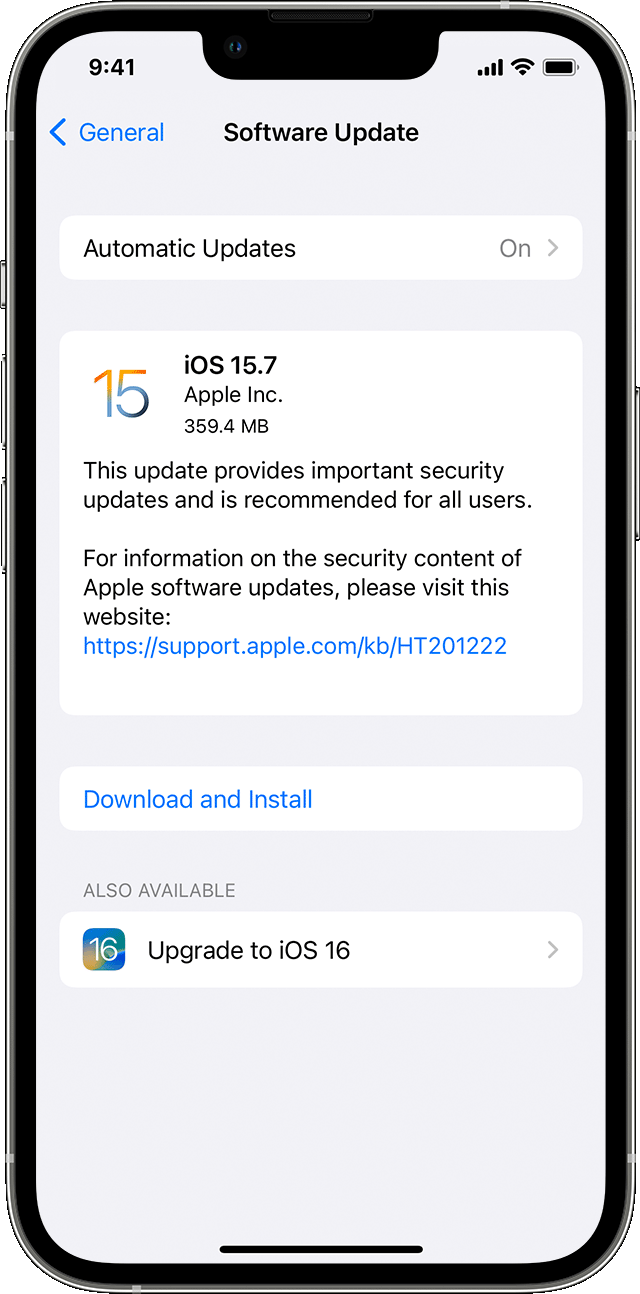
5. Tap Install Now. If you see Download and Install instead, tap it to download the update, enter your passcode, then tap Install Now. If you don't know your passcode, learn what to do."
If you need more help, reply with the answers to these questions:
• Do you notice this alert when you attempt to use a specific app? If so, which one?
• When you tap "View in App Store" what happens?
Regards.
Hi Nikkiurr07,
If you haven't done so yet, restart your iPhone. Although simple, this step can help correct some unexpected issues. It's also a good idea to make sure your iPhone is running the latest iOS version, since this can help with overall performance: Update your iPhone or iPad. If an update is available, be sure to create a backup before installing it.
"Update your iPhone or iPad wirelessly
5. Tap Install Now. If you see Download and Install instead, tap it to download the update, enter your passcode, then tap Install Now. If you don't know your passcode, learn what to do."
If you need more help, reply with the answers to these questions:
• Do you notice this alert when you attempt to use a specific app? If so, which one?
• When you tap "View in App Store" what happens?
Regards.
Download Required Message