download files
download files do not open
download files do not open
HI isabelfromsunrise,
Welcome to Apple Support Communities. We understand that you're having an issue with opening downloaded files on your iPhone. We'd like to know more so we can help.
Where are these files stored on your iPhone? Have you ever been able to open them before in the past? If you have been able to open them before, let's look to see if your iOS needs to be updated. Head to Settings > General > Software Update to see if one is available. If one is there, follow these steps to get that done:
Update your iPhone or iPad wirelessly
1. Back up your device using iCloud or your computer.
2. Plug your device into power and connect to the internet with Wi-Fi.
3. Go to Settings > General, then tap Software Update.
4. If you see more than one software update option available, choose the one that you want to install.
5. Tap Install Now. If you see Download and Install instead, tap it to download the update, enter your passcode, then tap Install Now. If you don't know your passcode, learn what to do.
This information is from: Update your iPhone or iPad
If you're using the Files app on your device, make sure to check out these stops on using the Files app:
How to find your files in the Files app
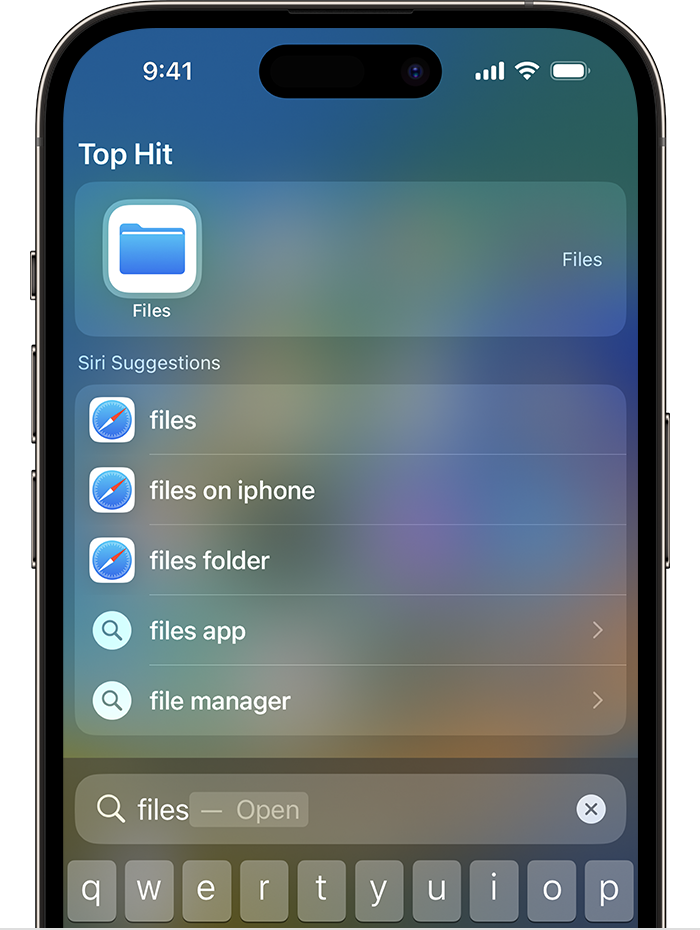
1. On your iPhone or iPad, open the Files app. Don't see the blue Files app icon on your Home Screen? Just swipe down, then search for the Files app.
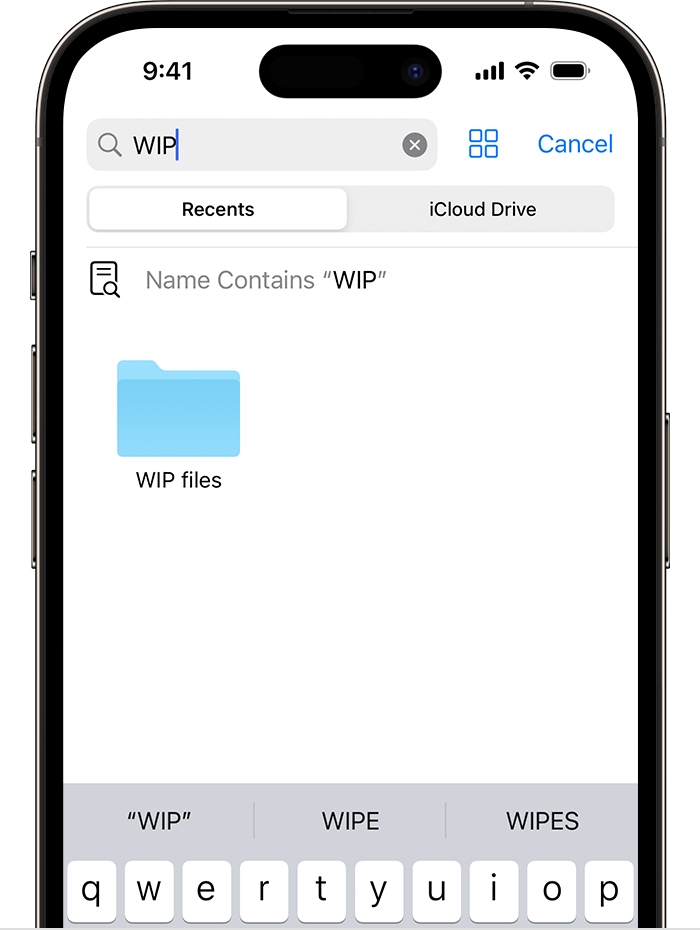
2. In the Files app, search or browse for the file that you want.

For more information about using the Files app: Find files on your iPhone or iPad in the Files app
Hope that helps.
Take care.
HI isabelfromsunrise,
Welcome to Apple Support Communities. We understand that you're having an issue with opening downloaded files on your iPhone. We'd like to know more so we can help.
Where are these files stored on your iPhone? Have you ever been able to open them before in the past? If you have been able to open them before, let's look to see if your iOS needs to be updated. Head to Settings > General > Software Update to see if one is available. If one is there, follow these steps to get that done:
Update your iPhone or iPad wirelessly
1. Back up your device using iCloud or your computer.
2. Plug your device into power and connect to the internet with Wi-Fi.
3. Go to Settings > General, then tap Software Update.
4. If you see more than one software update option available, choose the one that you want to install.
5. Tap Install Now. If you see Download and Install instead, tap it to download the update, enter your passcode, then tap Install Now. If you don't know your passcode, learn what to do.
This information is from: Update your iPhone or iPad
If you're using the Files app on your device, make sure to check out these stops on using the Files app:
How to find your files in the Files app
1. On your iPhone or iPad, open the Files app. Don't see the blue Files app icon on your Home Screen? Just swipe down, then search for the Files app.
2. In the Files app, search or browse for the file that you want.
For more information about using the Files app: Find files on your iPhone or iPad in the Files app
Hope that helps.
Take care.
download files