Stage Manager window issue


looking for help with my windows and selection add another window,.. minimize,.. close,.. using those three dots (. . .) - sometimes they aren’t visible.

I thought it might be certain applications giving my iPad problems, but it’s random, from Control Center to Google Maps; even Candy Crush. Sometimes the get around is swiping up the Dock and opening an App, sometimes I have to close and reopen because the open window blocks any actions.

Anyone have similar issues or a permanent fix?

I’m on iPad Air 5th gen; IOS 16.3.1.

iPad Air (5th generation)

Posted on Mar 23, 2023 7:21 PM

Reply

Similar questions

1 reply

Mar 25, 2023 11:02 AM in response to Designer Gav UK

Hi Designer Gav UK,


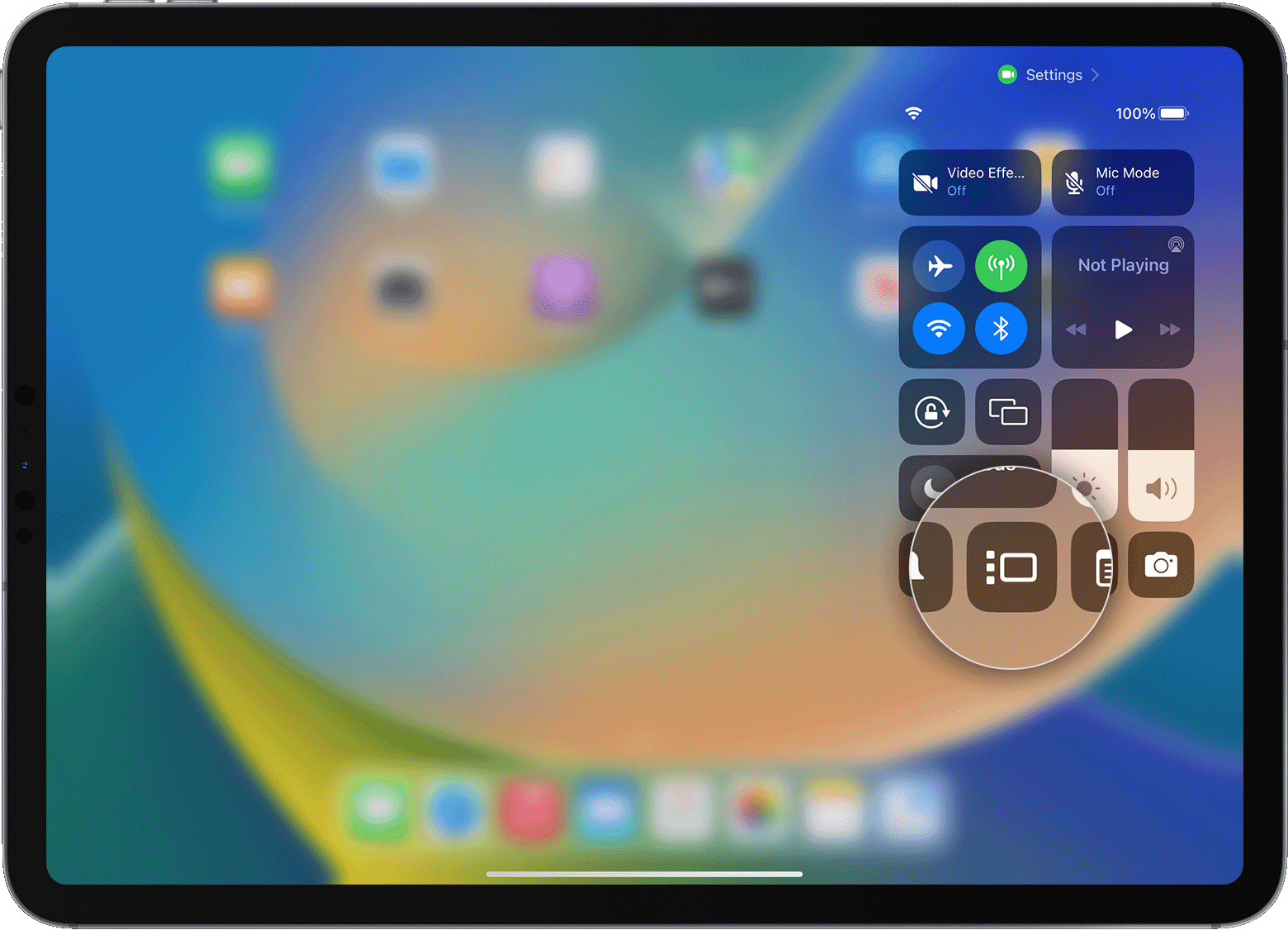
Thanks for posting here in Apple Support Communities. One thing we can have you try is to disable Stage Manage, restart your iPad and then reenable Stage Manager as this may help to address the issue you're facing. Follow the steps shown here: Turn Stage Manager on or off on your iPad - Apple Support


Turn Stage Manager on or off
1. Swipe down from the top-right corner of your screen to open Control Center.
2. Tap the Stage Manager button .
An iPad with Control Center open. The Stage Manager button is magnified.

You can also turn Stage Manager on or off from the Settings app:
1. Open the Settings app.
2. Tap Home Screen & Multitasking, then tap Stage Manager.
3. Turn on or off "Use Stage Manager on iPad."
Learn how to use Stage Manager on your iPad


Have a great day.


This thread has been closed by the system or the community team. You may vote for any posts you find helpful, or search the Community for additional answers.

Stage Manager window issue

Welcome to Apple Support Community
A forum where Apple customers help each other with their products. Get started with your Apple Account.