update credit card
How do I update my credit card for iCloud ?
MacBook Pro 13″, macOS 10.13
How do I update my credit card for iCloud ?
MacBook Pro 13″, macOS 10.13
Thanks for posting in the Apple Support Communities RIGGII33,
To update the payment method associated with your Apple ID and iCloud, complete the following steps:
Update your payment method on your Mac
1. Open the App Store.
2. Click your name or the Sign In button.
3. Click Account Settings.
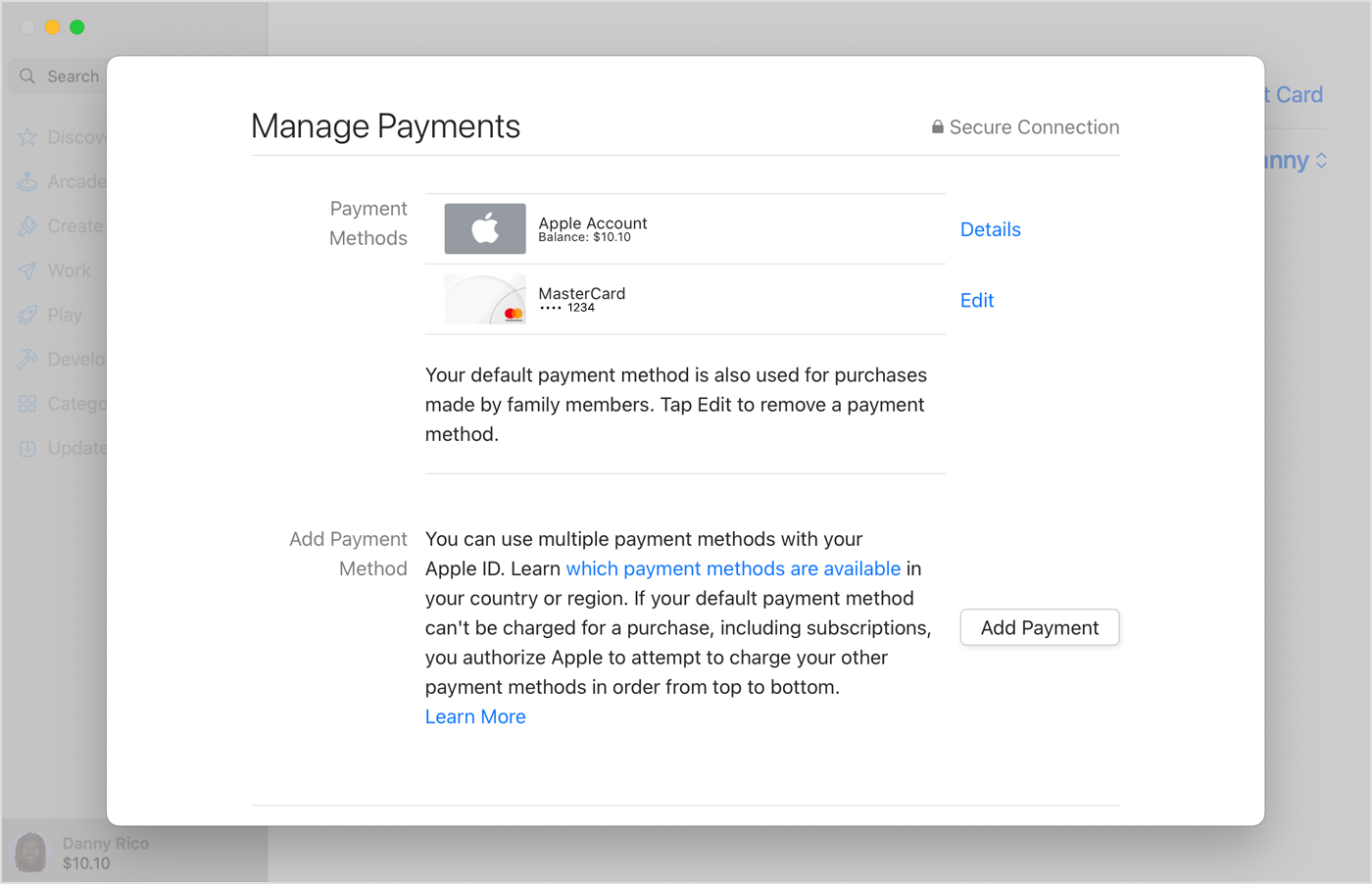
4. Next to Payment Information, click Manage Payments. (If you're using an older version of macOS, click Edit next to Payment Type.)
5. Click Add Payment, then enter the new payment method. Click Done.
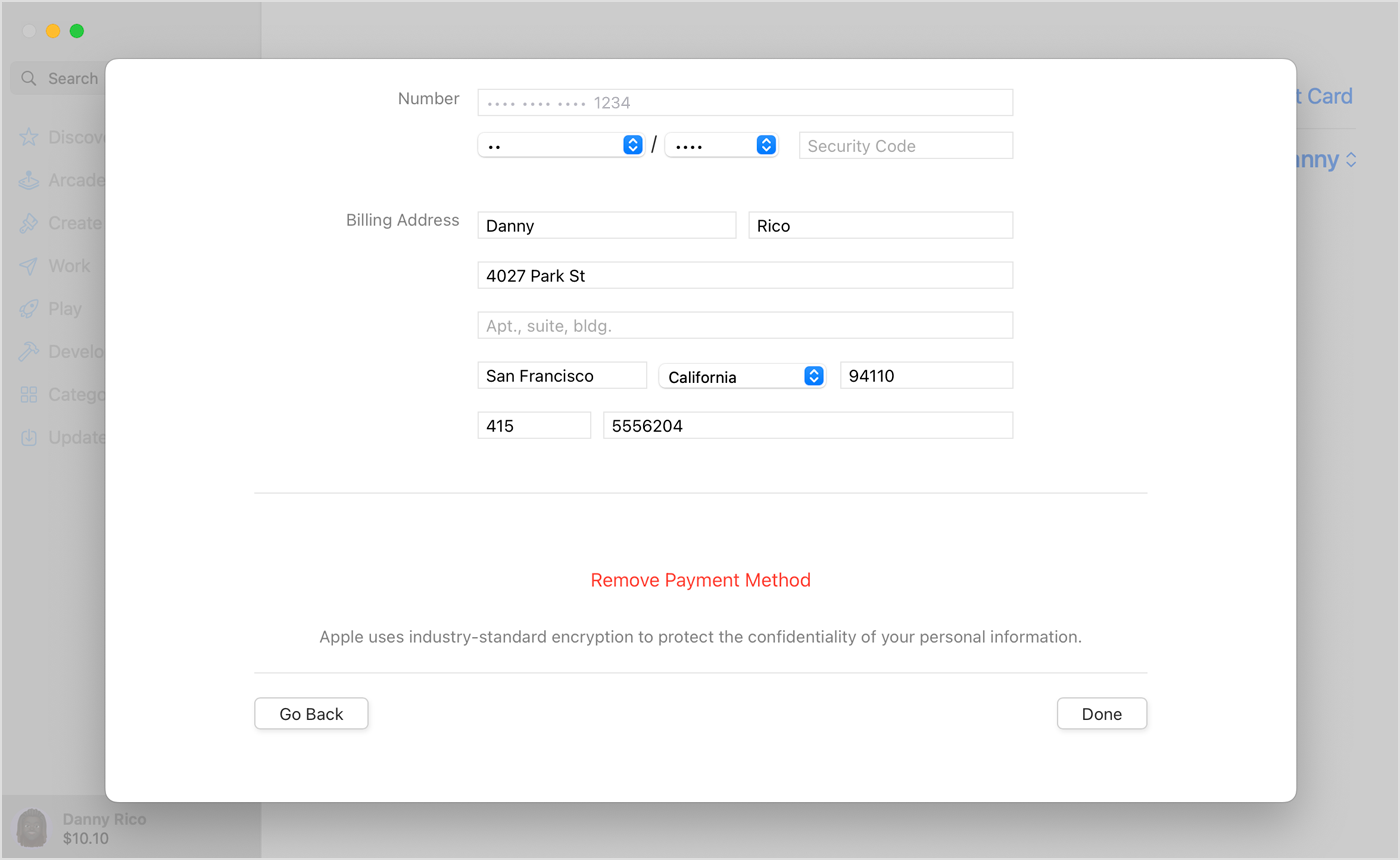
6. Click Edit next to the old payment method, then click Remove Payment Method.
If you need to change or update your Apple ID payment method
We hope this helps!
update credit card