
I am paying for 2t of iCloud storage but my iPhone says it is full
I am paying for 2t of iCloud storage but my iPhone says it is full. How do I sync the new storage to my phone?
I am paying for 2t of iCloud storage but my iPhone says it is full. How do I sync the new storage to my phone?
Hey there and welcome to Apple Support Communities Myacun23,
We can certainly understand your concern and see you came to us from the article Access and manage your files in iCloud Drive.
You might have a physical storage alert on your iPhone regarding storage instead of iCloud space. We recommend checking out these steps for more information on how to manage your physical storage on your device.
" How iOS and iPadOS optimize storage
If your device is low on storage, it automatically frees up space while installing an app, updating iOS or iPadOS, downloading music, recording videos, and more.
To make more storage available, your device may also remove items that can be downloaded again or aren't needed anymore. This includes things like apps that you don't use and the local cache for files in iCloud Drive. Your device also removes temporary files and clears the cache on your device.

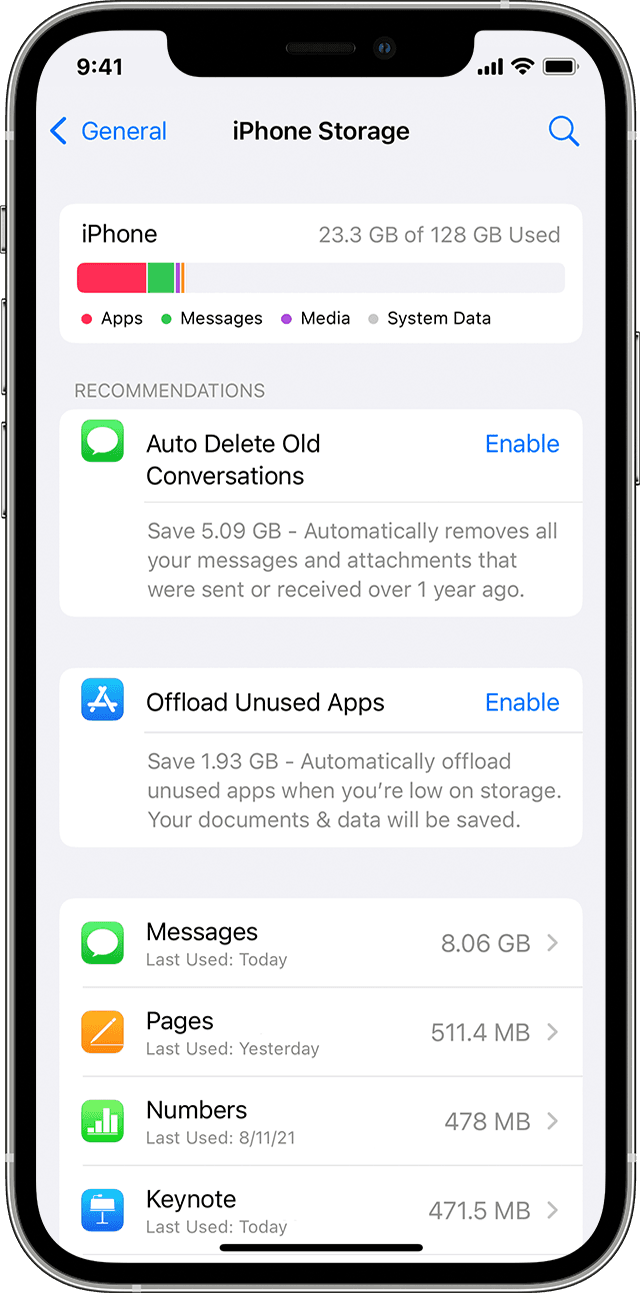
Use your device to check its storage
In the detailed view you can:
If your device is almost full and can't free up space, you might get a Storage Almost Full alert. If you see this alert, check the storage recommendations or offload some less-used content like videos and apps. "
For additional information, check out this link: How to check the storage on your iPhone and iPad - Apple Support
These steps will help ensure your device is working with ease and can fix common issues like the ones you’re experiencing.
Kindest regards!
Hey there and welcome to Apple Support Communities Myacun23,
We can certainly understand your concern and see you came to us from the article Access and manage your files in iCloud Drive.
You might have a physical storage alert on your iPhone regarding storage instead of iCloud space. We recommend checking out these steps for more information on how to manage your physical storage on your device.
" How iOS and iPadOS optimize storage
If your device is low on storage, it automatically frees up space while installing an app, updating iOS or iPadOS, downloading music, recording videos, and more.
To make more storage available, your device may also remove items that can be downloaded again or aren't needed anymore. This includes things like apps that you don't use and the local cache for files in iCloud Drive. Your device also removes temporary files and clears the cache on your device.
Use your device to check its storage
In the detailed view you can:
If your device is almost full and can't free up space, you might get a Storage Almost Full alert. If you see this alert, check the storage recommendations or offload some less-used content like videos and apps. "
For additional information, check out this link: How to check the storage on your iPhone and iPad - Apple Support
These steps will help ensure your device is working with ease and can fix common issues like the ones you’re experiencing.
Kindest regards!
I am paying for 2t of iCloud storage but my iPhone says it is full

