cannot open loveworl app on ipad air 3
Cannot open LOVEWORLD app on iPad Air 3.
iPad Air 3, iPadOS 16
Cannot open LOVEWORLD app on iPad Air 3.
iPad Air 3, iPadOS 16
Hi alli57,
The steps outlined in If an app on your iPhone or iPad stops responding, closes unexpectedly, or won’t open are an excellent place to start troubleshooting third-party apps on your iPad.
1. Close and reopen the app
2. Restart your device
3. Check for updates
4. Delete the app, then redownload it
If you're still unable to open the app, contact Loveworld Music & Arts Ministry for support. This article will show you how to reach out from the Loveworld Worship page in the App Store:
How to contact an app developer
1. Open the App Store on your iPhone or iPad.
2. Search for the app, then tap it. If you can't find it, tap the account button or your photo at the top of the screen, tap Purchased, tap "Not on this [device]," then tap the app.
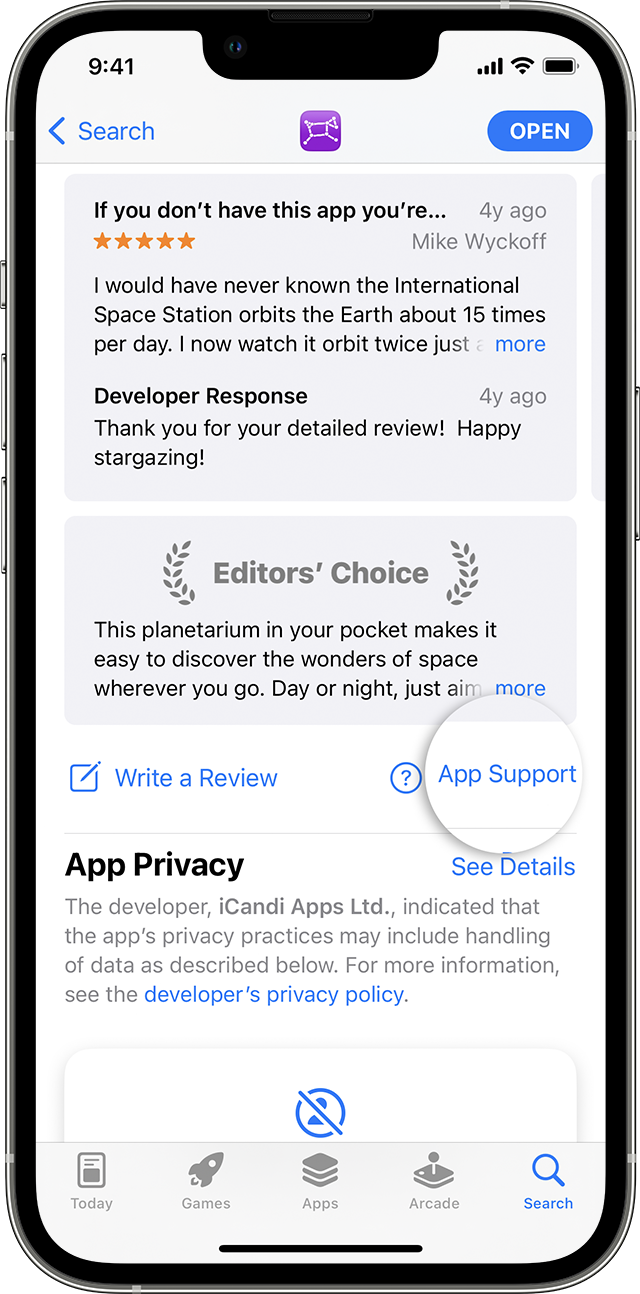
3. The app's product page appears. Scroll to the Ratings & Reviews section, then tap App Support. If you don't see App Support, make sure that you're signed in with the correct Apple ID.
Thank you for being part of the Apple Support Communities.
Cheers!
Hi alli57,
The steps outlined in If an app on your iPhone or iPad stops responding, closes unexpectedly, or won’t open are an excellent place to start troubleshooting third-party apps on your iPad.
1. Close and reopen the app
2. Restart your device
3. Check for updates
4. Delete the app, then redownload it
If you're still unable to open the app, contact Loveworld Music & Arts Ministry for support. This article will show you how to reach out from the Loveworld Worship page in the App Store:
How to contact an app developer
1. Open the App Store on your iPhone or iPad.
2. Search for the app, then tap it. If you can't find it, tap the account button or your photo at the top of the screen, tap Purchased, tap "Not on this [device]," then tap the app.
3. The app's product page appears. Scroll to the Ratings & Reviews section, then tap App Support. If you don't see App Support, make sure that you're signed in with the correct Apple ID.
Thank you for being part of the Apple Support Communities.
Cheers!
cannot open loveworl app on ipad air 3