
Keyboard not shown
Hello, need help. I have an apple watch 8 - 45mm and i don’t see the keyboard in messages. i select to write the text but the keyboard is not appearing. What to do? Thanks
Apple Watch Series 8, watchOS 9
Hello, need help. I have an apple watch 8 - 45mm and i don’t see the keyboard in messages. i select to write the text but the keyboard is not appearing. What to do? Thanks
Apple Watch Series 8, watchOS 9
Hi mazilu112,
Have you tried restarting your Apple Watch?
"Restart Apple Watch
 , then drag the Power Off slider to the right.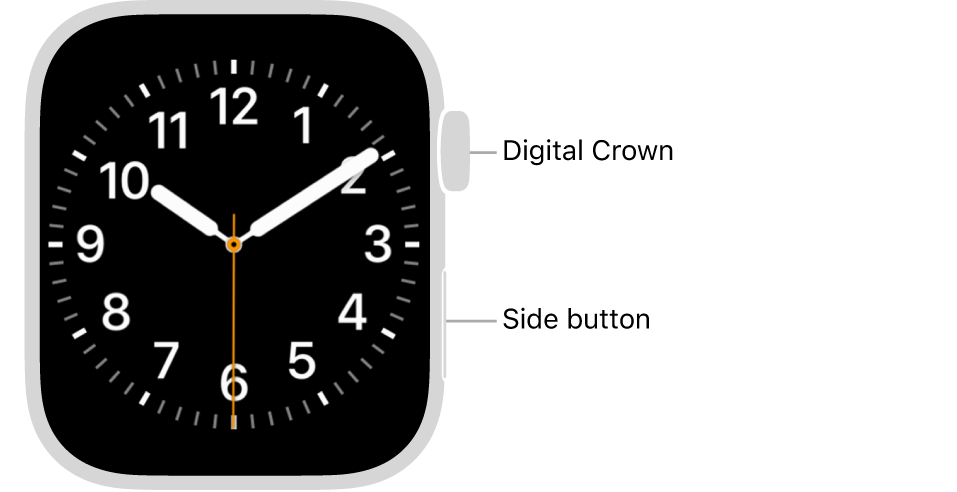
Note: You can’t restart your Apple Watch while it’s charging.
Restart the paired iPhone
Force Apple Watch to restart
If you can’t turn off your Apple Watch or if the problem continues, you may need to force your Apple Watch to restart. Do this only if you’re unable to restart your Apple Watch.
To force restart, hold down the side button and the Digital Crown at the same time for at least ten seconds, until the Apple logo appears."
If the keyboard still won't appear after restarting, does this happen in other apps as well? Are you able to dictate at all by tapping the microphone icon?
Let us know and we'll continue from there.
Take care.
Hi mazilu112,
Have you tried restarting your Apple Watch?
"Restart Apple Watch
, then drag the Power Off slider to the right.
Note: You can’t restart your Apple Watch while it’s charging.
Restart the paired iPhone
Force Apple Watch to restart
If you can’t turn off your Apple Watch or if the problem continues, you may need to force your Apple Watch to restart. Do this only if you’re unable to restart your Apple Watch.
To force restart, hold down the side button and the Digital Crown at the same time for at least ten seconds, until the Apple logo appears."
If the keyboard still won't appear after restarting, does this happen in other apps as well? Are you able to dictate at all by tapping the microphone icon?
Let us know and we'll continue from there.
Take care.
Keyboard not shown

