
Apple Watch bluetooth
My Bluetooth on my apple watch cannot turn on. How can I fix this issue?
My Bluetooth on my apple watch cannot turn on. How can I fix this issue?
Hey luk4s2910,
If you're trying to pair a Bluetooth device to your Apple Watch, we'd recommend reviewing the information in this article as it provides steps to help with that: Connect Apple Watch to Bluetooth headphones or speakers - Apple Support
"Pair Bluetooth headphones or speakers
You need Bluetooth headphones or speakers to listen to most audio on your Apple Watch (Siri, phone calls, voicemail, and voice memos play through the speaker on Apple Watch). Follow the instructions that came with the headphones or speakers to put them in discovery mode. When the Bluetooth device is ready, follow these steps:
 on your Apple Watch, then tap Bluetooth.
You can also tap  on the play screens of the Audiobooks, Music, Now Playing, and Podcasts apps to open the Bluetooth setting."
For more information on Bluetooth with Apple Watch, we'd recommend reviewing this article: About Bluetooth, Wi-Fi, and cellular on your Apple Watch - Apple Support
"Learn about Bluetooth and Wi-Fi for your Apple Watch and how your watch uses both. And learn how cellular on GPS + Cellular models fits in.
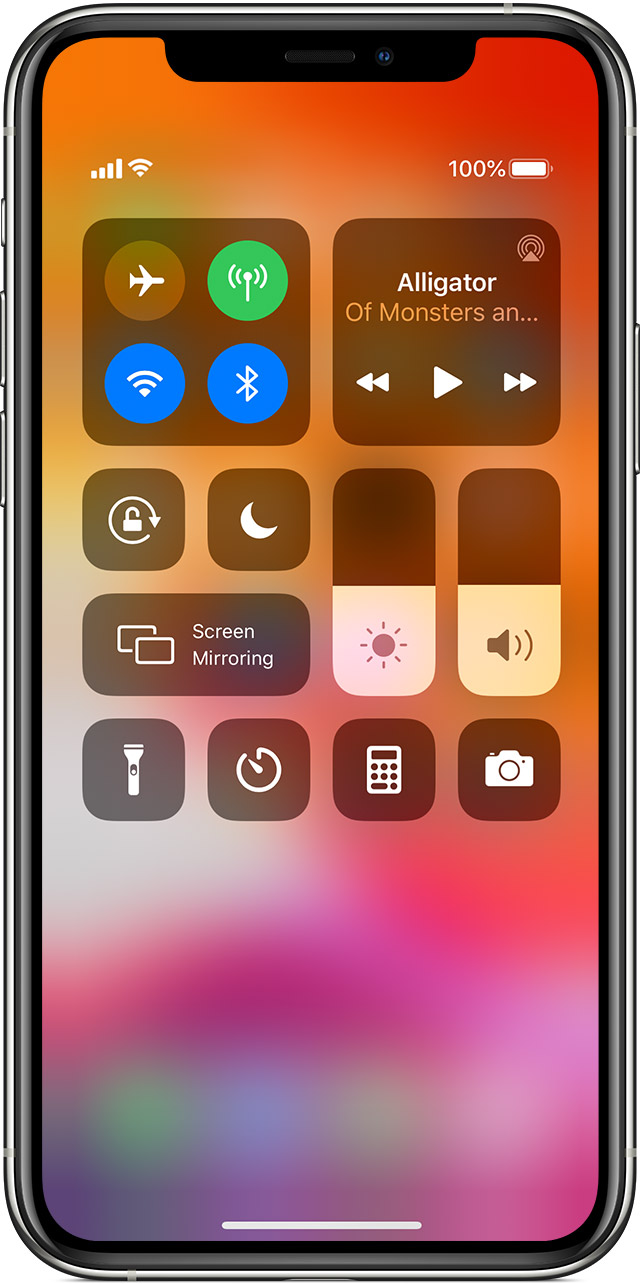
To enjoy every feature on your Apple Watch, you need to turn on Wi-Fi and Bluetooth on your paired iPhone. Open Control Center on your iPhone, then make sure that Wi-Fi  and Bluetooth
  are on.
Your Apple Watch uses Wi-Fi and Bluetooth to communicate with your paired iPhone. If you have cellular, your watch can also stay connected through a cellular network. Your watch switches between these intelligently to choose the most power-efficient connection. Here's how:
Thanks!
Apple Watch bluetooth

