Iphone XR wifi not turning on when powering on phone from off

recently my iPhone started to block me from turning on wifi when I powered on from scratch. I would go to settings, wifi and the on toggle was grey and it blocked me from turning it on. I resovled this issue by swiping down from the top right corner and spamming the wifi toggle to unblock me from using wifi. This issue only occurs when turning on phone from power off and will keep me blocked for about a minute. Please help!!!

iPhone XR

Posted on Apr 5, 2023 10:19 AM

Reply
1 reply

Apr 8, 2023 12:16 PM in response to davidhall14

Hi davidhall14,


Thank you for using the Apple Support Communities! Is this occurring on all networks or just a specific one? If so, the steps below can help which include resetting network settings:


If your iPhone or iPad won't connect to a Wi-Fi network


Make sure that your router is on and that you're within range
If you're too far from your Wi-Fi router, you can't get a signal, so make sure that you're within range.
Make sure that Wi-Fi is on and that you can see your network
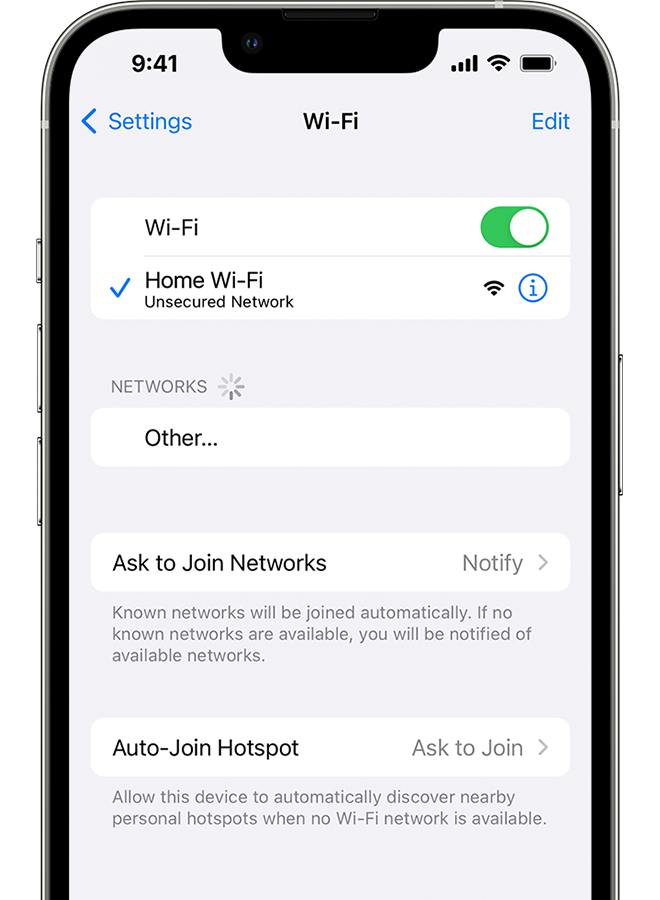
Go to Settings > Wi-Fi and make sure that Wi-Fi is on. Tap the name of your Wi-Fi network to join. A blue checkmark beside a network name means that you're connected.
If you see Auto Join disabled under Settings > Wi-Fi > [Your Network], tap the More Info button and then tap Auto-Join.
An iPhone showing the Wi-Fi screen. There's a blue a checkmark next to the Wi-Fi network's name.

If asked, enter your Wi-Fi password
If asked, enter the password for your Wi-Fi network. Get help if you don't know your password.
Even if you enter the correct password, you might see an "unable to join the network" message or an "incorrect password" message. Restart all of your devices, then try to enter your password again.
Check for issues with your Wi-Fi network
If iOS or iPadOS detects an issue with your Wi-Fi connection, you might see a Wi-Fi recommendation under the name of the Wi-Fi network that you're connected to. For example, you might see the alert "No Internet Connection." To get more information, tap the Wi-Fi network.
 
An iPhone showing the Wi-Fi screen. There's an alert message under the Wi-Fi network's name.

Check your cables and connections
If you still can't connect to your network or get online, make sure that your router is connected to the modem and turned on.
Restart
Restart your iOS or iPadOS device.
Restart your router and cable or DSL modem by unplugging the device and then plugging it back in.
After you restart each device, see if you fixed the issue.
Reset your network settings
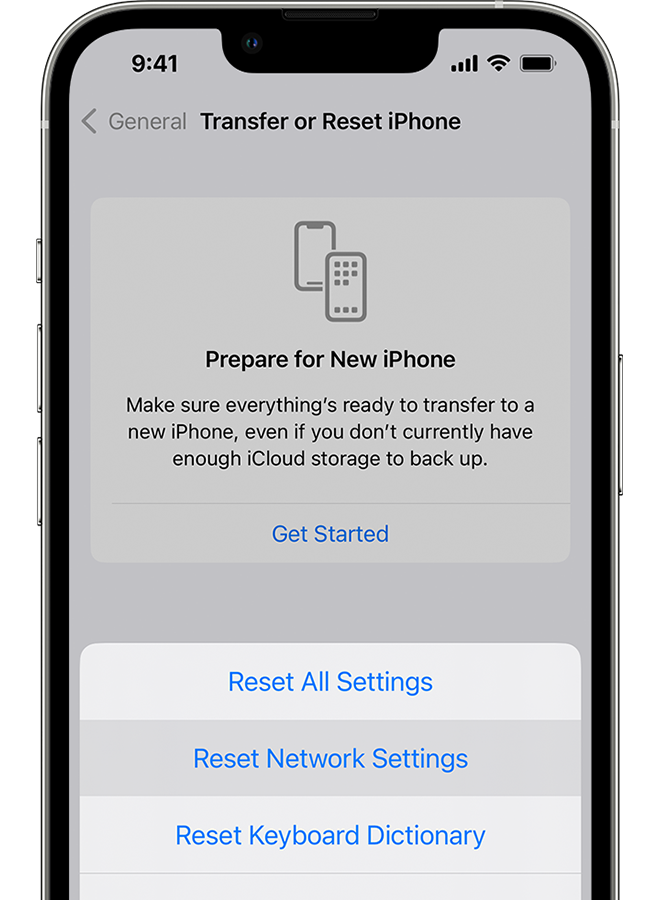
If you're using iOS or iPadOS 15 or later, tap Settings > General > Transfer or Reset [Device] > Reset > Reset Network Settings.
If you're using iOS or iPadOS 14 or earlier, tap Settings > General > Reset > Reset Network Settings.
This also resets Wi-Fi networks and passwords, cellular settings, and VPN and APN settings that you've used before.
An iPhone showing the Transfer or Reset iPhone screen.

Get more help
* If you're connected to a Wi-Fi network but you can’t get online, try to use your Wi-Fi network on other devices. If you can't get online using your other devices, there might be a service outage. Call your cable company or internet provider for help.
* Try connecting to a Wi-Fi network in a different location. If your device can connect, you need to get help with your Wi-Fi network. If your device can't connect to any Wi-Fi networks, contact Apple.
* Update your Wi-Fi router with the latest firmware and make sure that the router supports your Apple product. For more information, contact the router's manufacturer.


Hope this helps!

Have a great day.


This thread has been closed by the system or the community team. You may vote for any posts you find helpful, or search the Community for additional answers.

Iphone XR wifi not turning on when powering on phone from off

Welcome to Apple Support Community
A forum where Apple customers help each other with their products. Get started with your Apple Account.