Icloud email
is it possible to change my iCloud email address/name?
is it possible to change my iCloud email address/name?
Hi miniboc,
Great question! The answer depends on your intent. If you want to change it to another iCloud email address, you can create up to three alias emails on the iCloud website and use those to send/receive mail.
Create an email alias
1. In Mail on iCloud.com, clickat the top of the Mailboxes list, then choose Preferences.
2. Click Accounts, then click “Add an alias.”
3. Provide the requested information:
* Alias: The text you provide becomes the email address (alias@icloud.com). An alias must contain between 3 and 20 characters.
* Full Name: The name you provide appears in the From field of the messages you send.
* Label: Aliases are listed alphabetically by label.
7. Click Add, then click Done.
Add and manage email aliases for iCloud Mail on iCloud.com - Apple Support
If you just want to change your Apple ID to a different (already existing) email address (not another iCloud account), you can follow these instructions to make that change.
How to change your Apple ID to a different email address
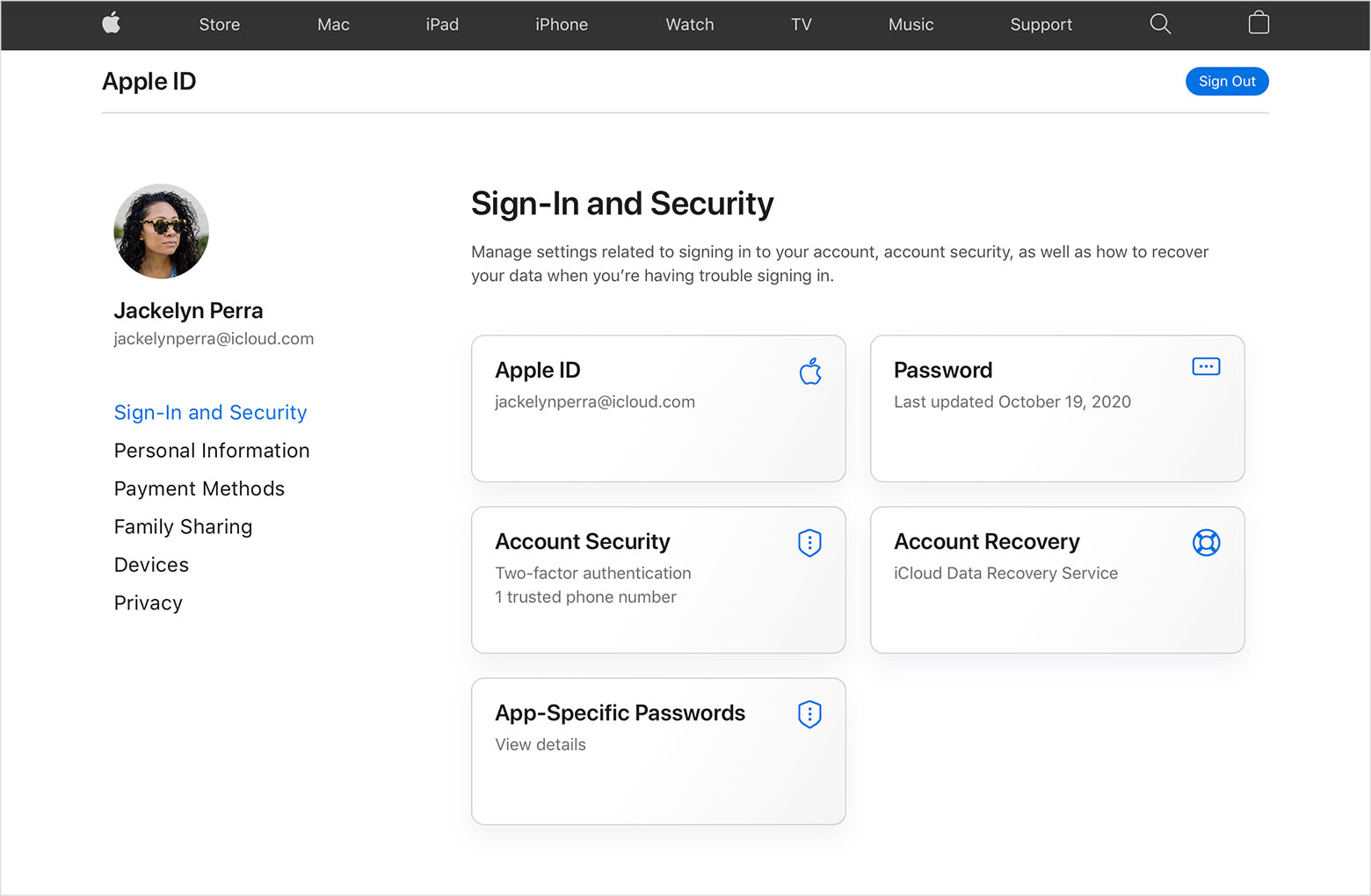
1. Go to appleid.apple.com and sign in.
2. In the Sign-In and Security section, choose Apple ID.
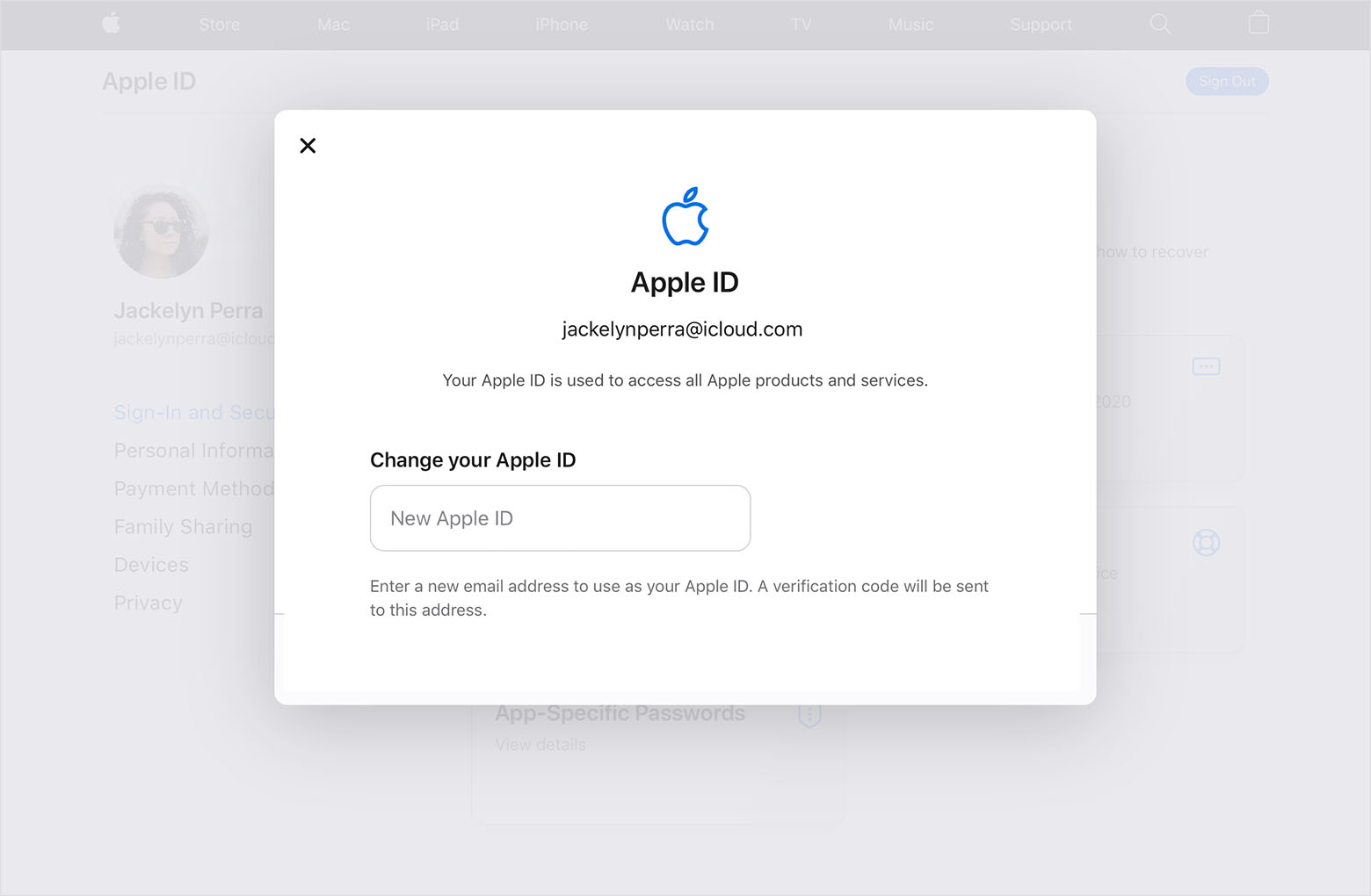
3. Enter the email address that you want to use as your Apple ID.
4. Choose Change Apple ID.
5. If you changed your Apple ID to a third-party email address, check your email for a verification code, then enter the code. Learn what to do if you didn't get the email.
6. If you use services like iCloud or Messages to share with friends and colleagues, sign in to those services with your updated Apple ID.
Change your Apple ID - Apple Support
If you're looking to accomplish something else, please let us know. We like to be helpful.
Kindest Regards.
Hi miniboc,
Great question! The answer depends on your intent. If you want to change it to another iCloud email address, you can create up to three alias emails on the iCloud website and use those to send/receive mail.
Create an email alias
1. In Mail on iCloud.com, click
2. Click Accounts, then click “Add an alias.”
3. Provide the requested information:
* Alias: The text you provide becomes the email address (alias@icloud.com). An alias must contain between 3 and 20 characters.
* Full Name: The name you provide appears in the From field of the messages you send.
* Label: Aliases are listed alphabetically by label.
7. Click Add, then click Done.
Add and manage email aliases for iCloud Mail on iCloud.com - Apple Support
If you just want to change your Apple ID to a different (already existing) email address (not another iCloud account), you can follow these instructions to make that change.
How to change your Apple ID to a different email address
1. Go to appleid.apple.com and sign in.
2. In the Sign-In and Security section, choose Apple ID.
3. Enter the email address that you want to use as your Apple ID.
4. Choose Change Apple ID.
5. If you changed your Apple ID to a third-party email address, check your email for a verification code, then enter the code. Learn what to do if you didn't get the email.
6. If you use services like iCloud or Messages to share with friends and colleagues, sign in to those services with your updated Apple ID.
Change your Apple ID - Apple Support
If you're looking to accomplish something else, please let us know. We like to be helpful.
Kindest Regards.
Thank you I will give it a try.
Icloud email