Hello tamás242,
If the sync in iTunes is not working properly, you can try turning it off and then back on.
1. Open iTunes and connect your device to your computer with a USB cable.
2. Click the device icon in the upper-left corner of the iTunes window. Learn what to do if you don't see the icon.
3. From the list under Settings on the left side of the iTunes window, click Music.
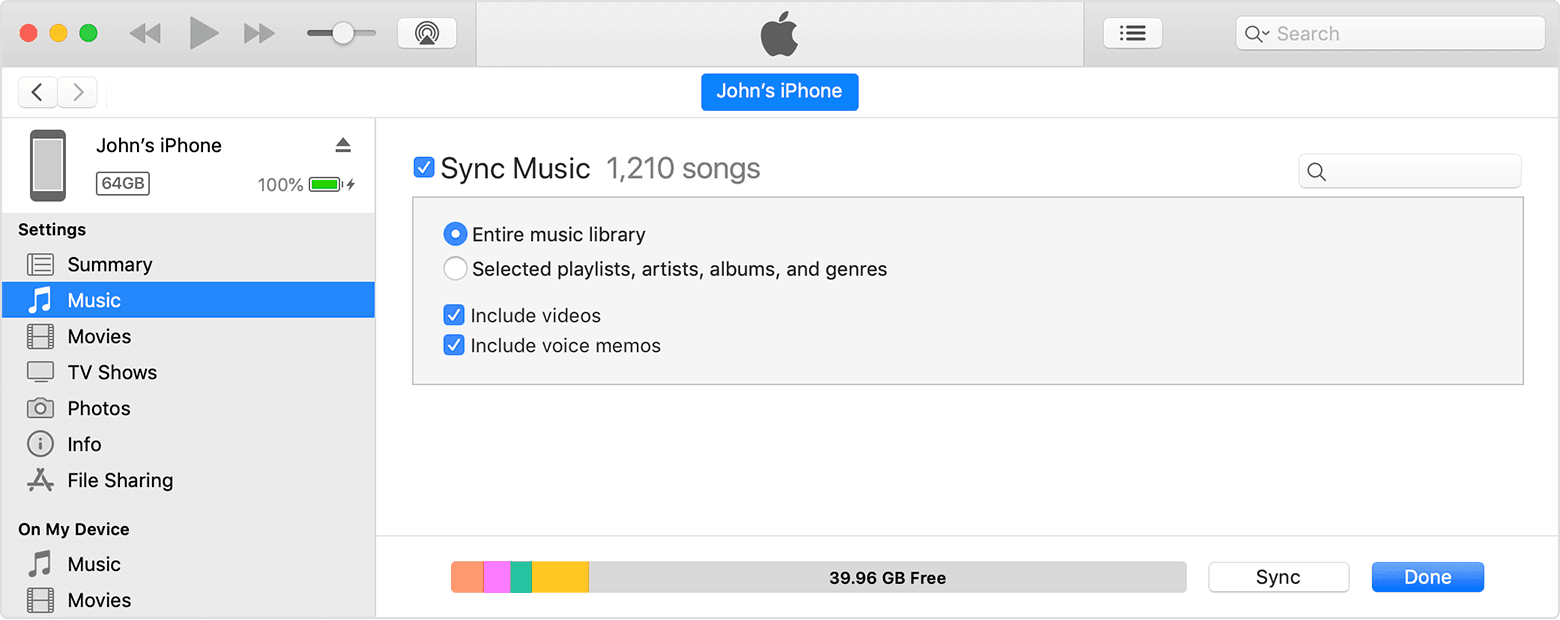
4. Uncheck the box next to Sync Music.
5. Click the Apply button in the lower-right corner of the window. If syncing doesn't start automatically, click the Sync button.
After that completes, re-check the box next to Sync Music and select the Apply button again. Depending on how large your library is, it may take a while to finish the sync. Once it completes, see if the items have moved onto the phone or not.
Use iTunes to sync your iPhone, iPad, or iPod with your computer
Cheers!


