My air pods have been stolen
How do you find list AirPods if they are not showing as discoverable on find my iPhone?
How do you find list AirPods if they are not showing as discoverable on find my iPhone?
Thanks for reaching out Helenshotton,
It sounds like your AirPods are lost, and you need help finding them. We can help.
Before we get started, we do want to let you know the options you'll have available to you will depend entirely on which security features you've enabled before they went missing.
A great place to start is with these steps to Find your lost AirPods:
Locate your AirPods on a map
If you've lost or misplaced your AirPods, you might be able to find them if you use the Find My app on your iPhone, iPad, iPod touch, or Mac that you're signed in to with the same Apple ID. With AirPods Pro (2nd generation), you can also locate the charging case on the map if it's separated from your AirPods.
Locate your AirPods in the Find My app
1. Open the Find My app.
2. Select the Devices tab.
3. Choose your AirPods. Under each device, you see a location or "No location found."
If you can't locate your AirPods on the map
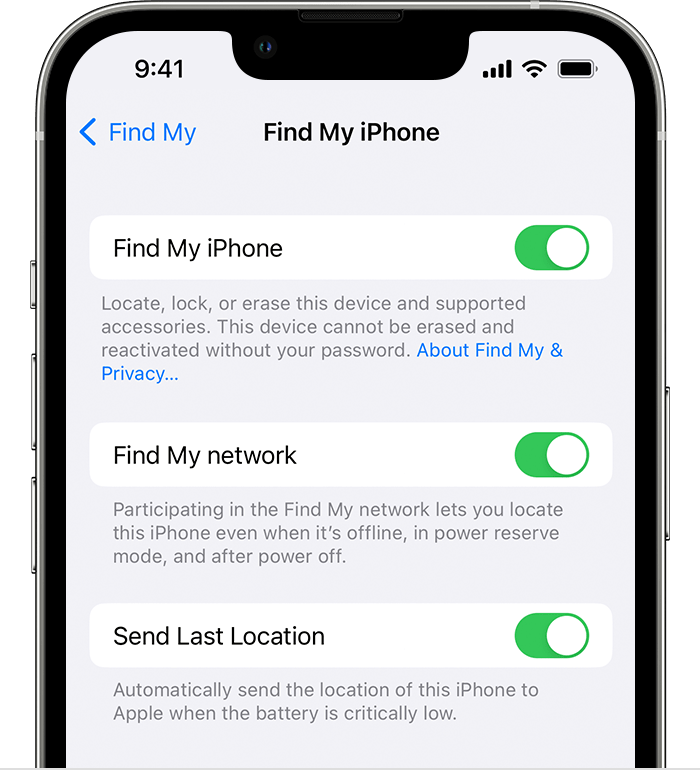
Turn on the Find My network
If you turn on the Find My network, you might be able to see the location of your AirPods (3rd generation), AirPods Pro and AirPods Pro (2nd generation), or AirPods Max even if your iPhone, iPad, or iPod touch isn't connected to a Wi-Fi or cellular network.
1. On your iPhone, iPad, or iPod touch, open the Settings app.
2. Select your name, then select Find My.
3. Select Find My [device], then turn on Find My [device].
4. Turn on "Find My network."
Hope that helps.
Take care.
Thanks for reaching out Helenshotton,
It sounds like your AirPods are lost, and you need help finding them. We can help.
Before we get started, we do want to let you know the options you'll have available to you will depend entirely on which security features you've enabled before they went missing.
A great place to start is with these steps to Find your lost AirPods:
Locate your AirPods on a map
If you've lost or misplaced your AirPods, you might be able to find them if you use the Find My app on your iPhone, iPad, iPod touch, or Mac that you're signed in to with the same Apple ID. With AirPods Pro (2nd generation), you can also locate the charging case on the map if it's separated from your AirPods.
Locate your AirPods in the Find My app
1. Open the Find My app.
2. Select the Devices tab.
3. Choose your AirPods. Under each device, you see a location or "No location found."
If you can't locate your AirPods on the map
Turn on the Find My network
If you turn on the Find My network, you might be able to see the location of your AirPods (3rd generation), AirPods Pro and AirPods Pro (2nd generation), or AirPods Max even if your iPhone, iPad, or iPod touch isn't connected to a Wi-Fi or cellular network.
1. On your iPhone, iPad, or iPod touch, open the Settings app.
2. Select your name, then select Find My.
3. Select Find My [device], then turn on Find My [device].
4. Turn on "Find My network."
Hope that helps.
Take care.
My air pods have been stolen