I can't download PDFs to my IPad with the latest version of iTunes.
I just downloaded the latest version of iTunes and I can't download PDFs on it. What can I do?
iPad Pro (6th generation)
I just downloaded the latest version of iTunes and I can't download PDFs on it. What can I do?
iPad Pro (6th generation)
Thanks for reaching out Falcon57,
It sounds like you're trying to save PDFs to your device. We can help.
It also sounds like you're trying to use iTunes to save and view these PDFs. A better option is to Save and edit PDFs to the Books app on your iPhone or iPad:
Save a PDF attachment on your iPhone or iPad
1. Tap the PDF to open it.
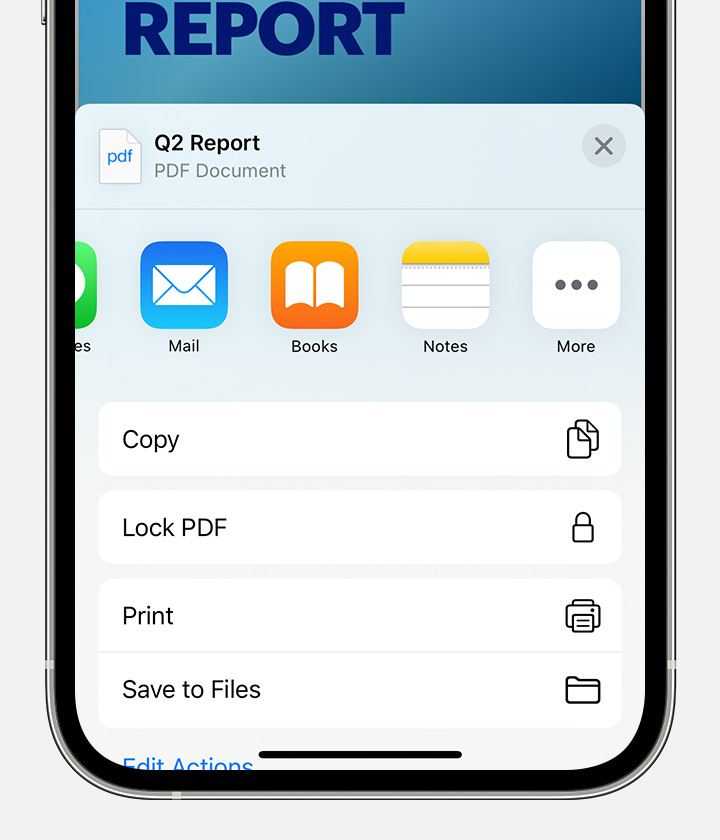
2. Tap the Share button.
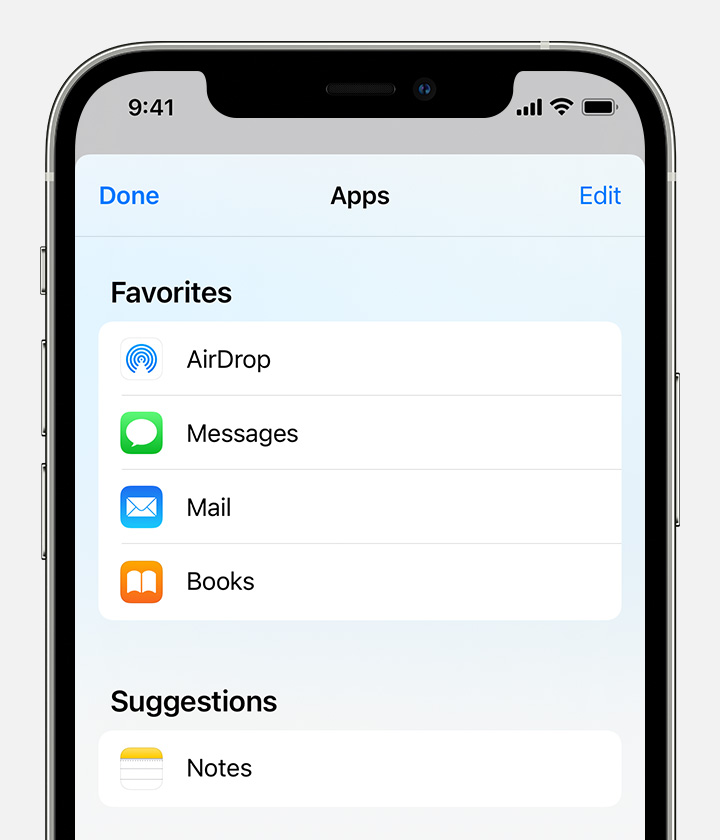
3. Swipe left over the app icons and tap Books.
If you don't see Books, tap the More button. Then tap Books.
Your PDF opens and automatically saves in the Books app. You can find it later in the Library tab.
To access your files on any of your other devices, make sure that you set up iCloud Drive.
Hope that helps.
Take care.
Thanks for reaching out Falcon57,
It sounds like you're trying to save PDFs to your device. We can help.
It also sounds like you're trying to use iTunes to save and view these PDFs. A better option is to Save and edit PDFs to the Books app on your iPhone or iPad:
Save a PDF attachment on your iPhone or iPad
1. Tap the PDF to open it.
2. Tap the Share button
3. Swipe left over the app icons and tap Books.
If you don't see Books, tap the More button. Then tap Books.
Your PDF opens and automatically saves in the Books app. You can find it later in the Library tab.
To access your files on any of your other devices, make sure that you set up iCloud Drive.
Hope that helps.
Take care.
I can't download PDFs to my IPad with the latest version of iTunes.