Reset Apple Watch
How do I reset my Apple Watch to pair it to my phone
Apple Watch SE, watchOS 8
How do I reset my Apple Watch to pair it to my phone
Apple Watch SE, watchOS 8
Hello Cfrench7,
Thanks for that info and for choosing the Apple Support Communities. If we understand correctly, you are having an issue with your Apple Watch and want to reset it. To do this, please follow these steps:
"How to unpair and erase your Apple Watch if you have your iPhone
1. Keep your Apple Watch and iPhone close together as you unpair them.
2. Open the Apple Watch app on your iPhone.
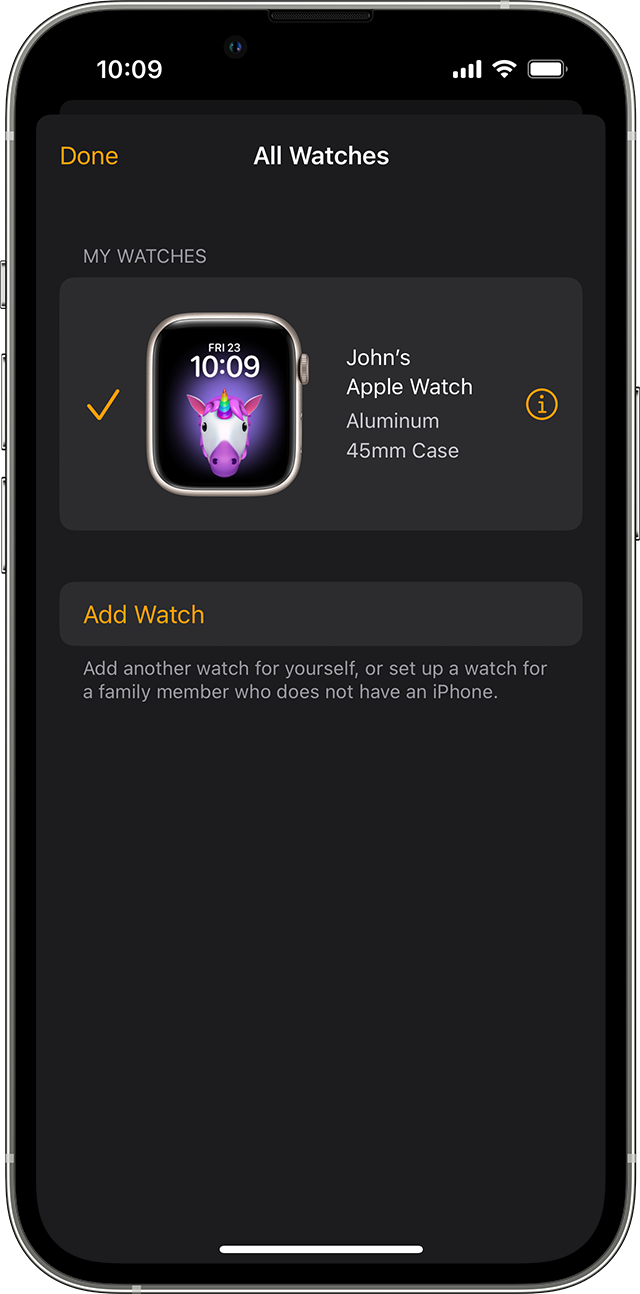
3. Go to the My Watch tab and tap All Watches.
4. Tap the info buttonnext to the watch that you want to unpair.
5.
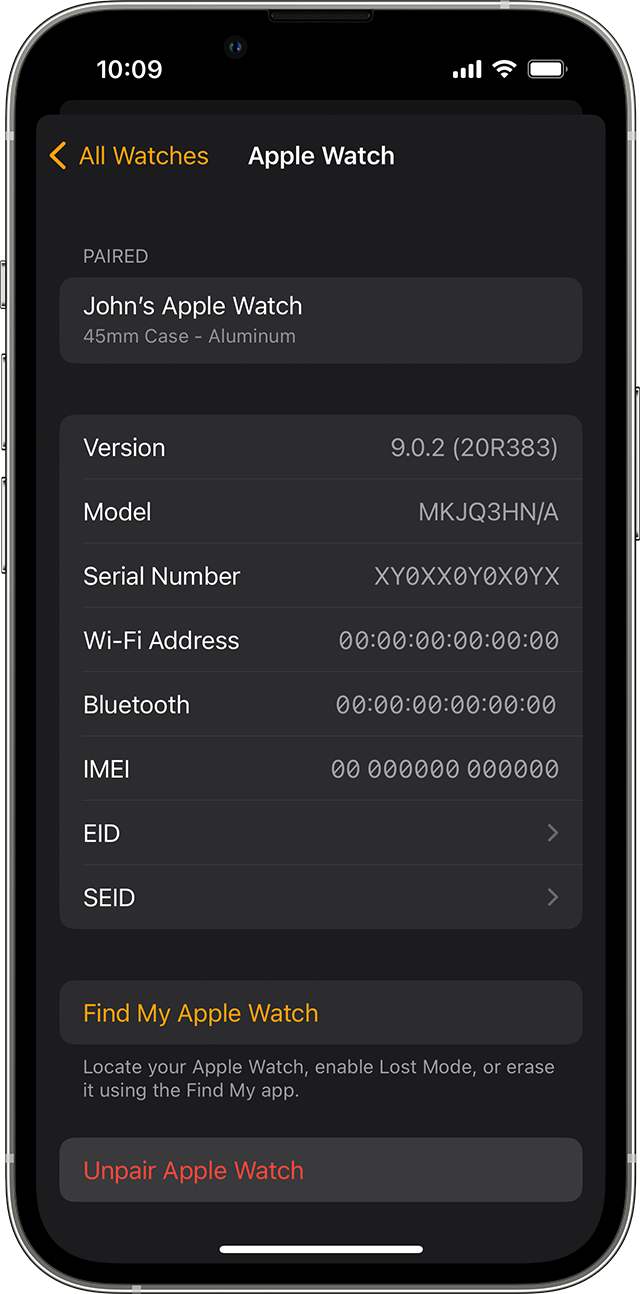
6. Tap Unpair Apple Watch.
7.
8. Tap Unpair [your Apple Watch name].
9. For GPS + Cellular models, choose whether to keep or remove your cellular plan.
* If you want to pair your Apple Watch and iPhone again, keep your plan.
* If you don't want to pair your Apple Watch and iPhone again, remove your plan. If you aren't going to pair with a different watch or iPhone, you might need to contact your carrier to cancel your cellular subscription.
12. Type your Apple ID password to disable Activation Lock, then tap Unpair.
Before erasing all content and settings on your Apple Watch, your iPhone creates a new backup of your Apple Watch. You can use the backup to restore a new Apple Watch. After your Apple Watch unpairs, you'll see the Start Pairing message.
Now you can set up your Apple Watch again or turn it off if you're selling it or giving it away."
And those steps are from here: Unpair and erase your Apple Watch - Apple Support
Cheers!
Hello Cfrench7,
Thanks for that info and for choosing the Apple Support Communities. If we understand correctly, you are having an issue with your Apple Watch and want to reset it. To do this, please follow these steps:
"How to unpair and erase your Apple Watch if you have your iPhone
1. Keep your Apple Watch and iPhone close together as you unpair them.
2. Open the Apple Watch app on your iPhone.
3. Go to the My Watch tab and tap All Watches.
4. Tap the info button
5.
6. Tap Unpair Apple Watch.
7.
8. Tap Unpair [your Apple Watch name].
9. For GPS + Cellular models, choose whether to keep or remove your cellular plan.
* If you want to pair your Apple Watch and iPhone again, keep your plan.
* If you don't want to pair your Apple Watch and iPhone again, remove your plan. If you aren't going to pair with a different watch or iPhone, you might need to contact your carrier to cancel your cellular subscription.
12. Type your Apple ID password to disable Activation Lock, then tap Unpair.
Before erasing all content and settings on your Apple Watch, your iPhone creates a new backup of your Apple Watch. You can use the backup to restore a new Apple Watch. After your Apple Watch unpairs, you'll see the Start Pairing message.
Now you can set up your Apple Watch again or turn it off if you're selling it or giving it away."
And those steps are from here: Unpair and erase your Apple Watch - Apple Support
Cheers!
Reset Apple Watch