
Can not pull wallpaper edit menu on lock screen
Hi, I have a problem with pulling wallpaper/clock/widget menu on lock screen, but I have the haptic touch activated and it works in settings.
iPhone 14
Hi, I have a problem with pulling wallpaper/clock/widget menu on lock screen, but I have the haptic touch activated and it works in settings.
iPhone 14
Hello owlneverdied,
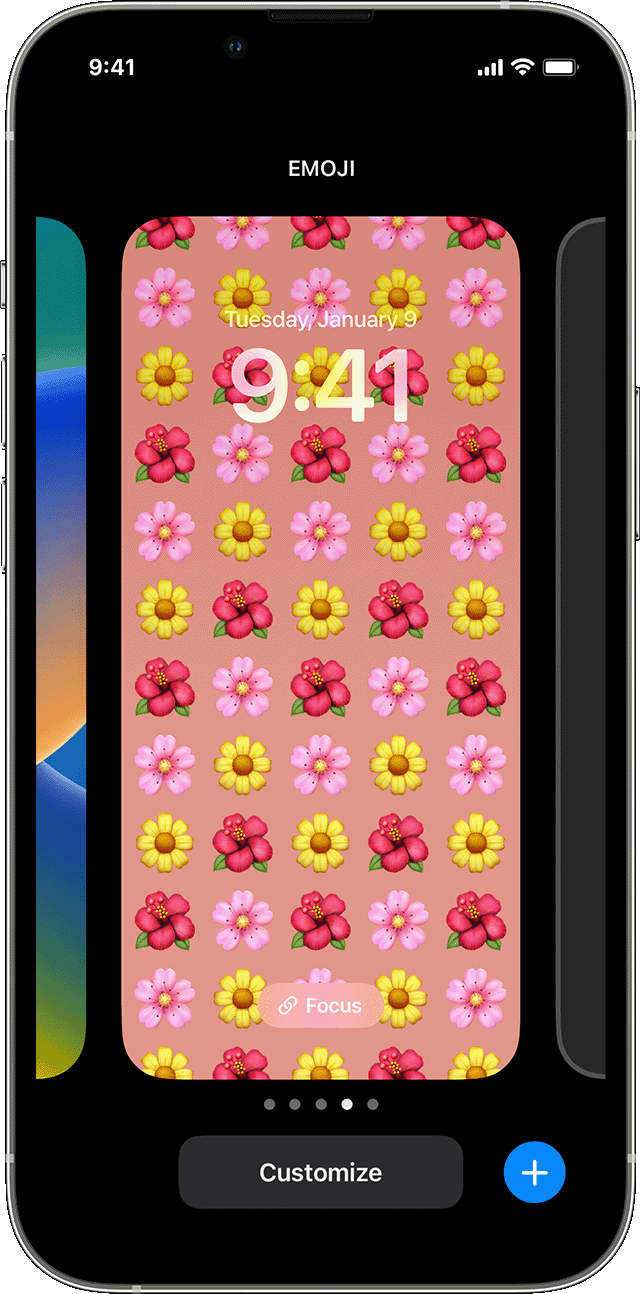
First, let's verify the steps taken to change the wallpaper from your Lock Screen here:
"Change your wallpaper from the Lock Screen
 .
.
"
Change the wallpaper on your iPhone - Apple Support
Next, let's go ahead and perform a restart and check for any available updates which can help:
"1.Restart your device
Restart your iPhone or restart your iPad. Then open the app to see if it works as expected.
2.Check for updates
To see if updates are available for the app, open the App Store, tap your profile icon, then scroll down to see if updates are available. If updates aren't available for the app, update the software on your iPhone or iPad.
"
Cheers.
Can not pull wallpaper edit menu on lock screen

