
Seagate external HD won't connect to MacBook Air
I am unable to use my seagate external harddrive, can you please send an update to patch?
[Re-Titled by Moderator]
I am unable to use my seagate external harddrive, can you please send an update to patch?
[Re-Titled by Moderator]
It's unlikely an update from Apple will make the drive work.
Since you just recently had an update, it's entirely possible the update messed up the Seagate software used to access your drive.
Apple will not offer a patch specifically for your seagate drive. They have no way of knowing what if anything may have gone wrong with the drive or its own software. Only Seagate can know that.
Let's start with some simple steps.
Does the drive show up in Finder?
If so, what happens when you try to open it?
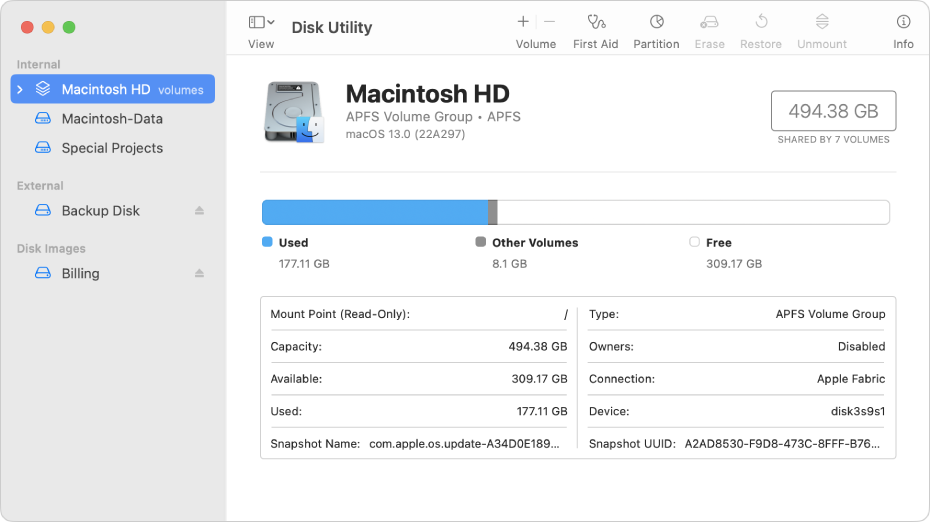
If it doesn't, use spotlight search from the menu bar at the top, and look for an App called Disk Utility. It will list all drives connected to your Mac.
Open it, and see if the Seagate drive appears there. If it does, tell us how it is formatted please. It should tell you this below the name of the drive when you select it.
Since the most recent automatic update on my MacBook Air, I am unable to access my Seagate external hard drive, I was wondering if there is a patch to the most recent update, so I would be able to have my Seagate recognized by my Macbook Air? I am NOT technically savvy but am able to follow directions...Any help is so appreciated...
I have already contacted Seagate, and they are unable to help with the most recent update... is there a way to revert my computer to just before the update? (basically, undo the most recent update?) Or should I bring it to a computer specialist? or just wait for the next update?
Seagate external HD won't connect to MacBook Air
