Hey Blythe58,
We understand you’re having issues accessing photos after updating to Monterey. We’d be happy to help out.
You mentioned being unable to go to your iCloud preferences in order to turn on iCloud Photos, however it’s not quite clear what the issue is with doing so. Where are things going wrong? What happens when you attempt to do so?
As for where you should update to Ventura, considering this is the latest version of macOS, we’d absolutely recommend updating to it as this will provide the best security, compatibility, and latest features.
For help with doing so:
Use Software Update
Before following these steps, it's a good idea to back up your Mac.
1. From the Apple menu in the corner of your screen, choose System Settings or System Preferences.
* If you chose System Settings, click General on the left side of the window. Then click Software Update on the right.
* If you chose System Preferences, click Software Update in the window.
2. Software Update then checks for new software.
* If Software Update finds new software, click the button to install it. The button might be named Update Now, Upgrade Now, Install Now, or Restart Now, for example. You might then be asked to enter your administrator password.
* If Software Update says that your Mac is up to date, then no new software is currently available for your Mac model. Software Update shows only software that is compatible with your Mac.
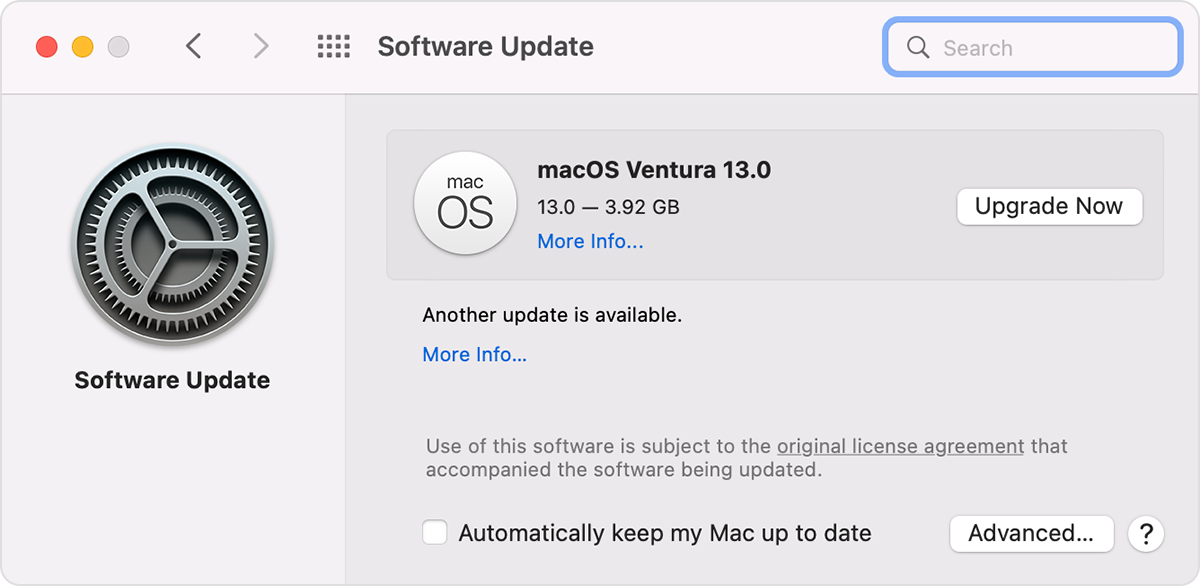
This is outlined in more detail here: Update macOS on Mac - Apple Support
We hope this helps out.
Take care!


