I didn't get my code number
I didn't get my code number
I didn't get my code number
Hi nithya1511,
Thanks for posting in Apple Support Communities.
If you're referring to a verification code when you try to sign in to your Apple ID, make sure that you have the trusted device available to the phone number where the code is sent.
If the device isn't with you, you can get a text or call sent to you.
Get a text or phone call
If you don’t have a trusted device handy, you can have a verification code sent to your trusted phone number as a text message or phone call.
1. Click Didn't get a verification code on the sign in screen.
2. Choose to have the code sent to your trusted phone number.
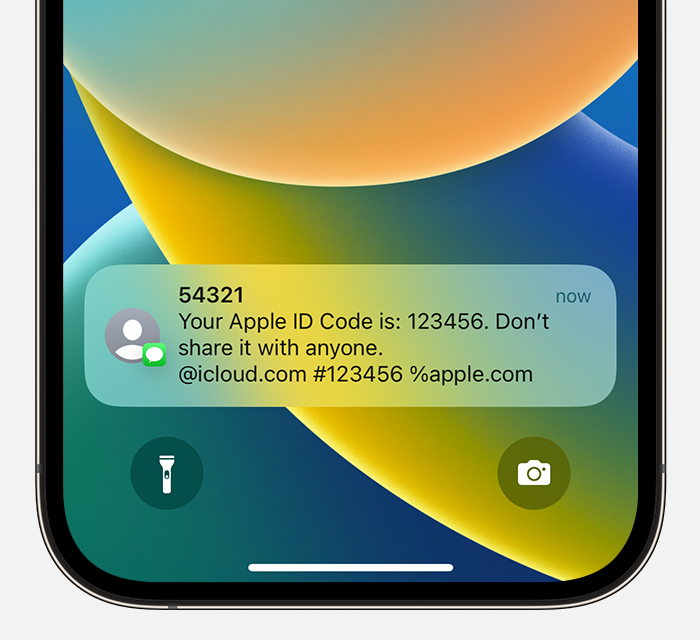
3. You'll get a text message or phone call from Apple with your verification code. This text message might include an additional domain validation line. This line includes the @ symbol, the website name, and your code (for example: @icloud.com #123456 %apple.com).
4.
5. Enter the code on your other device to complete sign in.
Get a code from Settings on your trusted device
If you can’t receive a verification code on your trusted devices automatically, you can get one from Settings, even if your device is offline.
From your iPhone, iPad, or iPod touch
If your device is online:
1. Go to Settings > [your name].
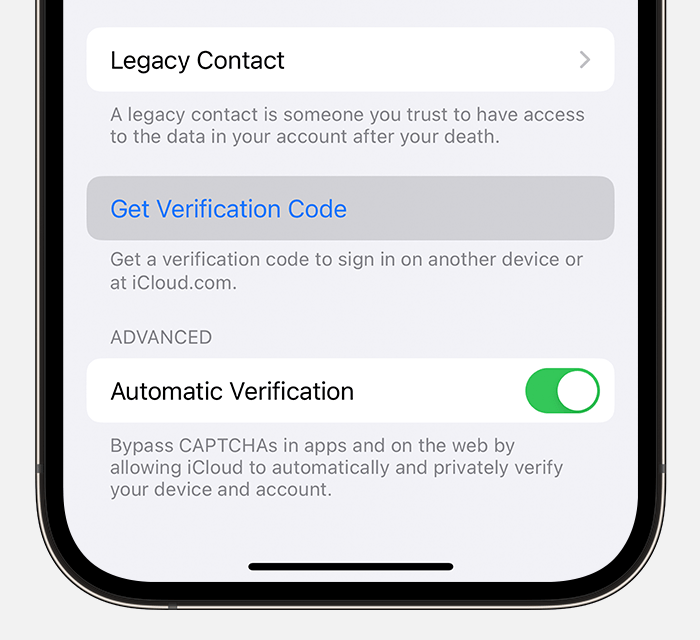
2. Tap Password & Security > Get Verification Code.
3.
If your device is offline:
1. Go to Settings > [your name].
2. Tap Password & Security.
3. A message says "Account Details Unavailable." Tap Get Verification Code.
From your Mac
1. Go to Apple menu > System Settings (or System Preferences), then click your name (or Apple ID).
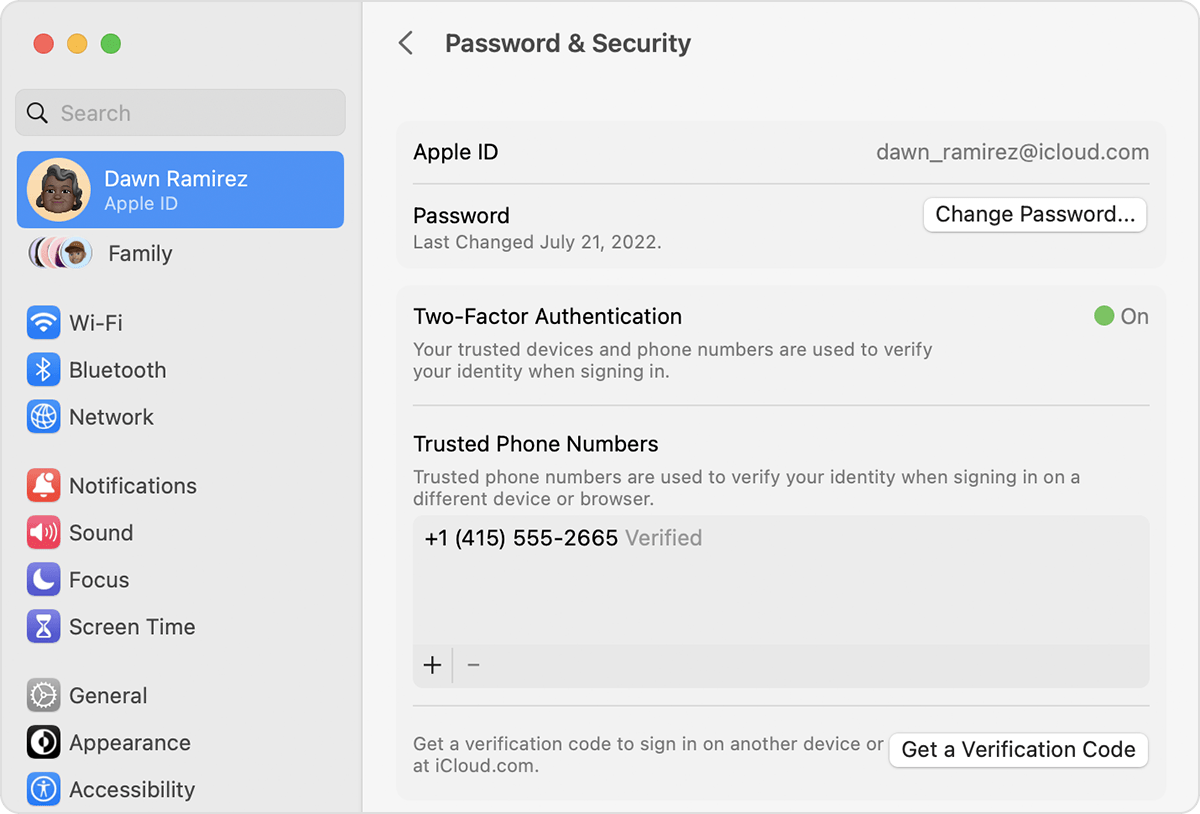
2. Click Password & Security > Get a Verification Code.
3.
Get a verification code and sign in with two-factor authentication - Apple Support
Regards.
Hi nithya1511,
Thanks for posting in Apple Support Communities.
If you're referring to a verification code when you try to sign in to your Apple ID, make sure that you have the trusted device available to the phone number where the code is sent.
If the device isn't with you, you can get a text or call sent to you.
Get a text or phone call
If you don’t have a trusted device handy, you can have a verification code sent to your trusted phone number as a text message or phone call.
1. Click Didn't get a verification code on the sign in screen.
2. Choose to have the code sent to your trusted phone number.
3. You'll get a text message or phone call from Apple with your verification code. This text message might include an additional domain validation line. This line includes the @ symbol, the website name, and your code (for example: @icloud.com #123456 %apple.com).
4.
5. Enter the code on your other device to complete sign in.
Get a code from Settings on your trusted device
If you can’t receive a verification code on your trusted devices automatically, you can get one from Settings, even if your device is offline.
From your iPhone, iPad, or iPod touch
If your device is online:
1. Go to Settings > [your name].
2. Tap Password & Security > Get Verification Code.
3.
If your device is offline:
1. Go to Settings > [your name].
2. Tap Password & Security.
3. A message says "Account Details Unavailable." Tap Get Verification Code.
From your Mac
1. Go to Apple menu > System Settings (or System Preferences), then click your name (or Apple ID).
2. Click Password & Security > Get a Verification Code.
3.
Get a verification code and sign in with two-factor authentication - Apple Support
Regards.
I didn't get my code number