
Bluetooth iPhone to ipad
How can I get the bluetooth on my iPhone to iPad work?
iPhone 11 Pro
How can I get the bluetooth on my iPhone to iPad work?
iPhone 11 Pro
That depends on what you are trying to accomplish exactly.
You cannot pair an iPhone to an iPad directly over bluetooth, however, while not directly paired, bluetooth is used for many features between an iPad and an iPhone. What are you trying to do exactly?
Click here ➜ Use Continuity to connect your Mac, iPhone, iPad, and Apple Watch - Apple Support
That depends on what you are trying to accomplish exactly.
You cannot pair an iPhone to an iPad directly over bluetooth, however, while not directly paired, bluetooth is used for many features between an iPad and an iPhone. What are you trying to do exactly?
Click here ➜ Use Continuity to connect your Mac, iPhone, iPad, and Apple Watch - Apple Support
On your iPhone, go to Settings ➜. Personal HotSpot, and turn it on.
Make sure Bluetooth is turned on.
On your Mac, click the wi-Fi network icon on the menu bar, and look for your iPhone name. Then select it to connect to it.
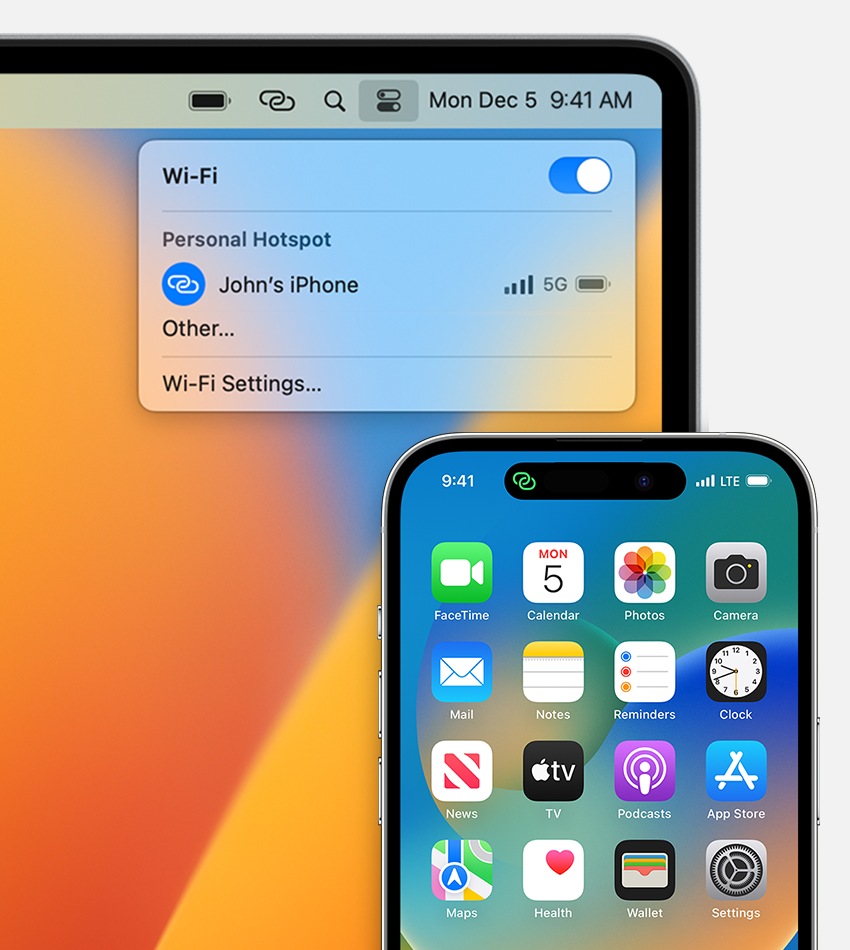
click here ➜ Use Instant Hotspot to connect to your Personal Hotspot without entering a password - Apple Support
I'd like to use my iPhone as a hotspot for my iPad. It's worked before, but stopped working now. iPad says to turn on iPhone, not in range.
Thank you! That fixed the problem :)
Bluetooth iPhone to ipad
