
Is there a problem with Family Sharing? Mine just randomly stopped
Why would my Family Sharing just randomly stop?
Why would my Family Sharing just randomly stop?
Hello 17P,
Thank you for reaching out to Apple Support Communities, and we'll be happy to help in any way we can. We understand you're having issues with Family Sharing. Try the steps here if you're unable to locate your family's shared content: If you can't find your family's shared content - Apple Support
"Check your settings, and ask your family members to check their settings. If you still can't find the app or other content, learn what to do.
Check your Family Sharing settings
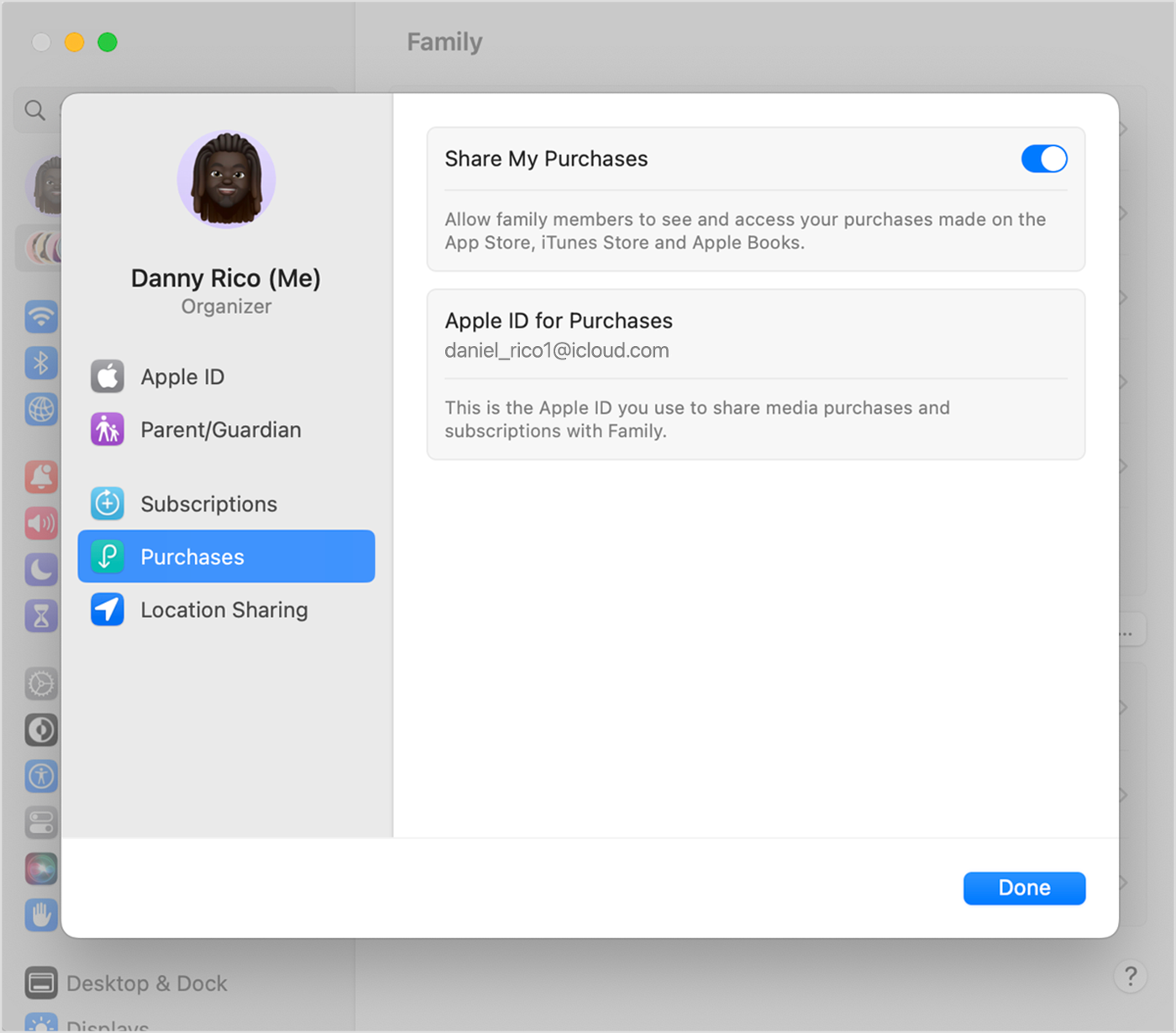
Make sure that you're using the same Apple ID for Family Sharing and Media & Purchases. And make sure that purchase sharing is turned on. Then ask your family members to check their settings too.
On your iPhone or iPad with iOS 16 or later
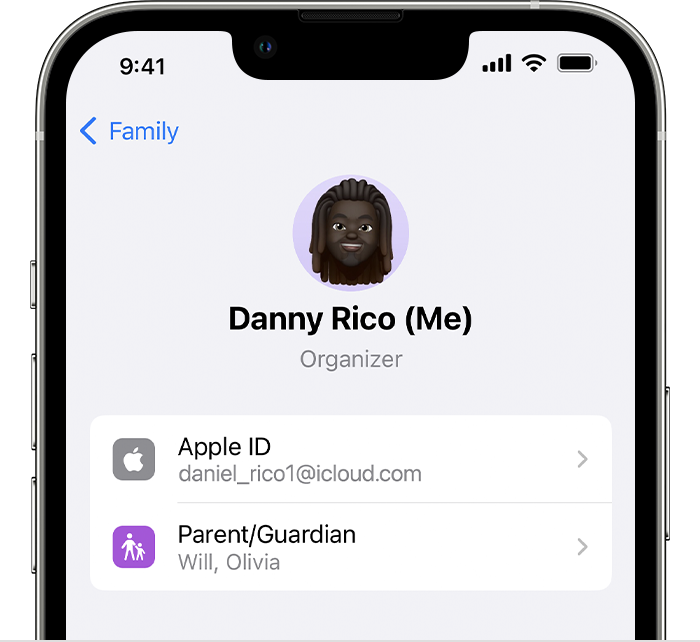
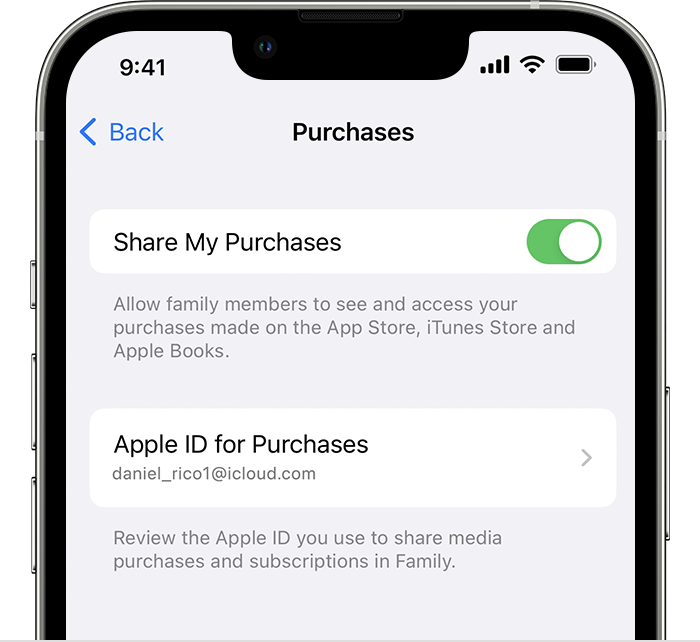
On your iPhone, iPad, or iPod touch with iOS 15 or earlier
On your Mac with macOS Ventura or later
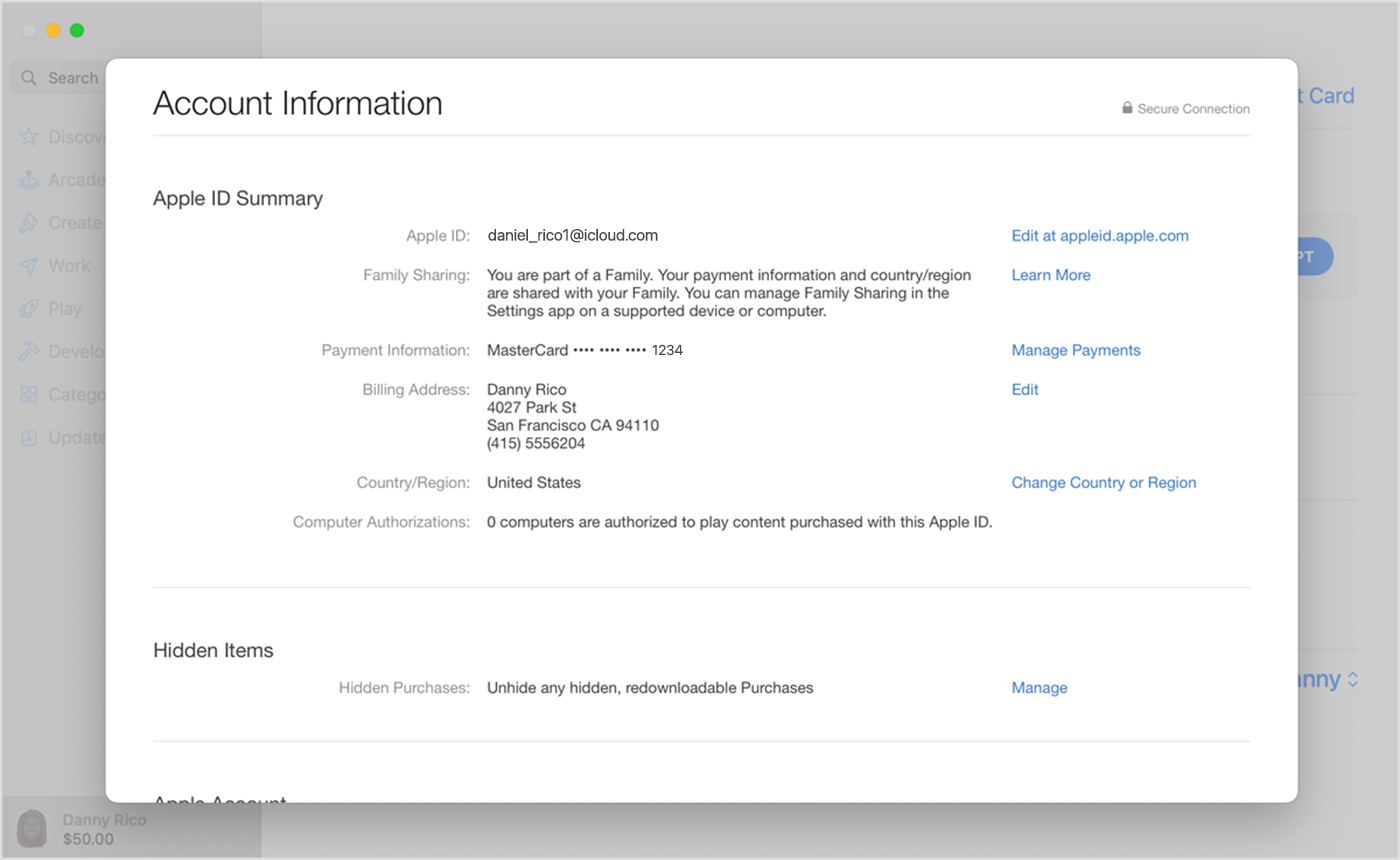
On your Mac with macOS Monterey or earlier

If you still can't find shared content
Sign out of Media & Purchases
Make sure that you sign in to all Apple services using the same Apple ID that you use for sharing content with your family. You don't need to sign out of any other services that use your Apple ID, such as iCloud or iMessage.
On your iPhone, iPad, or iPod touch
On your Mac
On Apple TV
Check if an app is shareable
Some apps might not be enabled for Family Sharing. If you purchased one of these apps, you can see it in your purchase history, but your family members won't be able to see or redownload it.
Learn about the types of content you can share with your family using purchase sharing
Ask your family member whether the purchase is hidden
If a family member has hidden one of their purchases, no one in their family can see it.
Learn how to hide or unhide purchases from the App Store
Make sure that your device meets the system requirements
To access your family's shared content, you need an iPhone, iPad, or iPod touch using iOS 8 or later, or a Mac using OS X Yosemite or later. If you're using an older device, you won’t see your family’s shared content."
We hope this helps.
Cheers!
Hello 17P,
Thank you for reaching out to Apple Support Communities, and we'll be happy to help in any way we can. We understand you're having issues with Family Sharing. Try the steps here if you're unable to locate your family's shared content: If you can't find your family's shared content - Apple Support
"Check your settings, and ask your family members to check their settings. If you still can't find the app or other content, learn what to do.
Check your Family Sharing settings
Make sure that you're using the same Apple ID for Family Sharing and Media & Purchases. And make sure that purchase sharing is turned on. Then ask your family members to check their settings too.
On your iPhone or iPad with iOS 16 or later
On your iPhone, iPad, or iPod touch with iOS 15 or earlier
On your Mac with macOS Ventura or later
On your Mac with macOS Monterey or earlier
If you still can't find shared content
Sign out of Media & Purchases
Make sure that you sign in to all Apple services using the same Apple ID that you use for sharing content with your family. You don't need to sign out of any other services that use your Apple ID, such as iCloud or iMessage.
On your iPhone, iPad, or iPod touch
On your Mac
On Apple TV
Check if an app is shareable
Some apps might not be enabled for Family Sharing. If you purchased one of these apps, you can see it in your purchase history, but your family members won't be able to see or redownload it.
Learn about the types of content you can share with your family using purchase sharing
Ask your family member whether the purchase is hidden
If a family member has hidden one of their purchases, no one in their family can see it.
Learn how to hide or unhide purchases from the App Store
Make sure that your device meets the system requirements
To access your family's shared content, you need an iPhone, iPad, or iPod touch using iOS 8 or later, or a Mac using OS X Yosemite or later. If you're using an older device, you won’t see your family’s shared content."
We hope this helps.
Cheers!
Is there a problem with Family Sharing? Mine just randomly stopped

