
Locked screen
How do I unlock a previous locked screen?
How do I unlock a previous locked screen?
Hello Jogger101,
We would like to see how we can help you with your locked iPhone. If you have forgotten the passcode for your iPhone, follow the steps in this link: If you forgot your iPhone passcode - Apple Support
"Step 1: Make sure that you have a computer (Mac or PC)
This process requires a Mac or PC. If you're using a PC, make sure that it has Windows 10 or later, and that iTunes is installed. You also need the cable that came with your iPhone, or another compatible cable, to connect your iPhone to the computer.
If you don't have a computer and you can't borrow one, you need to go to an Apple Retail Store or Apple Authorized Service Provider for help.

Step 2: Turn off your iPhone
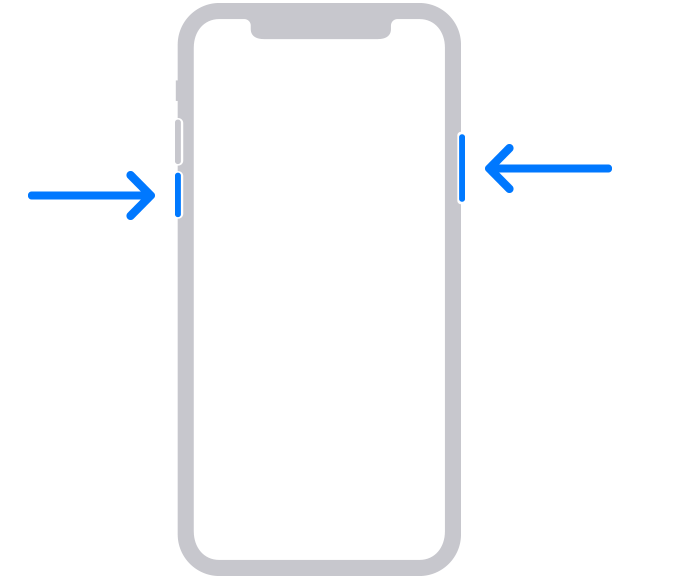
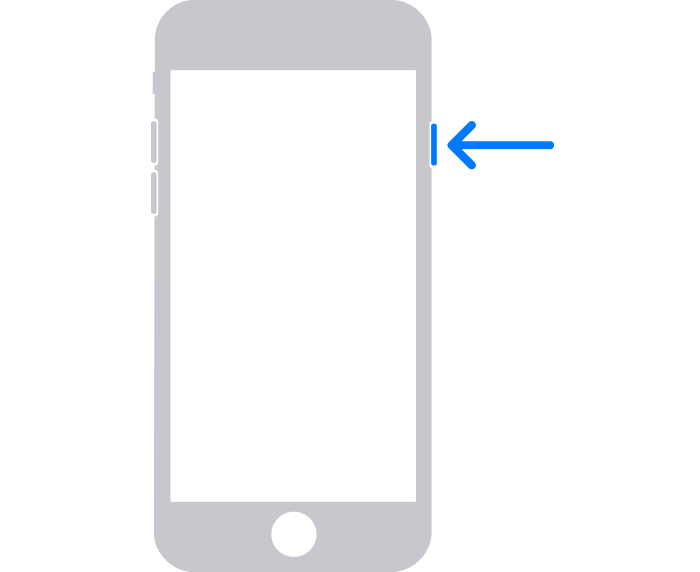
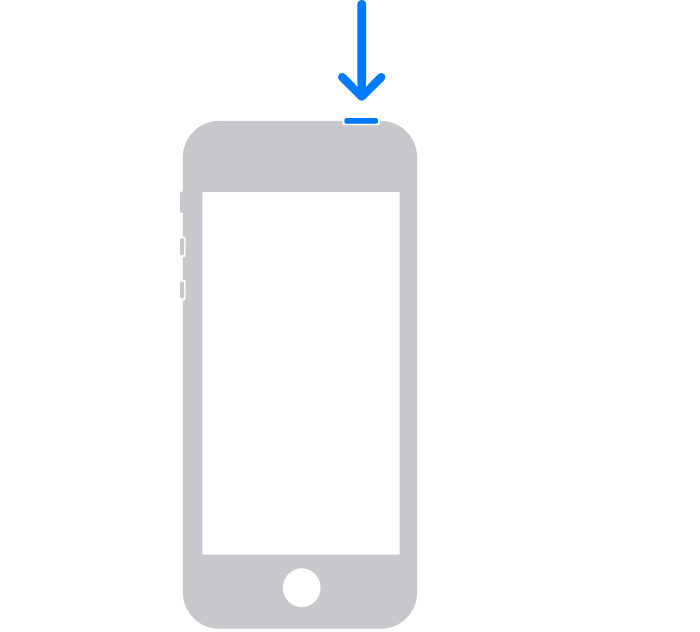
Step 3: Put your iPhone in recovery mode
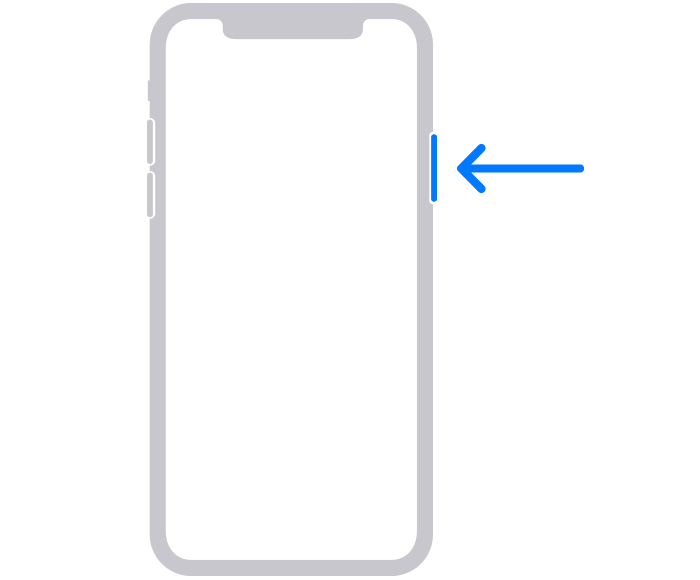
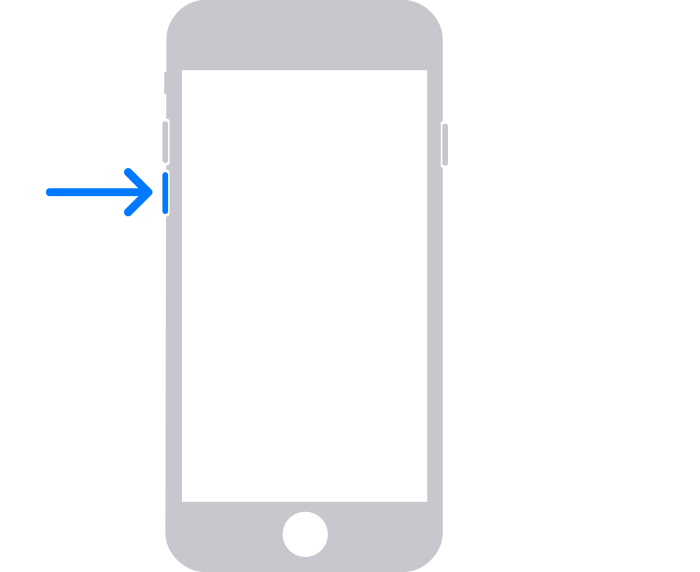
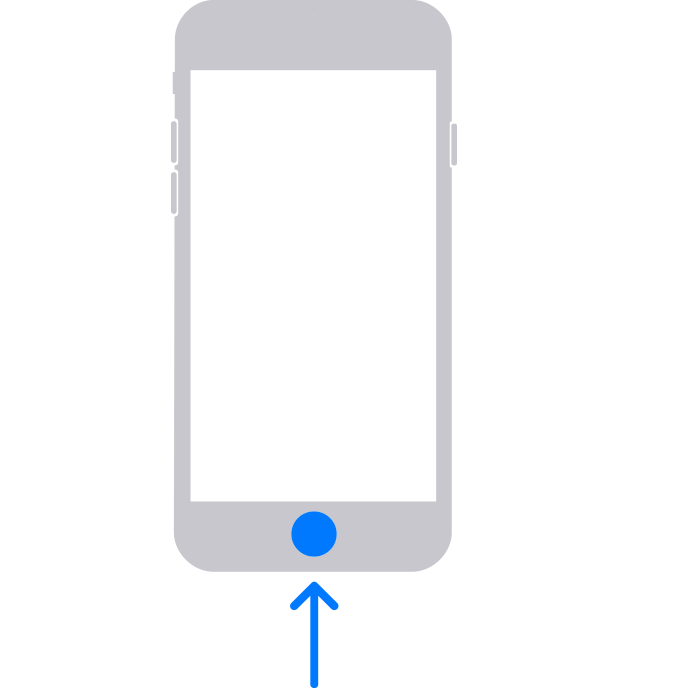
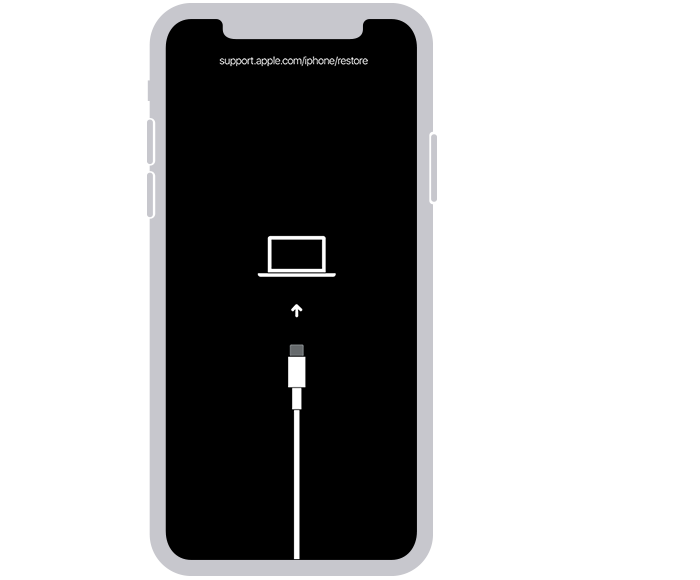
If you can’t get your iPhone to show the recovery mode screen and you need help, contact Apple Support.
Step 4: Restore your iPhone
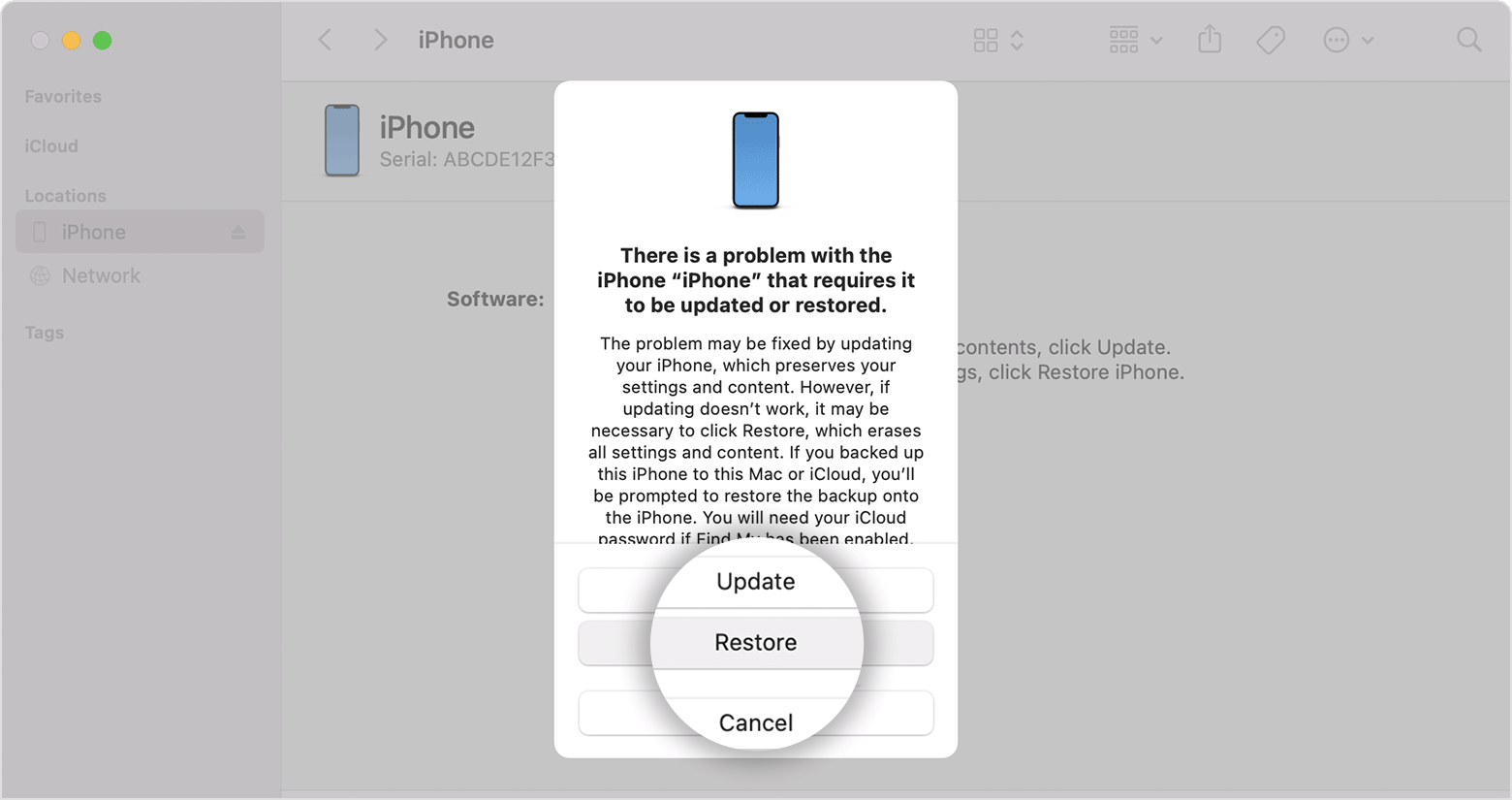
3.Wait for the process to finish.
4.Disconnect your iPhone from the computer, then set up and use your iPhone. "
Get back to us with your results so that we have a better understanding of the issue, and we can go from there.
Cheers!
Hello Jogger101,
We would like to see how we can help you with your locked iPhone. If you have forgotten the passcode for your iPhone, follow the steps in this link: If you forgot your iPhone passcode - Apple Support
"Step 1: Make sure that you have a computer (Mac or PC)
This process requires a Mac or PC. If you're using a PC, make sure that it has Windows 10 or later, and that iTunes is installed. You also need the cable that came with your iPhone, or another compatible cable, to connect your iPhone to the computer.
If you don't have a computer and you can't borrow one, you need to go to an Apple Retail Store or Apple Authorized Service Provider for help.
Step 2: Turn off your iPhone
Step 3: Put your iPhone in recovery mode
If you can’t get your iPhone to show the recovery mode screen and you need help, contact Apple Support.
Step 4: Restore your iPhone
3.Wait for the process to finish.
4.Disconnect your iPhone from the computer, then set up and use your iPhone. "
Get back to us with your results so that we have a better understanding of the issue, and we can go from there.
Cheers!
Locked screen

