Apple Store Gift cards gone after failed update

Did i just loose $100 worth of Apple store gift cards that were in my wallet after the phone bricked updating to ios 16. I had to take it to the store they erased everything to have it working again. Never touched a cent of the cards 4x$25. Please help. Thank you.

Posted on May 3, 2023 12:51 AM

Reply
Question marked as Top-ranking reply

Posted on May 4, 2023 2:07 PM

Hi galo911,


If your Apple Gift Card were in the Wallet app on your iPhone, you've probably already redeemed them to your Apple account. If this is the case, your Apple balance will stay in tact. If you have another device like an iPad, Mac, or computer with iTunes, you can check your balance with the instructions outlined for each on this Apple Support article: Check your Apple Account balance - Apple Support


Check your balance on your Mac
1. Open the App Store. If you see the sign-in button at the bottom of the sidebar, click it and sign in with your Apple ID.
2. If you have a balance, the amount appears below your name. If you don't see an amount, you don't have a balance.
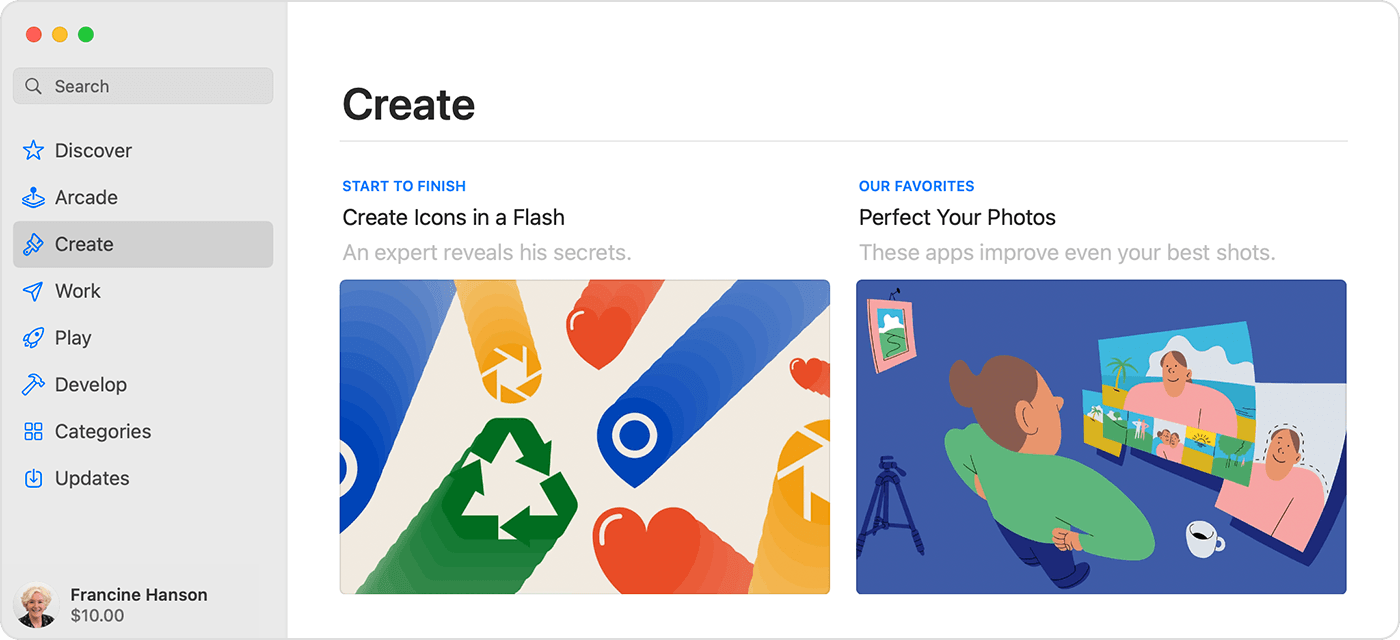
The App Store on Mac shows the balance below the name in the sidebar.

Check your balance on your Windows PC
1. Open iTunes for Windows. If you're not signed in, sign in with your Apple ID.
2. At the top of the iTunes window, click Store.
3. If you have a balance, the amount appears below your name. If you don't see an amount, you don't have a balance.


You can also reach out to Apple Support to inquire about your Apple balance and gift cards.


Contact - Official Apple Support


Kindest Regards.


3 replies
Question marked as Top-ranking reply

May 4, 2023 2:07 PM in response to galo911

Hi galo911,


If your Apple Gift Card were in the Wallet app on your iPhone, you've probably already redeemed them to your Apple account. If this is the case, your Apple balance will stay in tact. If you have another device like an iPad, Mac, or computer with iTunes, you can check your balance with the instructions outlined for each on this Apple Support article: Check your Apple Account balance - Apple Support


Check your balance on your Mac
1. Open the App Store. If you see the sign-in button at the bottom of the sidebar, click it and sign in with your Apple ID.
2. If you have a balance, the amount appears below your name. If you don't see an amount, you don't have a balance.

The App Store on Mac shows the balance below the name in the sidebar.

Check your balance on your Windows PC
1. Open iTunes for Windows. If you're not signed in, sign in with your Apple ID.
2. At the top of the iTunes window, click Store.
3. If you have a balance, the amount appears below your name. If you don't see an amount, you don't have a balance.


You can also reach out to Apple Support to inquire about your Apple balance and gift cards.


Contact - Official Apple Support


Kindest Regards.


This thread has been closed by the system or the community team. You may vote for any posts you find helpful, or search the Community for additional answers.

Apple Store Gift cards gone after failed update

Welcome to Apple Support Community
A forum where Apple customers help each other with their products. Get started with your Apple Account.