how do I retrieve deleted messages over 6 months old
how do I retrieve deleted messages over 6 months old
iPhone 11, iOS 16
how do I retrieve deleted messages over 6 months old
iPhone 11, iOS 16
Hi deletedmessagesfrom6monthsago,
Thanks for posting in Apple Support Communities.
Once a message is deleted, you have 30- 40 days from the date it was removed, to retrieve it from Recently Deleted messages.
How to retrieve a deleted message or conversation
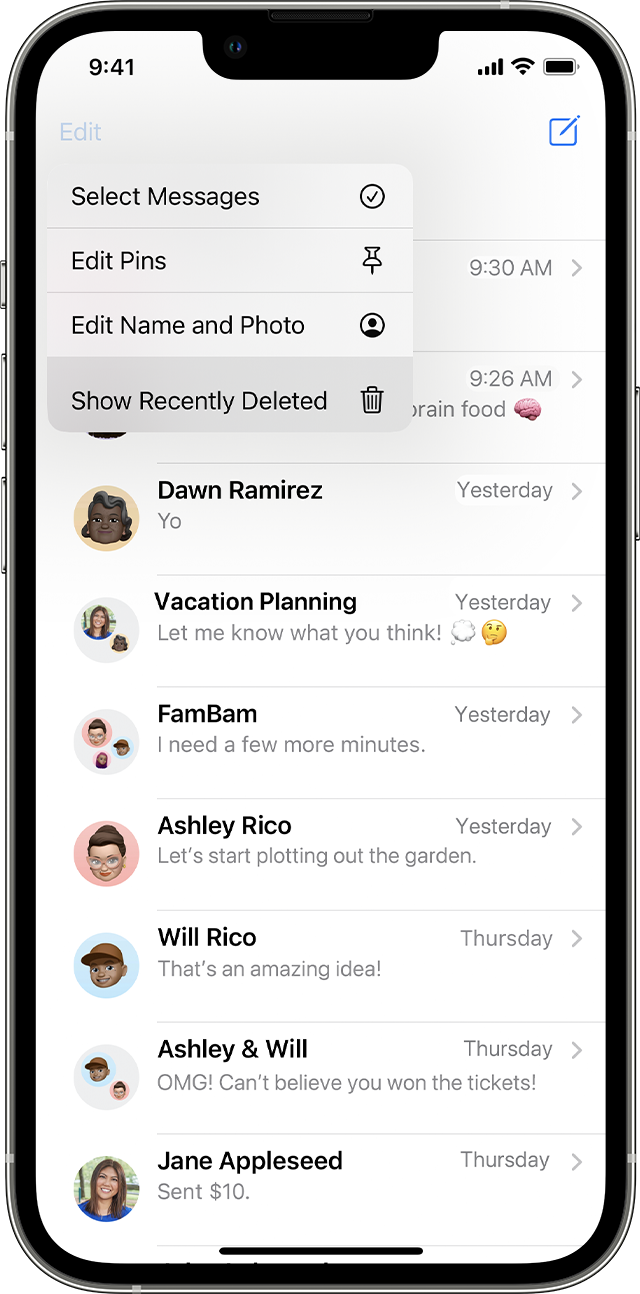
1. In Messages, tap Edit on the conversations page. If you previously turned Message Filtering on, the Edit button doesn't appear. Instead, tap Filters on the conversations page.
2. Tap Show Recently Deleted.
3. Choose the conversations with the messages you want to restore, then tap Recover.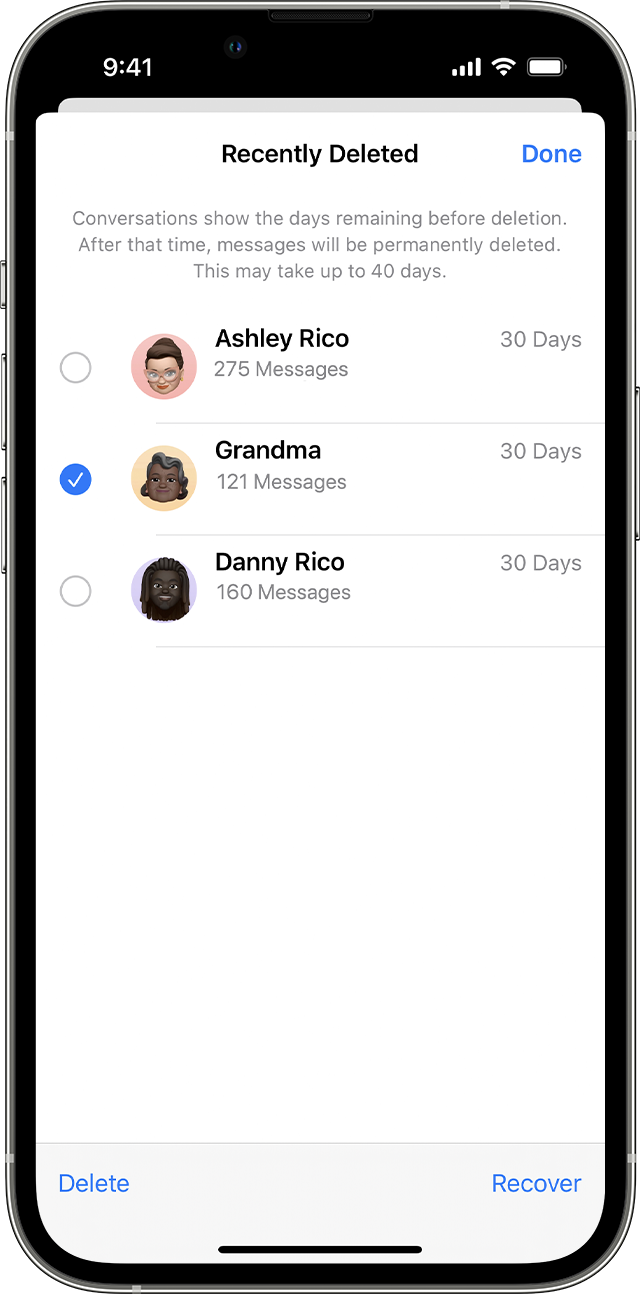
4. Tap Recover Message or Recover [Number] Messages.
You need iOS 16, iPadOS 16.1, or later to recover deleted messages and conversations. You can only recover messages and conversations that you deleted within the last 30 to 40 days. If you delete a message before you update to iOS 16, iPadOS 16, or later, you can't recover that message.
Recover deleted text messages on your iPhone or iPad - Apple Support
Regards.
Hi deletedmessagesfrom6monthsago,
Thanks for posting in Apple Support Communities.
Once a message is deleted, you have 30- 40 days from the date it was removed, to retrieve it from Recently Deleted messages.
How to retrieve a deleted message or conversation
1. In Messages, tap Edit on the conversations page. If you previously turned Message Filtering on, the Edit button doesn't appear. Instead, tap Filters on the conversations page.
2. Tap Show Recently Deleted
3. Choose the conversations with the messages you want to restore, then tap Recover.
4. Tap Recover Message or Recover [Number] Messages.
You need iOS 16, iPadOS 16.1, or later to recover deleted messages and conversations. You can only recover messages and conversations that you deleted within the last 30 to 40 days. If you delete a message before you update to iOS 16, iPadOS 16, or later, you can't recover that message.
Recover deleted text messages on your iPhone or iPad - Apple Support
Regards.
how do I retrieve deleted messages over 6 months old